How could I know a node was un-published in a time range. | Community
Skip to main content
Level 2
Jul 9, 2020 2:57 AM UTC
Solved

How could I know a node was un-published in a time range.

The reason why I want know this is I wanna get the delta changes after a specific timestamp from my publisher instance which node has been changed. I can get the added or modified nodes because they have timestamp to tell me when they have been changed, but I can't get the deleted nodes.


For example I have a node tree in AEM and it has been full published to my publisher instance.
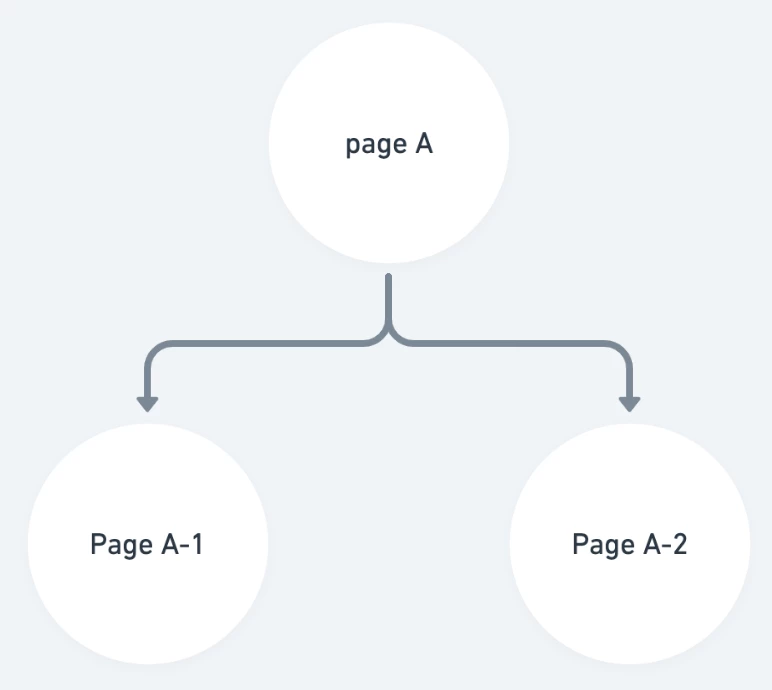
 

And I have deleted the node "Page A-2" at some point.
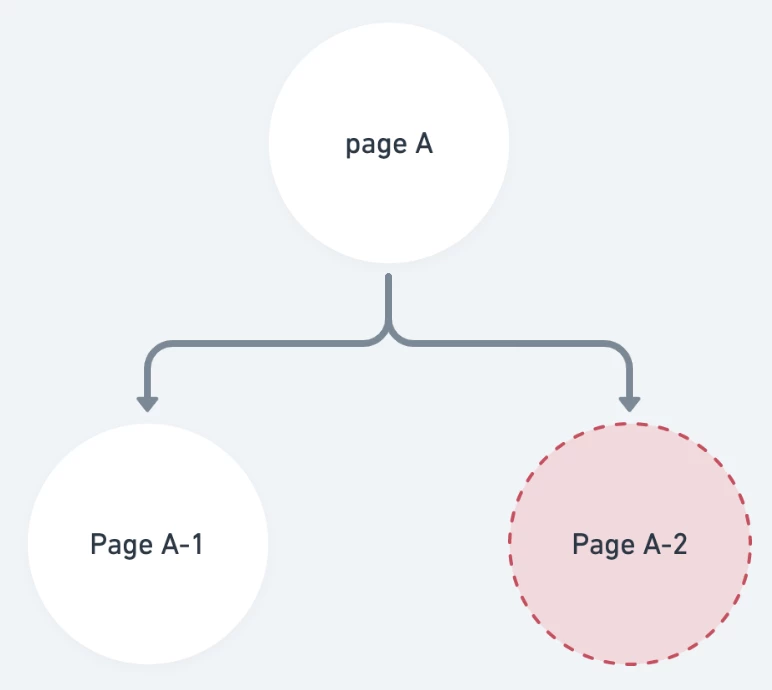
The node "Page A-2" would just disappears from my publisher instance, there is no any records to tell me when it has been un-published.


A piece of my mind to solve this problem is handle the replication event and change the parent node modified timestamp if the child page will be un-published. But I don't think it's a best practice.


Is there any other way I can do this?

This post is no longer active and is closed to new replies. Need help? Start a new post to ask your question.
Vaibhavi_J
Vaibhavi_JAccepted solution
Level 7
Jul 9, 2020 4:03 AM UTC

Hi @leonzhao0327 

If you want to know the deactivation history, you need to look at tracing in audit log.

You can see the solution detailed in below thread. 

https://experienceleaguecommunities.adobe.com/t5/adobe-experience-manager/publish-unpublish-history/qaq-p/248489

4 replies

kautuk_sahni
Employee
Jul 10, 2020 10:07 AM UTC
Great way to post the questions.
Translate
Kautuk Sahni
arunpatidar
New Participant
Jul 9, 2020 9:30 PM UTC

If you are versioning the pages then you can get the delete page info from timeline on Author instance.


Translate
Arun Patidar
Varun_Shakya
New Participant
Jul 9, 2020 6:25 AM UTC

one way to solve this issue could be workflow . You can have have a workflow  which will get launched whenever author deletes a page a notification will be sent to your inbox .. This way you can keep track of all the deleted or deactivated pages.

Or  trace the audit log as mentioned by @vaibhavi_j 

Translate
Vaibhavi_J
Vaibhavi_JAccepted solution
Level 7
Jul 9, 2020 4:03 AM UTC

Hi @leonzhao0327 

If you want to know the deactivation history, you need to look at tracing in audit log.

You can see the solution detailed in below thread. 

https://experienceleaguecommunities.adobe.com/t5/adobe-experience-manager/publish-unpublish-history/qaq-p/248489

Translate