How do I change layout in a Horizontal orientation project | Community
Skip to main content
leopike
New Participant
July 20, 2015
Solved

How do I change layout in a Horizontal orientation project

  • July 20, 2015
  • 4 replies
  • 1267 views

Hi,

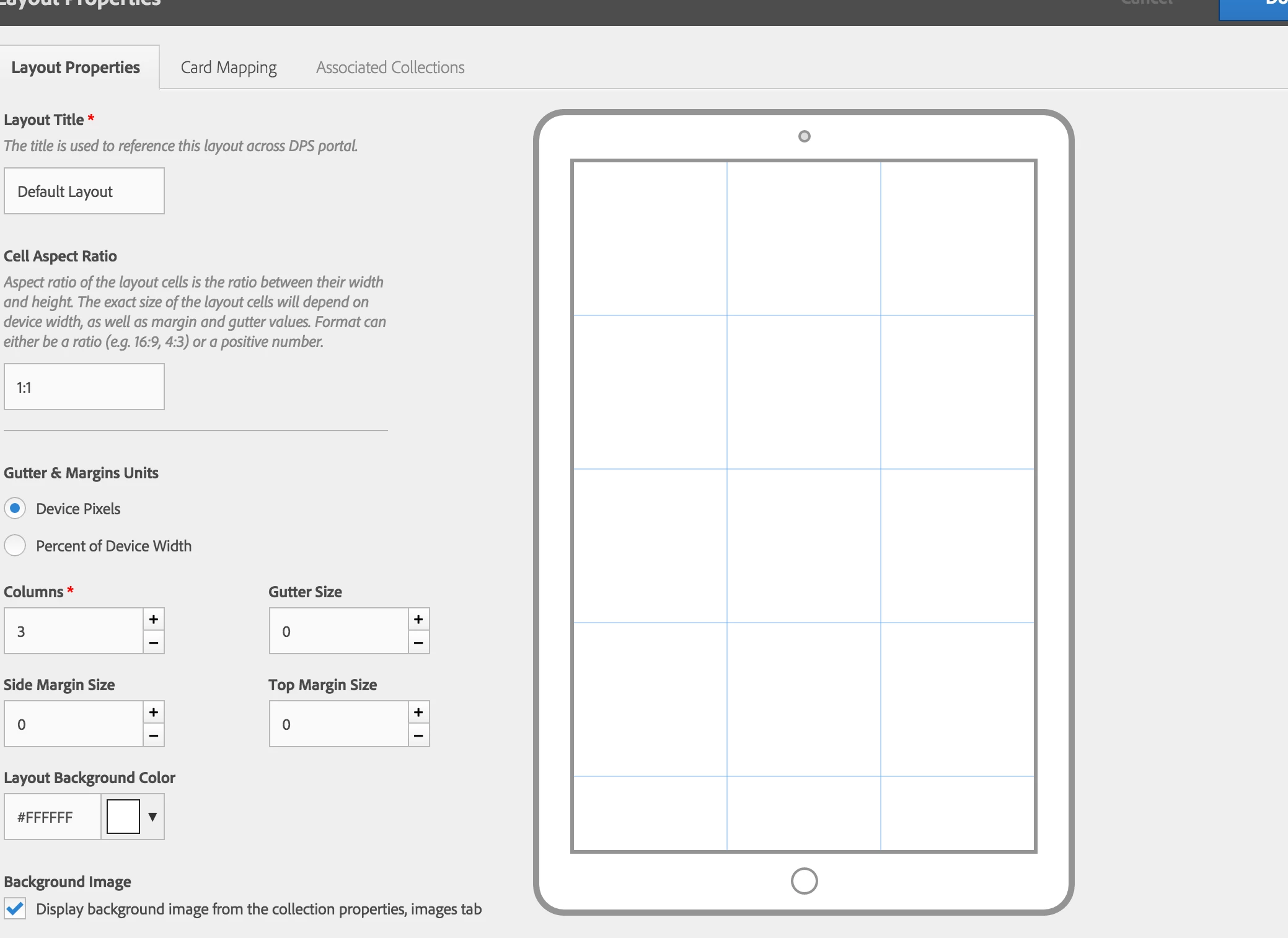
I created a horizontal app but couldn't get past the intro graphic (to my home collection). I looked at the default layout and it looks as though it's portrait, even the app setting is horizontal. (See below). I can't seem to find out how to adjust to a horizontal layout. Am I missing an option somewhere?

Thank you,

Leo
This post is no longer active and is closed to new replies. Need help? Start a new post to ask your question.
Best answer by andreig1004688

Hi Leo,

You're not missing any options. The setting for establishing the app as horizontal is in the actual app settings - you got it right.

For now, the preview doesn't react to those settings. The preview is a rough guideline of how the grid works. The same grid will be responsive (will stretch / skew) to accommodate different devices & orientations, while maintaining the proportion (AR) of the cells (the main unit of the browse page).

If you are to publish content/layout in your app, the browse-page will render as expected (horizontally), despite this quick preview being showed in portrait only.

4 replies

Neil_Enns_-_Ado
Employee
July 20, 2015

Woohoo! Note that if you build a preview app, and use the preview button in the portal, you'll find you don't have to wait nearly as long for the changes to show up.

Neil

leopike
leopikeAuthor
New Participant
July 20, 2015

I think I just wasn't patient enough for my updates to take effect. My home collection is now displaying in the horizontal format, thank you for asking

Neil_Enns_-_Ado
Employee
July 20, 2015

Also, what do you mean by you couldn't get past the intro graphic? Did your app get stuck on the splash screen? Or did you see nothing after the splash screen went away?

Neil

andreig1004688
andreig1004688Accepted solution
Employee
July 20, 2015

Hi Leo,

You're not missing any options. The setting for establishing the app as horizontal is in the actual app settings - you got it right.

For now, the preview doesn't react to those settings. The preview is a rough guideline of how the grid works. The same grid will be responsive (will stretch / skew) to accommodate different devices & orientations, while maintaining the proportion (AR) of the cells (the main unit of the browse page).

If you are to publish content/layout in your app, the browse-page will render as expected (horizontally), despite this quick preview being showed in portrait only.