
How do we get total size of our assets on AEM? | Community
Skip to main content
Tam123456
New Participant
April 11, 2023
Solved

How do we get total size of our assets on AEM?

  • April 11, 2023
  • 2 replies
  • 2963 views

Hi, a few questions about AEM.


1) How do we get the total size of all our assets?
2) Total count of our assets by asset type (image, video, etc.)?
3) Listing of renditions?

This post is no longer active and is closed to new replies. Need help? Start a new post to ask your question.
Best answer by ShaileshBassi

hi @tam123456 

Navigate to the path i.e. Tools > Assets > Report
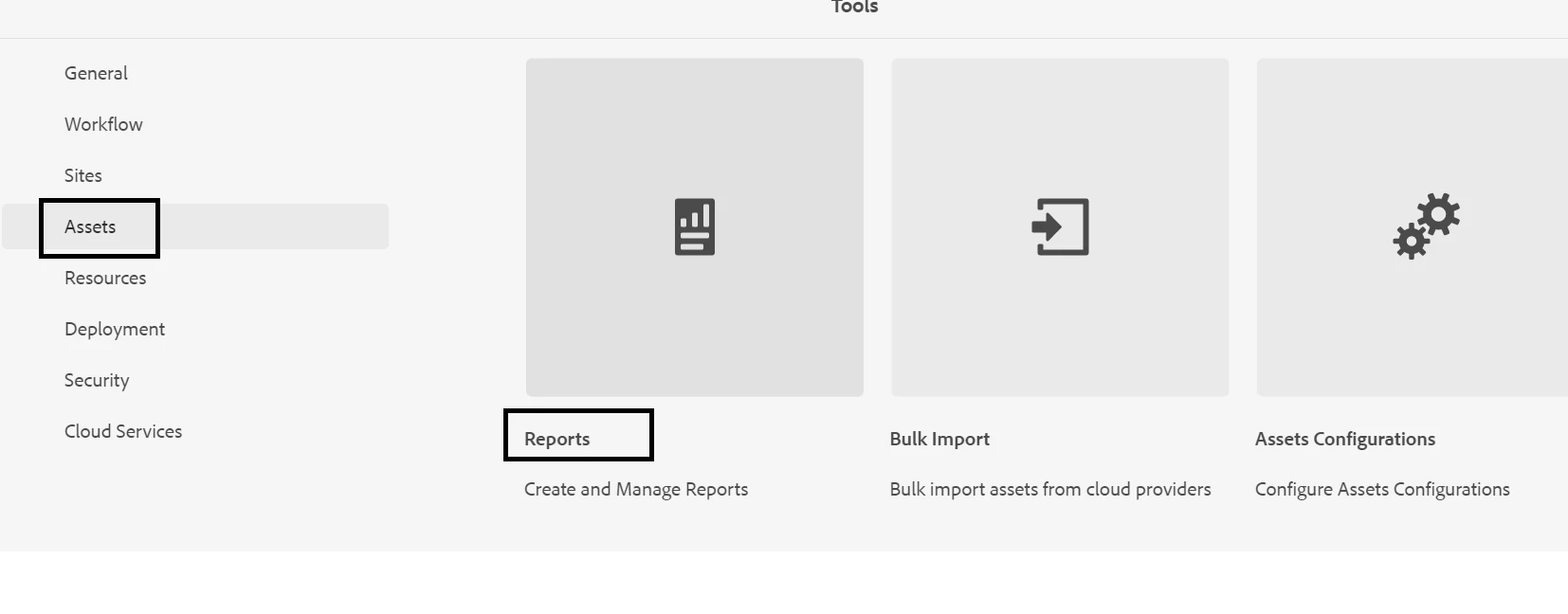
Create a report post under the path https://author-pxxxxxxxxxxxxxxx.adobeaemcloud.com/ui#/aem/mnt/overlay/dam/gui/content/reports/reportlist.html

 

The detailed report can be found over here in the below format.

 

Hope this helps!

Thanks


2 replies

DPrakashRaj
New Participant
April 11, 2023

You can use query to provide you the count and all nodes for point 2 & 3

to get all the renditions

SELECT * FROM [dam:Asset] AS s where isdescendantnode([/content/dam/mycompany/catalog]) and s.[jcr:content/renditions/*] is not null


to get the count you can check the property jcr:primary type to identify the file type

ShaileshBassi
ShaileshBassiAccepted solution
New Participant
April 11, 2023

hi @tam123456 

Navigate to the path i.e. Tools > Assets > Report

Create a report post under the path https://author-pxxxxxxxxxxxxxxx.adobeaemcloud.com/ui#/aem/mnt/overlay/dam/gui/content/reports/reportlist.html


The detailed report can be found over here in the below format.


Hope this helps!

Thanks