How do you add additional text areas to a card template in AEM Mobile? | Community
Skip to main content
New Participant
March 30, 2016
Solved

How do you add additional text areas to a card template in AEM Mobile?

  • March 30, 2016
  • 2 replies
  • 1090 views

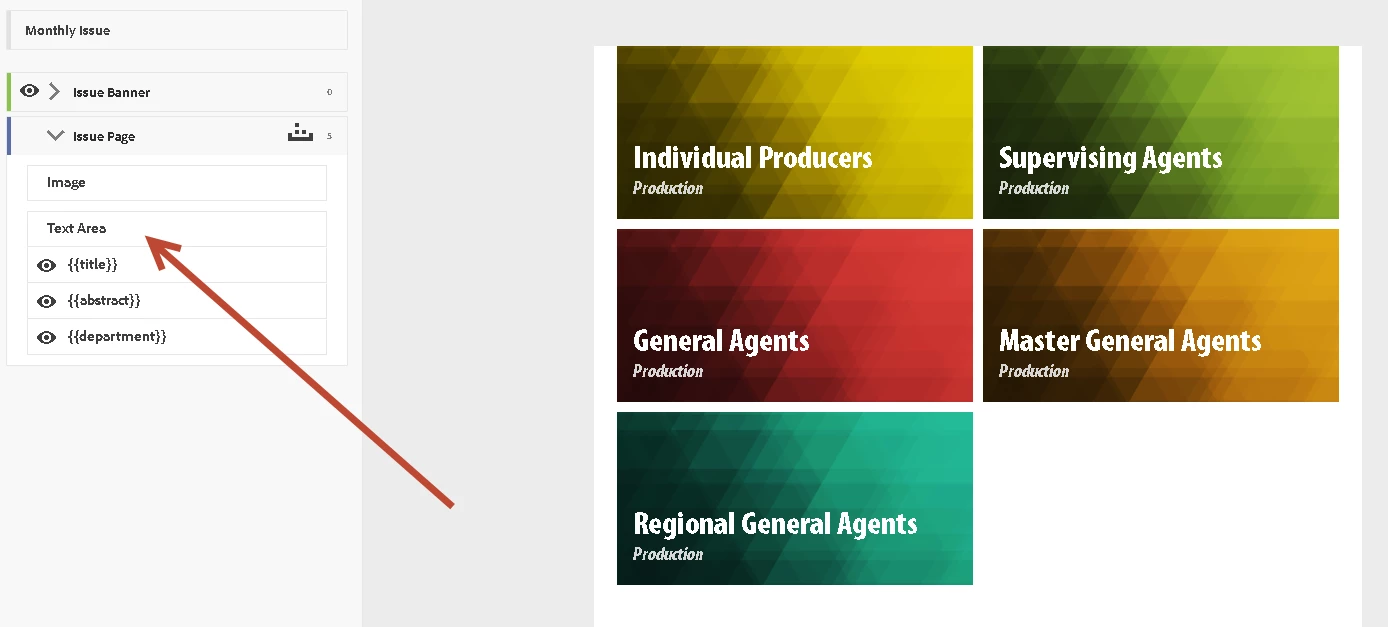
How do you add additional text areas to a card template in AEM Mobile? There are only three default text areas from the metadata of the article. I need to add 4 or 5 separate metadata text areas to my card.

Thank you.

Here is a screen shot:
This post is no longer active and is closed to new replies. Need help? Start a new post to ask your question.
Best answer by bobbr3212

You're allowed only three lines of metadata. However, you can add multiple metadata fields to each line, like this:

{{Title}} by {{Author}}

{{Abstract}}

{{Department}}, {{Category}}

2 replies

New Participant
March 30, 2016

Thank you.

bobbr3212Accepted solution
Employee
March 30, 2016

You're allowed only three lines of metadata. However, you can add multiple metadata fields to each line, like this:

{{Title}} by {{Author}}

{{Abstract}}

{{Department}}, {{Category}}