How to add multiple screen player to one author server? | Community
Skip to main content
March 11, 2019
Solved

How to add multiple screen player to one author server?

  • March 11, 2019
  • 4 replies
  • 1182 views

I am trying to configure multiple screen player to one author server. One screen player is in my machine and I able to configure that machine screen player. The other screen player is in another machine and I didn't find that device in my author my server. So, How to add that device screen player in my machine???
This post is no longer active and is closed to new replies. Need help? Start a new post to ask your question.
Best answer by Gaurav-Behl

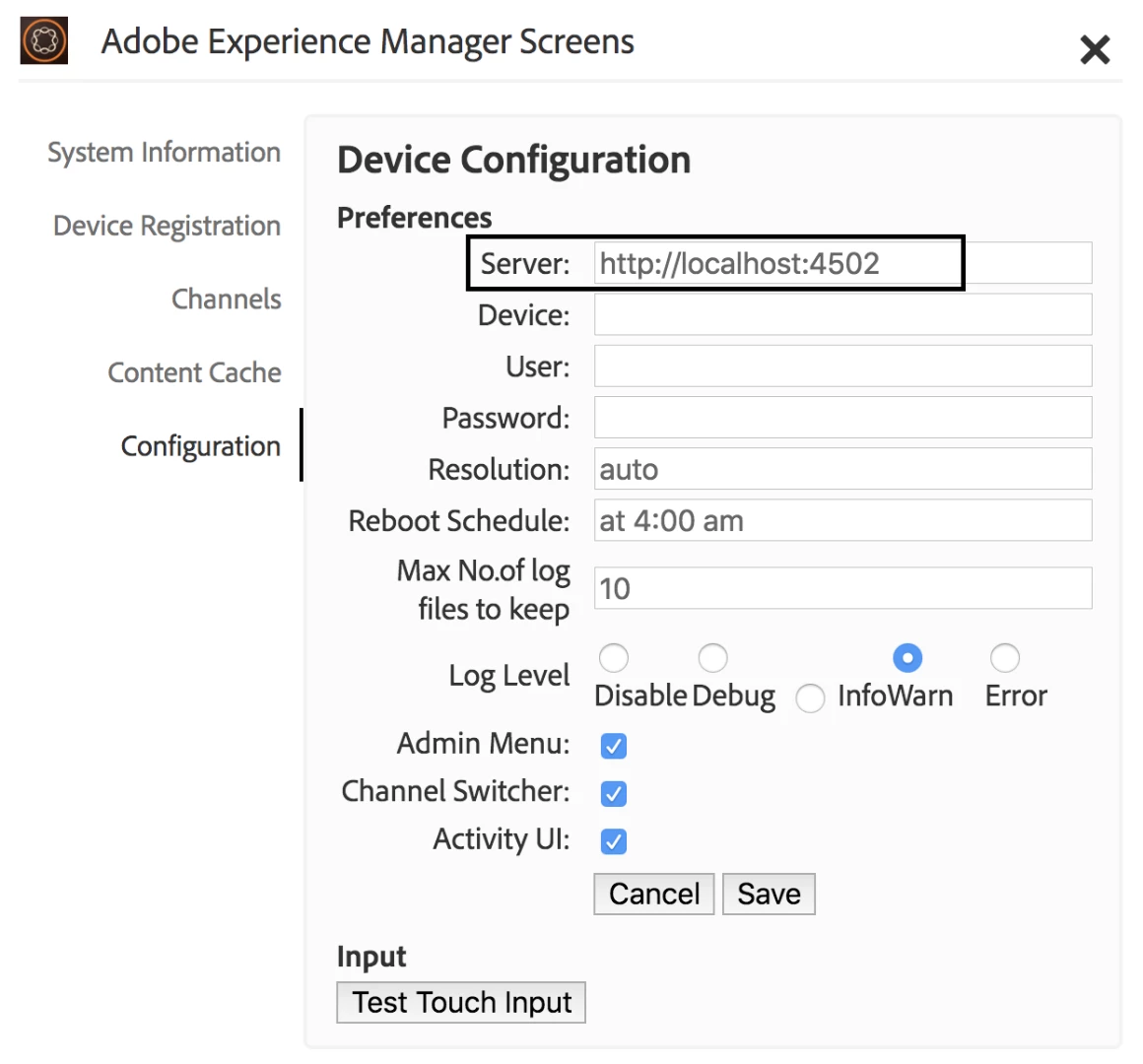
If I'm able to understand the issue correctly, you just need to mention the AEM server name with host or machine name/IP address rather than localhost. Test it remotely before configuring it.

Adobe Experience Manager Help | Device Registration

4 replies

March 12, 2019

Thanks !! This works !!!!

March 12, 2019

Yes I have referred this but, I want to configure another device so how I can do that.

Gaurav-Behl
Gaurav-BehlAccepted solution
New Participant
March 11, 2019

If I'm able to understand the issue correctly, you just need to mention the AEM server name with host or machine name/IP address rather than localhost. Test it remotely before configuring it.

Adobe Experience Manager Help | Device Registration

smacdonald2008
New Participant
March 11, 2019

Are you referring to this part of AEM:

Configuring and Deploying Screens