How to allign fieldLabel and textfield single line in dialog | Community
Skip to main content
Level 2
Oct 11, 2017 8:26 PM UTC
Solved

How to allign fieldLabel and textfield single line in dialog

Hi All


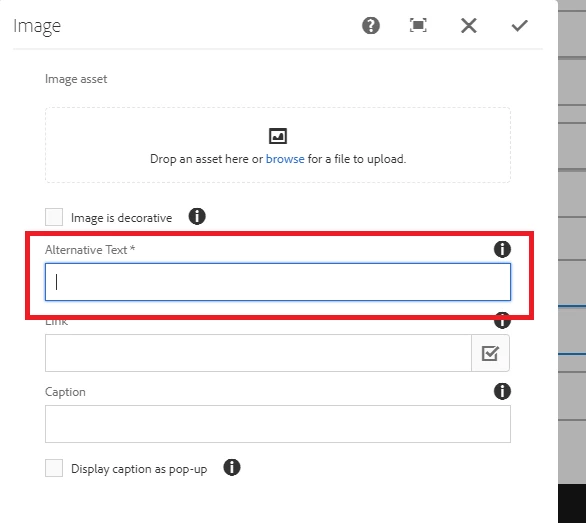
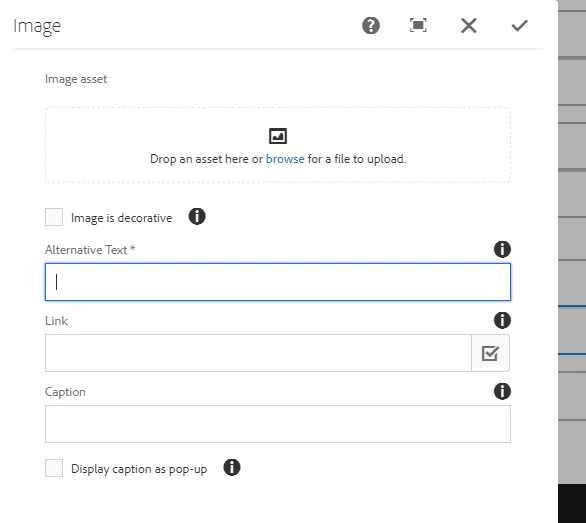
      How to allign fieldLabel and textfield single line in dialog,in AEM 6.3 under FieldLabel Displayed Textfield,But in AEm 6.2 it's Displayed Properly

This post is no longer active and is closed to new replies. Need help? Start a new post to ask your question.
Techaspect_Solu
Techaspect_SoluAccepted solution
Level 7
Oct 12, 2017 7:00 AM UTC

Hi,

You can align your fieldLabel and textfield in a single line, in your AEM 6.3 dialog by adding custom css. Please go through below working example which might help you in understanding on how to align your fieldLabel and textfield in a single line.

1. Under /etc/designs/<your-project>/clientlibs(say, having categories[] as cq.test) ---> create your custom css file (test.css here)

test.css:

.coral-Form--vertical .coral-Form-fieldlabel {

    display: inline-block !important;

    line-height: 1.6875rem;

    width: 30% !important;

}

.coral-Form--vertical .coral-Form-field.coral-Textfield {

    width: 70% !important;

    /* align-items: left; */

    /* float: left; */

    display: inline-block !important;

}

2. Register your your custom css file in css.txt  as shown below.

css.txt:

#base=css

test.css

3. Now, include extraClients property at your cq:dialog as shown in below screenshot.

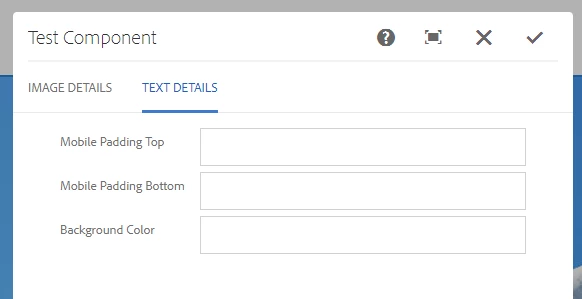
Now you'll be able to see your fieldLabel and textfield in a single line as shown in below sample output.

Sample output:
We hope this information helps!

Regards,

TechAspect Solutions
3 replies

Level 2
Oct 18, 2017 4:06 PM UTC

thank you

Translate
Techaspect_Solu
Techaspect_SoluAccepted solution
Level 7
Oct 12, 2017 7:00 AM UTC

Hi,

You can align your fieldLabel and textfield in a single line, in your AEM 6.3 dialog by adding custom css. Please go through below working example which might help you in understanding on how to align your fieldLabel and textfield in a single line.

1. Under /etc/designs/<your-project>/clientlibs(say, having categories[] as cq.test) ---> create your custom css file (test.css here)

test.css:

.coral-Form--vertical .coral-Form-fieldlabel {

    display: inline-block !important;

    line-height: 1.6875rem;

    width: 30% !important;

}

.coral-Form--vertical .coral-Form-field.coral-Textfield {

    width: 70% !important;

    /* align-items: left; */

    /* float: left; */

    display: inline-block !important;

}

2. Register your your custom css file in css.txt  as shown below.

css.txt:

#base=css

test.css

3. Now, include extraClients property at your cq:dialog as shown in below screenshot.

Now you'll be able to see your fieldLabel and textfield in a single line as shown in below sample output.

Sample output:

We hope this information helps!

Regards,

TechAspect Solutions
Translate
Level 2
Oct 11, 2017 8:33 PM UTC

in AEM 6.2 i am able to see dialog  fieldLabel and textfield in Single line.

Translate