How to create custom content fragment model with composite multifield | Community
Skip to main content
Nandheswara
New Participant
July 28, 2023
Solved

How to create custom content fragment model with composite multifield

  • July 28, 2023
  • 2 replies
  • 1167 views

Hi all,


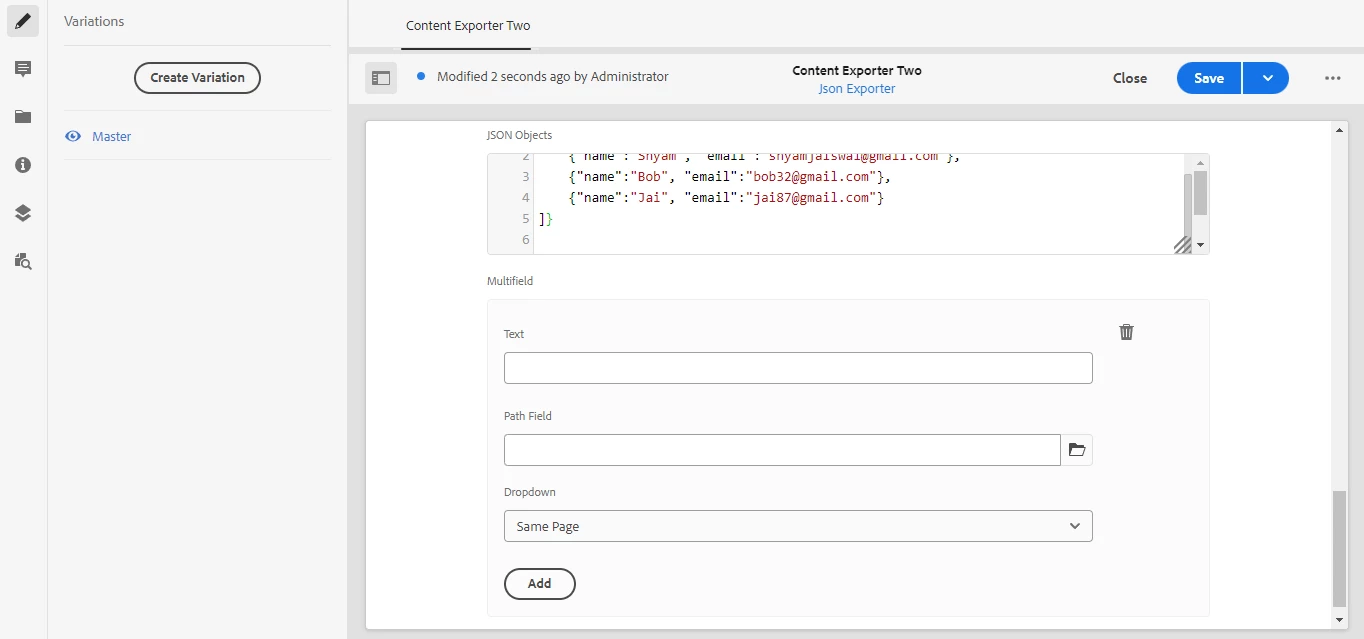
I need to create custom content fragment model with composite multifield structure like i need to have text, path and dropdown field inside multifield like in the screenshot and i need to export values in json format with custom end point, so if any one knows how to create composite multifield in content fragment means kindly share some ideas about it


Thanks,

Nandheswara
This post is no longer active and is closed to new replies. Need help? Start a new post to ask your question.
Best answer by Mahedi_Sabuj

Hi @nandheswara, Although you can create multifield using custom clientlibs, but Adobe suggested approach to create a new Content Fragment model using the multifield properties (in your case; Title, Path Field and Dropdown). 

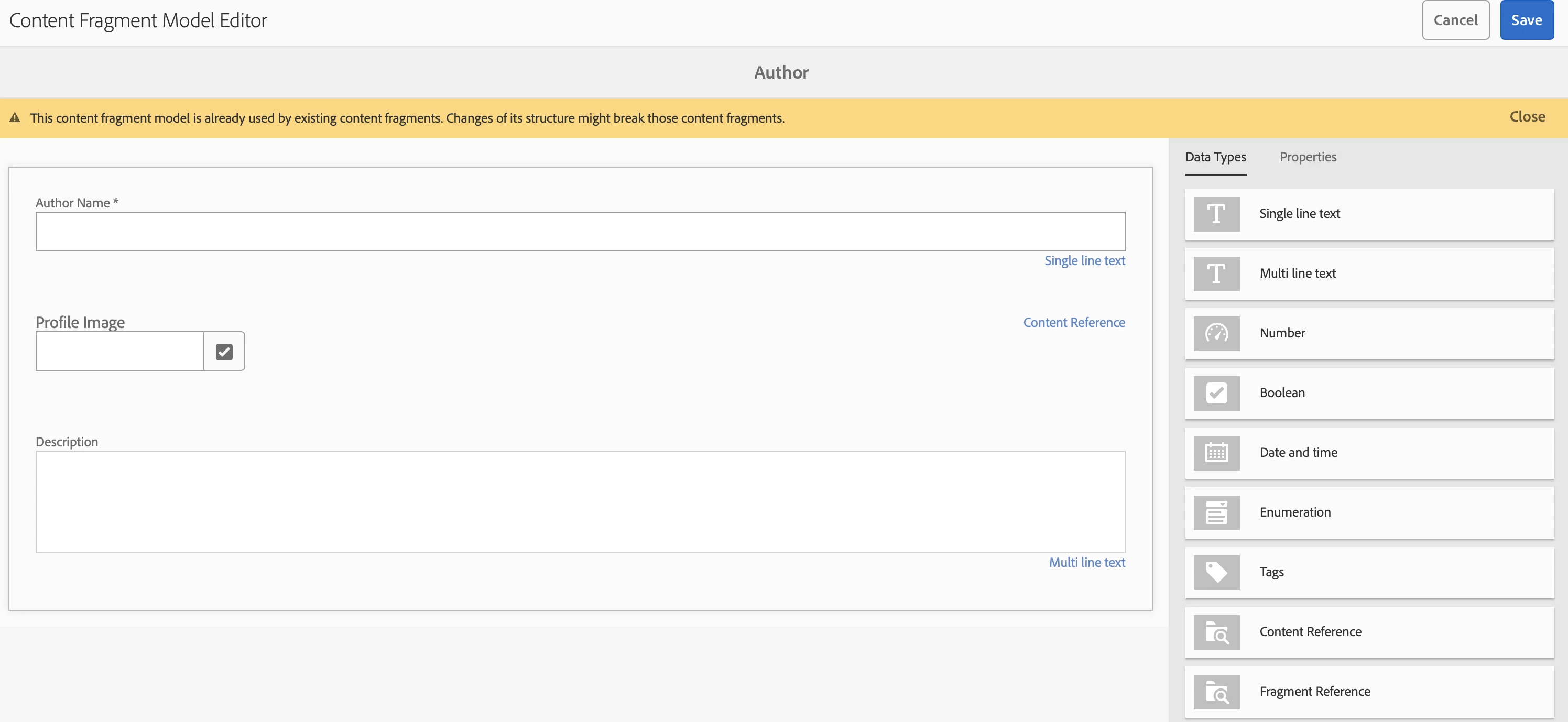
For example, Create a "Author" Content Fragment model first like below:
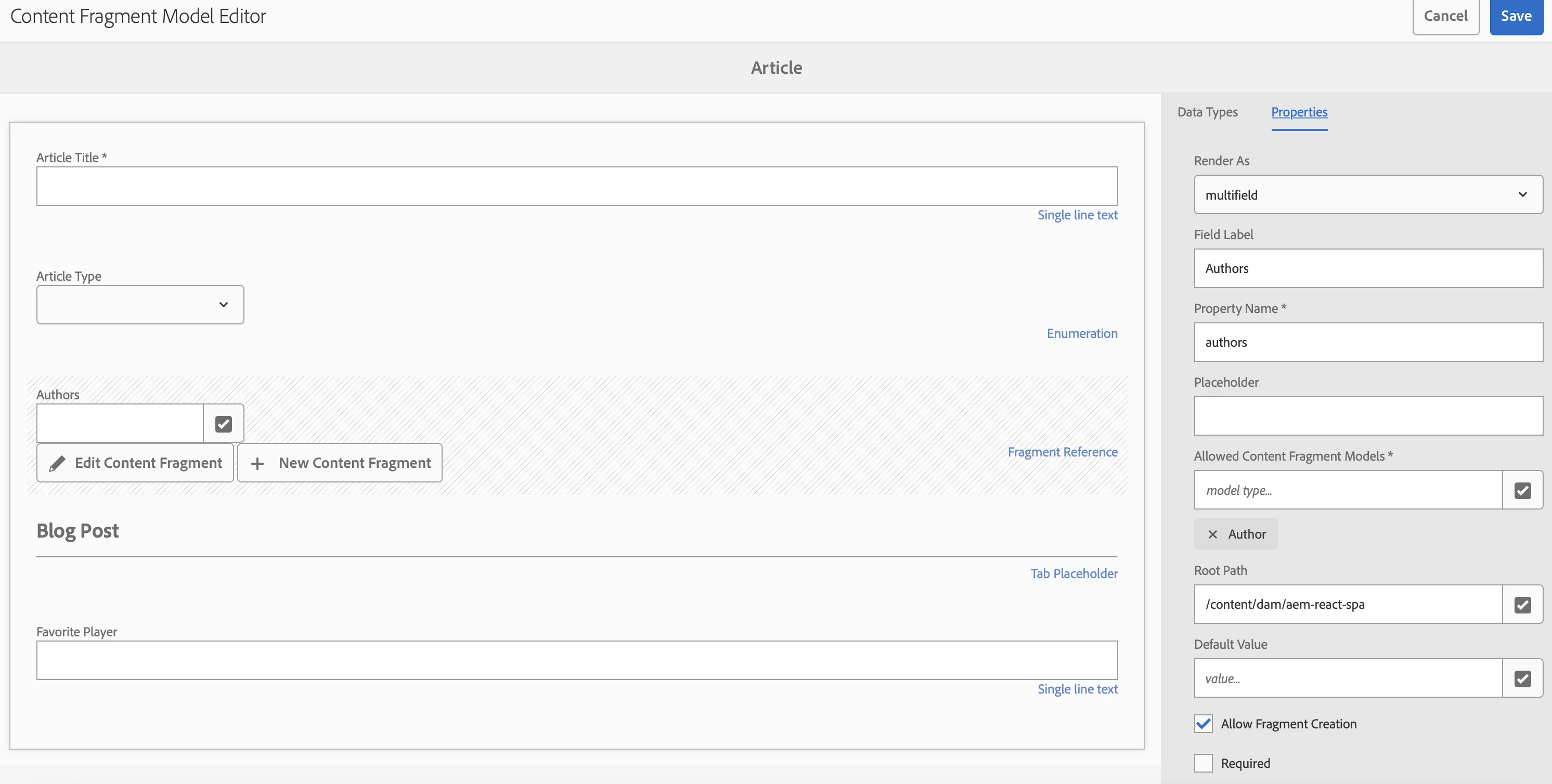
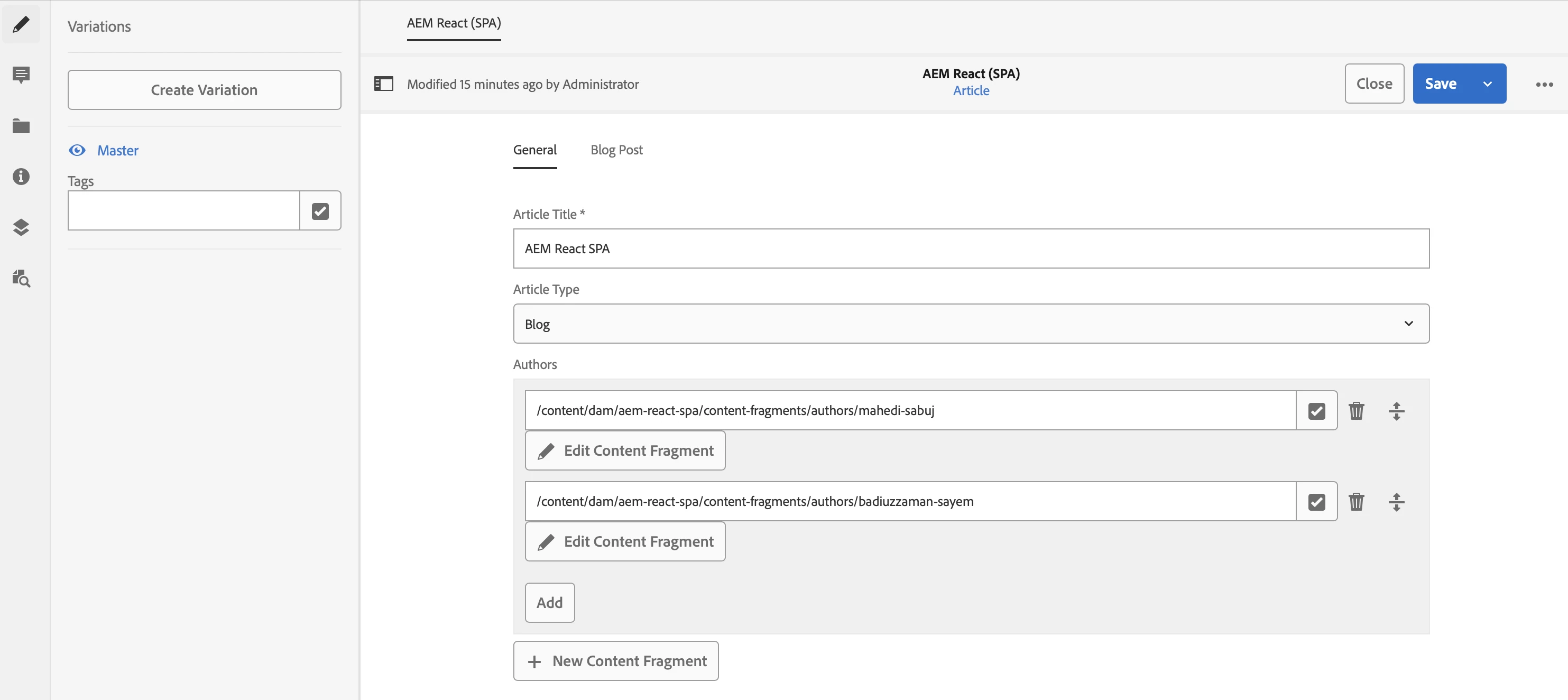
Later add a "Fragment Reference" field (which needs to Render as "Multifield") in Article Content Fragment Model. You can enable "Allow Fragment Creation" for inline Editing when you create new Article Content Fragment.

2 replies

Mahedi_Sabuj
Mahedi_SabujAccepted solution
New Participant
July 28, 2023

Hi @nandheswara, Although you can create multifield using custom clientlibs, but Adobe suggested approach to create a new Content Fragment model using the multifield properties (in your case; Title, Path Field and Dropdown). 

For example, Create a "Author" Content Fragment model first like below:
Later add a "Fragment Reference" field (which needs to Render as "Multifield") in Article Content Fragment Model. You can enable "Allow Fragment Creation" for inline Editing when you create new Article Content Fragment.

Mahedi Sabuj
Nishant-Singh
Employee
July 28, 2023