How to disable dropdown field in touch ui dialog AEM 6.2 | Community
Skip to main content
karansheel
New Participant
November 24, 2017
Solved

How to disable dropdown field in touch ui dialog AEM 6.2

  • November 24, 2017
  • 5 replies
  • 5124 views

Hi,

I have a requirement in which i have to disable the dropdown field in dialog . To do this, i have added two properties ""disabled": true,"  & "renderReadOnly": true, but still it's not working .I'm able to manipulate dropdown value. where as it's working fine for text field.

here is json of this node

{

"jcr:primaryType": "nt:unstructured",

"cq:showOnCreate": true,

"jcr:title": "Page type",

"sling:resourceType": "granite/ui/components/foundation/form/fieldset",

"items": {

"jcr:primaryType": "nt:unstructured",

"pagetitle": {

"jcr:primaryType": "nt:unstructured",

"cq:showOnCreate": true,

"name": "./pageType",

"class": "cq-dialog-dropdown-showhide",

"cq-msm-lockable": "pageType",

"disabled": true,

"cq-dialog-dropdown-showhide-target": ".carousel-option-listfrom-showhide-target",

"fieldLabel": "Page Type",

"sling:resourceType": "granite/ui/components/foundation/form/select",

"renderReadOnly": true,

"items": {

"jcr:primaryType": "nt:unstructured",

"news": {

"jcr:primaryType": "nt:unstructured",

"text": "News",

"value": "News"

},

"products": {

"jcr:primaryType": "nt:unstructured",

"text": "Products",

"value": "Products"

},

"events": {

"jcr:primaryType": "nt:unstructured",

"text": "Events",

"value": "Events"

}

}

}

}

}

thanks,
This post is no longer active and is closed to new replies. Need help? Start a new post to ask your question.
Best answer by smacdonald2008

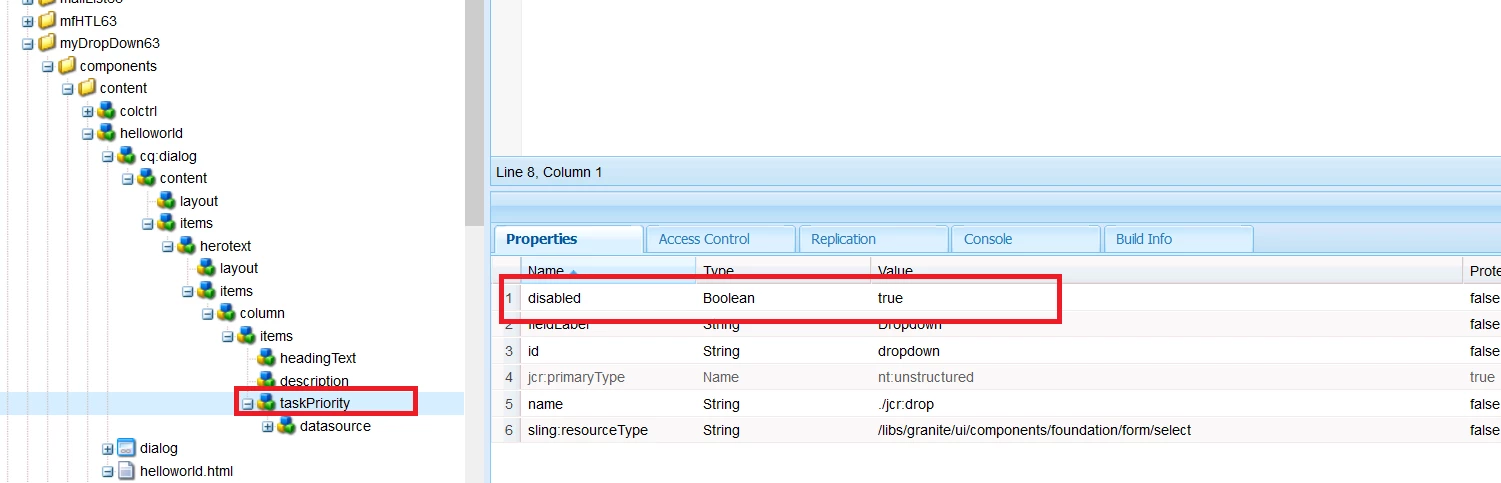
You can make a drop-down field read only by using this property:

See:

5 replies

New Participant
January 22, 2021
Did you get any solution for this?
New Participant
January 22, 2021

Hi, 


I'm facing the same issue. I have dropdown in page properties, if i use disabled="true" then the field is becoming read only in pages. But this field and its value are not saved in crx/de in jcr:content of the page. Does anyone know solution.

karansheel
New Participant
November 26, 2017

Hi smacdonald2008​,

Thanks for your response. If you check my question i have added this property in my dialog and it's showing disabled to me but when i cancel the inheritance i'm able to update the dropdown down value. Is it expected behaviour ?

smacdonald2008
New Participant
November 24, 2017

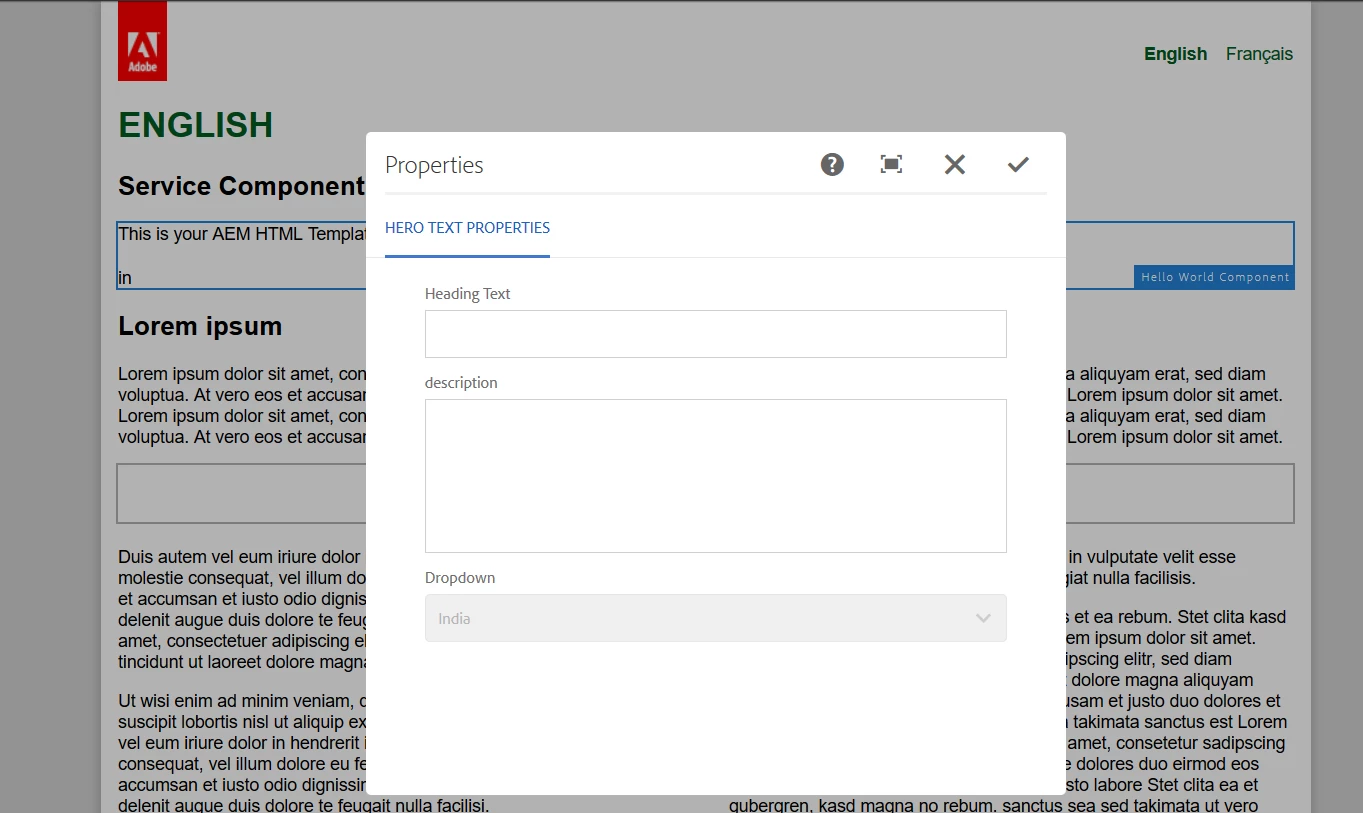
Try this for yourself by installing this package on 6.3 and setting the prop shown in pic: Adobe Experience Manager Help | Using an WCMUsePojo class to populate an Experience Manager Touch UI Select Field

New Participant
January 22, 2021
Link goes to 404! Can you share the URL again please
smacdonald2008
smacdonald2008Accepted solution
New Participant
November 24, 2017

You can make a drop-down field read only by using this property:

See: