How to find the location of a file created in CRXDE on my Windows PC | Community
Skip to main content
Level 4
Oct 26, 2022 9:44 PM UTC
Solved

How to find the location of a file created in CRXDE on my Windows PC

My CRXDE and VSC are not matching up. How can I find the location of a file that I created in CRXDE on my PC? For example, I created a folder called oceantest and a file called oceantest1.html in CRXDE, clicked Save All in CRXDE and search my Windows folders, but can't locate them anywhere using File Manager.

This post is no longer active and is closed to new replies. Need help? Start a new post to ask your question.
SantoshSai
SantoshSaiAccepted solution
New Participant
Oct 26, 2022 10:26 PM UTC

Hi @codelime,

The folder oceantest & a file oceantest1.html you created points in the structure of CRX database, based on Oak open source framework, which is one of the base parts of AEM. Physically all this database data is stored in large tar files in crx-quickstart\repository\segmentstore folder of your AEM instance, where the jar is present.
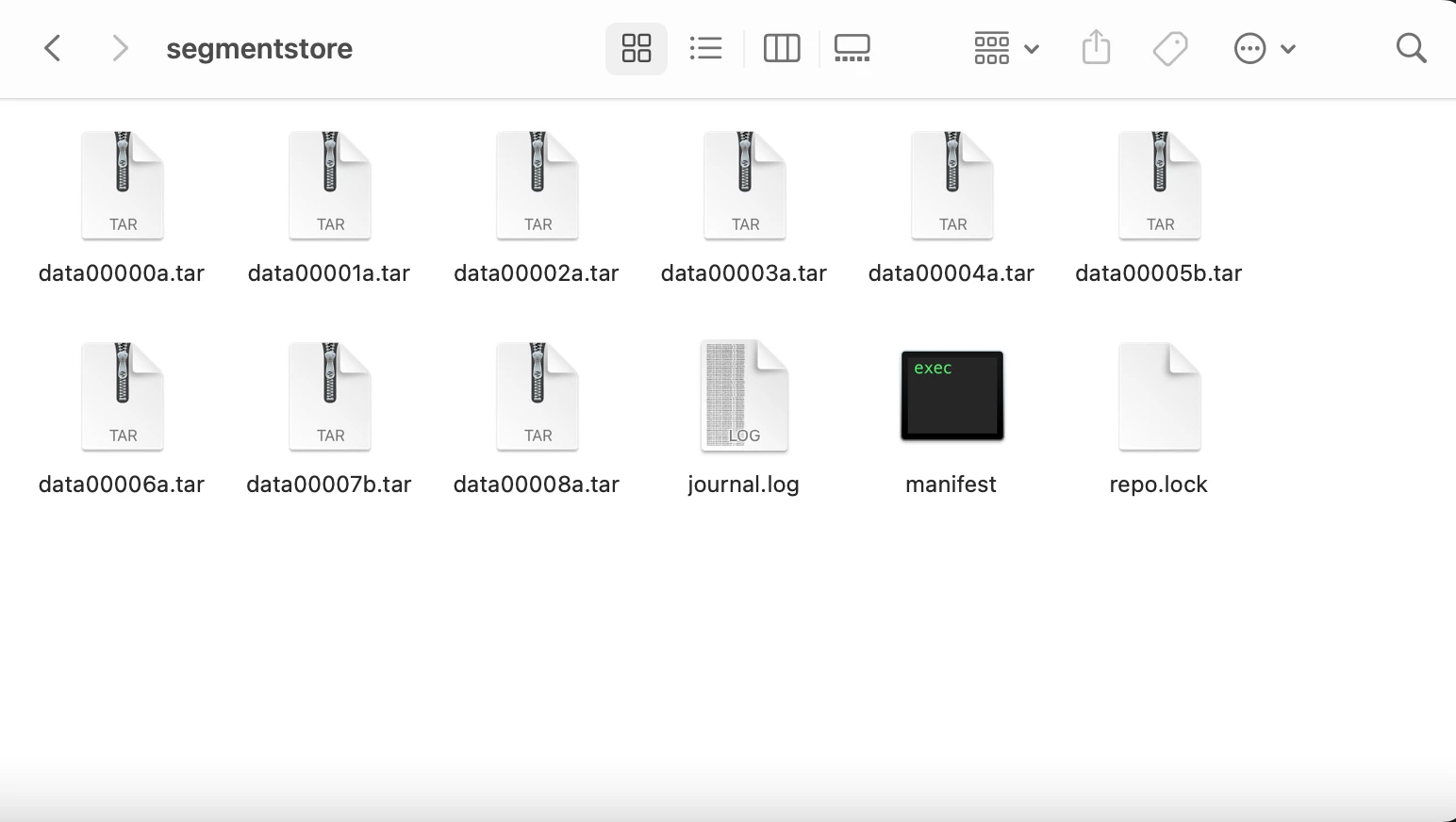
The AEM data is then not stored explicitly in your OS file system. Tar files and Oak are used by default however it is also possible to configure AEM with MongoDB database.

If you would like to access the CRX repository in filesystem way you can consider using WebDAV Access [0].

[0]: https://experienceleague.adobe.com/docs/experience-manager-65/administering/contentmanagement/webdav-access.html?lang=en

Hope that helps!

Regards,

Santosh

Santosh Sai

1 reply

SantoshSai
SantoshSaiAccepted solution
New Participant
Oct 26, 2022 10:26 PM UTC

Hi @codelime,

The folder oceantest & a file oceantest1.html you created points in the structure of CRX database, based on Oak open source framework, which is one of the base parts of AEM. Physically all this database data is stored in large tar files in crx-quickstart\repository\segmentstore folder of your AEM instance, where the jar is present.

The AEM data is then not stored explicitly in your OS file system. Tar files and Oak are used by default however it is also possible to configure AEM with MongoDB database.

If you would like to access the CRX repository in filesystem way you can consider using WebDAV Access [0].

[0]: https://experienceleague.adobe.com/docs/experience-manager-65/administering/contentmanagement/webdav-access.html?lang=en

Hope that helps!

Regards,

Santosh

Translate
Santosh Sai