How to get cq:lastModified in jcr:content from HTL? | Community
Skip to main content
bhoang
New Participant
April 11, 2018
Solved

How to get cq:lastModified in jcr:content from HTL?

  • April 11, 2018
  • 8 replies
  • 8203 views

Hello,

I want to get cq:lastModified from a jcr:content. I tried there code but it doesn't work.

<div class="last-modify">

     <p>ABC ${properties.cq:lastModified}</p>

     <p>XYZ ${currentPage.properties.cq:lastModified}</p>

     <p>cdg ${currentPage.properties.jcr:lastModified}</p>

</div>

How to do that in singhtly?

Thank you so much,

BienHV

This post is no longer active and is closed to new replies. Need help? Start a new post to ask your question.
Best answer by smacdonald2008

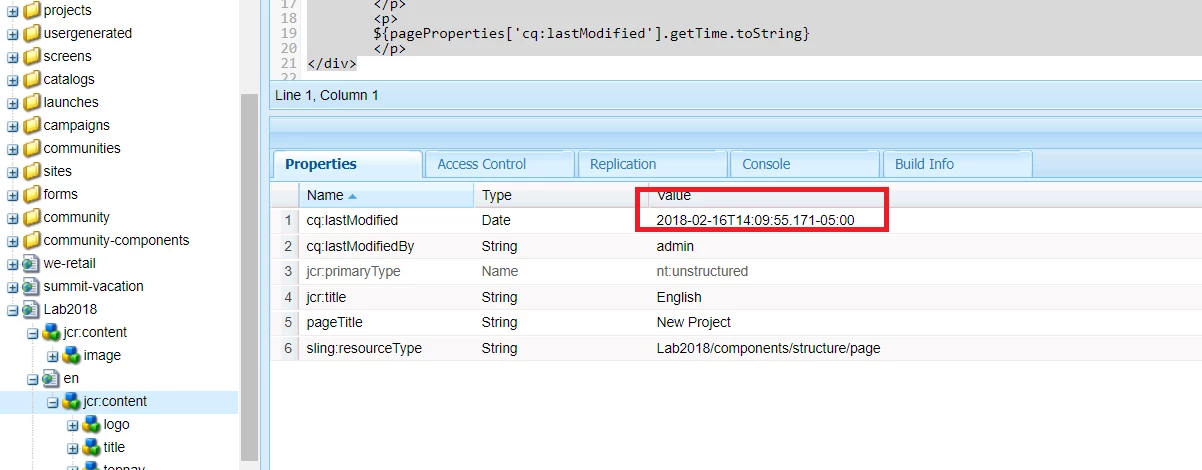
Here is that page prop - notice it is Feb 16

HTL Code:

<div>

<p>This is your AEM HTML Template Language component:</p>

      <h1>${properties.heading}</h1>

       <p>${properties.description}</p>

       <p>The following values are the resource types added to the dialog</p>

       <p><b>Selected Path value:</b> ${properties.path}</p>

       <p>

            <b>Date:</b>

                  ${'yyyy-MM-dd HH:mm:ss.SSSXXX' @ format=properties.startdate, timezone='UTC'}

        </p>

        <p>

            <b>Size:</b> ${properties.size}

        </p>

        <p>

            <b>Checkbox:</b> ${properties.show}

        </p>

        <p>

        ${pageProperties['cq:lastModified'].getTime.toString}

        </p>

</div>

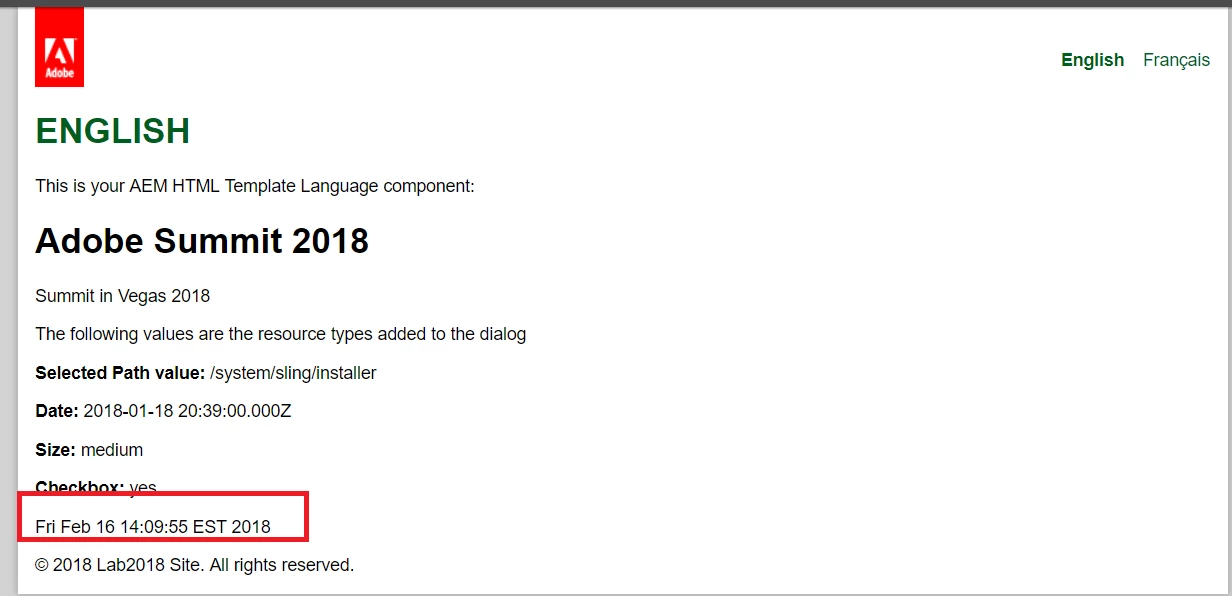
Output --

8 replies

arunpatidar
New Participant
April 25, 2019

Hi,

You can directly use date in the page using below

${'MM/dd/yyyy HH:mma' @ format=currentPage.lastModified}

Or You can use Java. Please check below :

HTL Date Formatting

Arun Patidar
New Participant
April 25, 2019

how do i display this date in htl?

arunpatidar
New Participant
April 25, 2019

Hi,

You can use sling model or WCMUsePojo to fetch page properties or properties in java.

Example :

@Model(adaptables = { SlingHttpServletRequest.class, Resource.class })

public class TestModel {

  @Inject

  private Page resourcePage;

  public String getLastModifiedDate() {

     SimpleDateFormat dateFormat = new SimpleDateFormat("dd-MM-yyyy");

     dateFormat.setTimeZone(resourcePage.getLastModified().getTimeZone());

     return dateFormat.format(resourcePage.getLastModified().getTime());

  }

}

You need Page object to retrieve the page properties in Sling Model.

Page ("The Adobe AEM Quickstart and Web Application.")

Arun Patidar
New Participant
December 29, 2023

How write HTL of this Java code

New Participant
April 25, 2019

Hi,

We need to do the date formatting at java end using SimpleDateFormat with desired pattern/format. How to fetch the cq:lastmodified in java?

Vijayalakshmi_S
New Participant
April 13, 2018

Hi,

We need to do the date formatting at java end using SimpleDateFormat with desired pattern/format.

bhoang
bhoangAuthor
New Participant
April 13, 2018

Thanks you for your help,

How to format for cq:lastModifield date?

${pageProperties['cq:lastModified'].getTime.toString}

with the code above I get the string as Thu Apr 12 14:51:52 ICT 2018.

How to format for date cq:lastModified as mm-dd-yyyy h:m:s?

example 04-12-2018 14:51:52 UTC

Thank you so much,

smacdonald2008
smacdonald2008Accepted solution
New Participant
April 11, 2018

Here is that page prop - notice it is Feb 16

HTL Code:

<div>

<p>This is your AEM HTML Template Language component:</p>

      <h1>${properties.heading}</h1>

       <p>${properties.description}</p>

       <p>The following values are the resource types added to the dialog</p>

       <p><b>Selected Path value:</b> ${properties.path}</p>

       <p>

            <b>Date:</b>

                  ${'yyyy-MM-dd HH:mm:ss.SSSXXX' @ format=properties.startdate, timezone='UTC'}

        </p>

        <p>

            <b>Size:</b> ${properties.size}

        </p>

        <p>

            <b>Checkbox:</b> ${properties.show}

        </p>

        <p>

        ${pageProperties['cq:lastModified'].getTime.toString}

        </p>

</div>

Output --

Bhuwan08
New Participant
April 11, 2018

Try -  ${pageProperties['cq:lastModified'].getTime.toString}