You tried and it didnt work? If you can share your dialog xml, can point if any mistakes.
To get started, copy a working dialog from ootb component and edit. Search `cq-dialog-dropdown-showhide-target` at crx, it shows the components implementing showhide. Duplicate the dialog from say /libs/foundation/components/list/cq:dialog/content/items/column/items
and then edit on top.
NOTE: Foundation components are deprecated. Use wcm core components for better reference.
For steps:
- Start by adding selectbox into your dialog
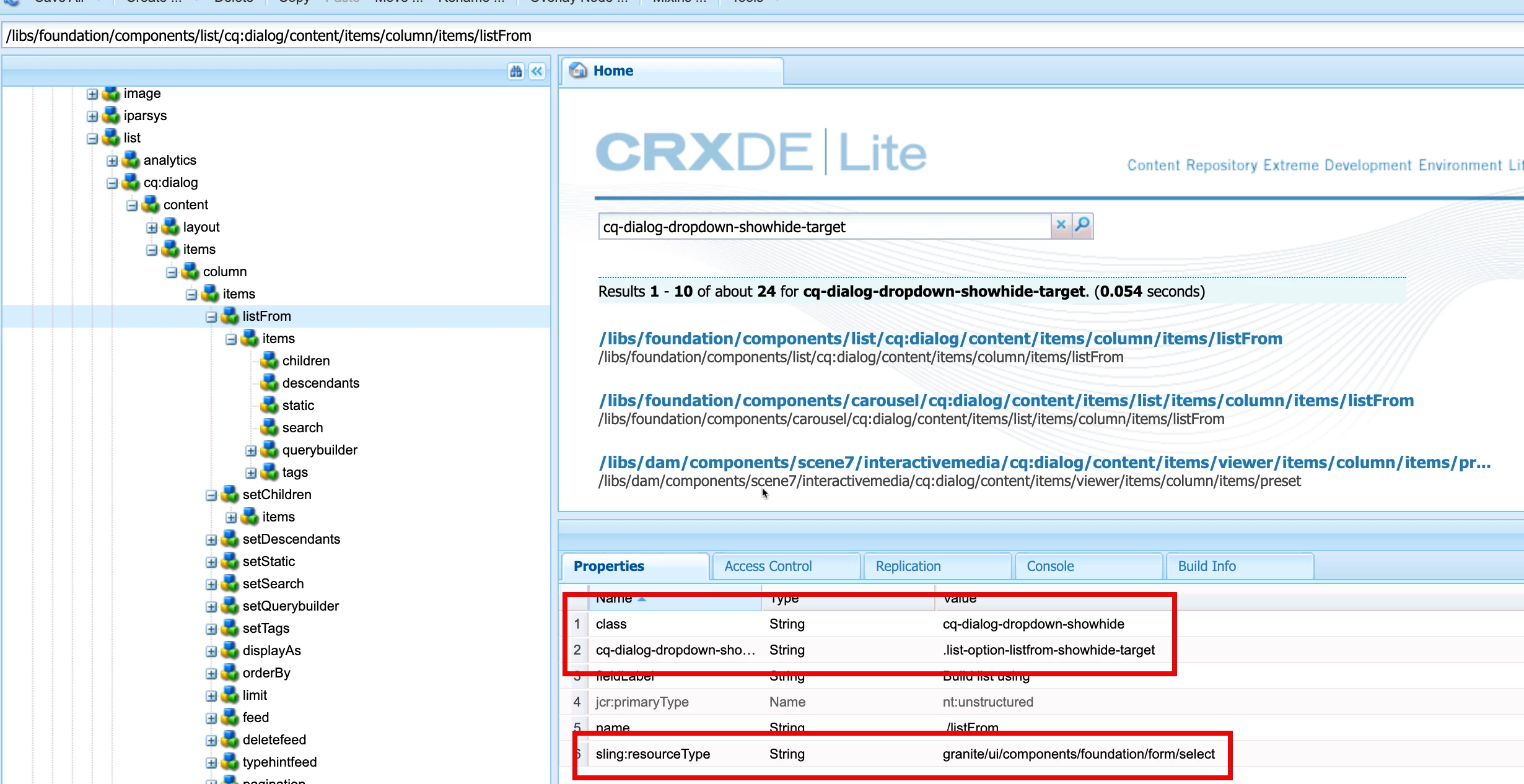
- Add the class and property `cq-dialog-dropdown-showhide-target`. Preferably use similar values as ootb
- The value property in each child item is used to unhide respective elements
- Then after the selectbox, start adding the subsequent containers. All containers will be hidden by default.
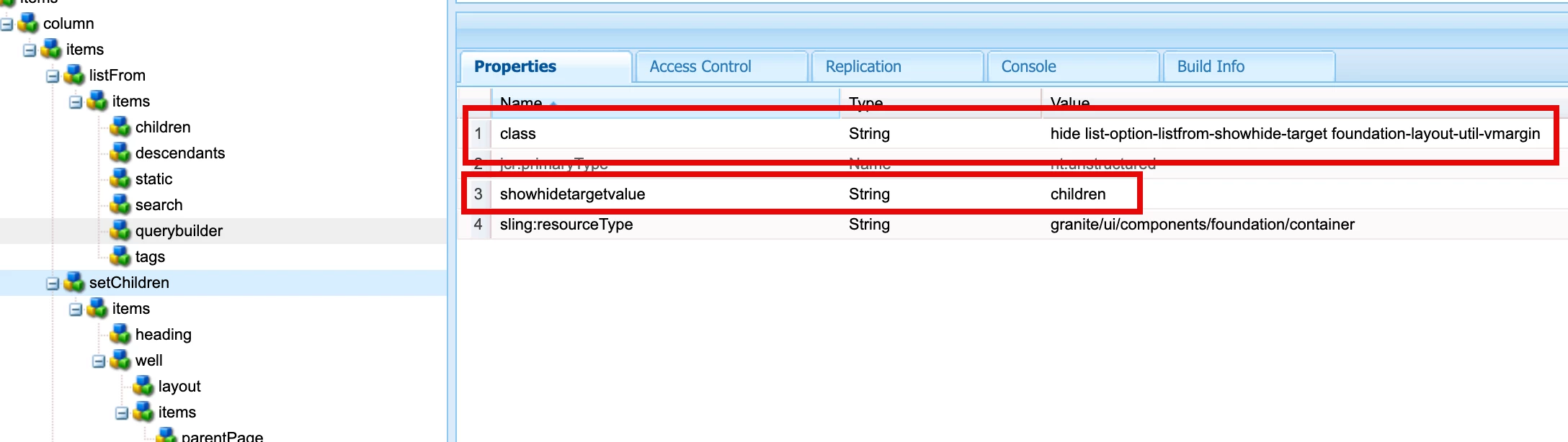
- The conditional container will include a class `hide list-option-listfrom-showhide-target`. `hide` class hides the container on load of dialog. And `list-option-listfrom-showhide-target` matches to value of property cq-dialog-dropdown-showhide-target.
- Thats all, this should work. To troubleshoot, check if granite list clientlib is loading, else add its clientlib or extend your component with core listv4 component.