How to modify a CRXDE file from the IDE code? | Community
Skip to main content
Level 4
September 15, 2023
Solved

How to modify a CRXDE file from the IDE code?

Hello, what happens is that I want to change the logic of a file called fileupload.js that this file is used in the AEM DAM when the user uploads an asset to the platform.

The problem is that I don't know how to modify or add that code in the repository where I have my project, I have investigated and they tell me that the path in CRXDE is in:

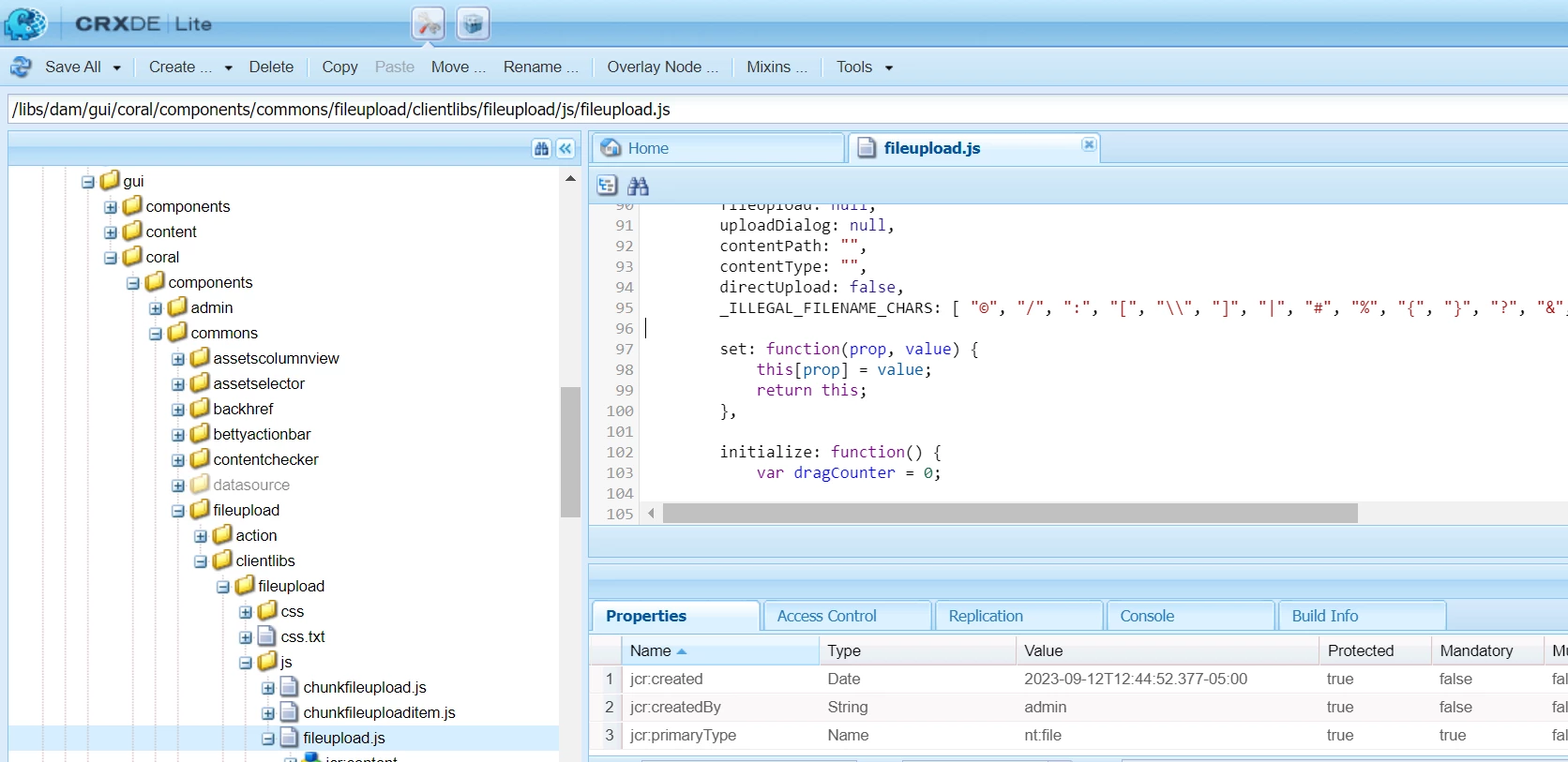
/libs/dam/gui/coral/components/commons/fileupload/clientlibs/fileupload/js/fileupload.js

And it is there, but in my code in the IDE doesn't come, where should I add the fileupload.js code in my repository to be able to modify that method without using CRXDE?

I try to create a libs folder in the root with the same path but doesn't work.

Here is the file in CRXDE but I want to modify in my repository code that don't have it:

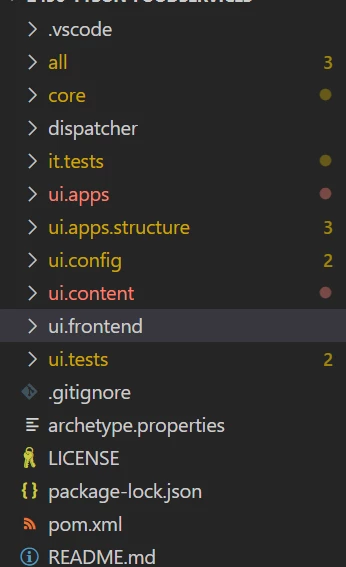
Here are my folders of the repository code:
 

lukasz-m
lukasz-mAccepted solution
New Participant
September 15, 2023

Hi @aaron_dempwolff,

You should use overlay mechanism, you can check the official Adobe documentation:

Essentially for this path from AEM 

  • /libs/dam/gui/coral/components/commons/fileupload/clientlibs/fileupload/js/fileupload.js

you will need below path in your ui.apps module

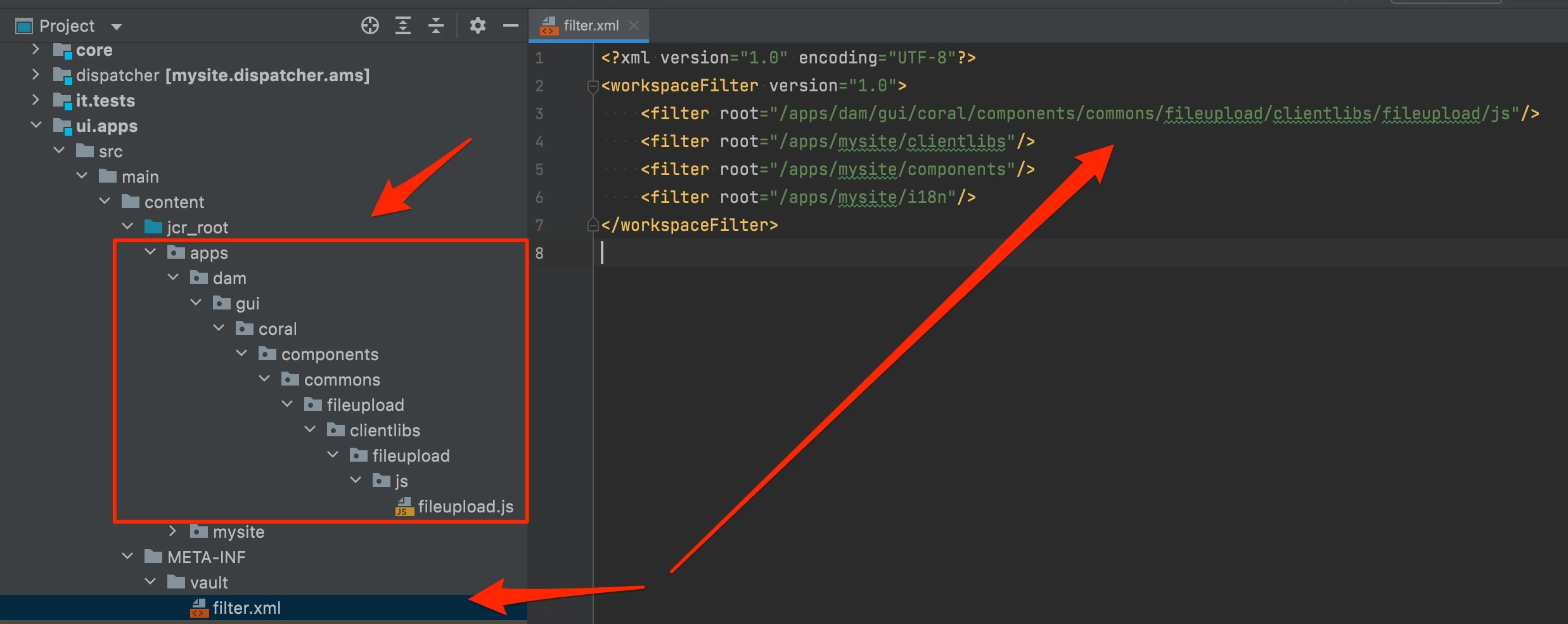
  • /apps/dam/gui/coral/components/commons/fileupload/clientlibs/fileupload/js/fileupload.js

and don't forget to update you filter.xml file for ui.apps module, it has to include /apps/dam/gui/coral/components/commons/fileupload/clientlibs/fileupload/js path as well, like on the screen.

5 replies

DPrakashRaj
New Participant
September 17, 2023

Apart from what has been explained by @lukasz-m you can also setup the vault plugin for your project yo sync the file from aem crx/de to local file system once you overlayed the file from /libs folder to /apps folder so that you can work on the file for any modification and can commit it to your code base

Translate
New Participant
July 9, 2025

If you use intellij, try the AEM Repository Tools plugin

https://plugins.jetbrains.com/plugin/27802-aem-repository-tools

https://github.com/javasin/art/

Translate
lukasz-m
lukasz-mAccepted solution
New Participant
September 15, 2023

Hi @aaron_dempwolff,

You should use overlay mechanism, you can check the official Adobe documentation:

Essentially for this path from AEM 

  • /libs/dam/gui/coral/components/commons/fileupload/clientlibs/fileupload/js/fileupload.js

you will need below path in your ui.apps module

  • /apps/dam/gui/coral/components/commons/fileupload/clientlibs/fileupload/js/fileupload.js

and don't forget to update you filter.xml file for ui.apps module, it has to include /apps/dam/gui/coral/components/commons/fileupload/clientlibs/fileupload/js path as well, like on the screen.

Translate
Level 4
September 19, 2023

Hey, I tried to add the same path as you but when I build it I have the next error:

is not covered by any of the specified dependencies nor a valid root

Do you know what can cause this issue?

Translate
Sudheer_Sundalam
New Participant
September 15, 2023

@aaron_dempwolff ,

You need to overlay fileupload.js from /libs to /apps in your project. Please see the below blog for more explanation of overlaying in AEM.

https://experienceleaguecommunities.adobe.com/t5/adobe-experience-manager/concept-of-override-and-overlay-in-aem-aem-community-blog/m-p/453403

Translate