How to package SystemUser and It's permission in AEM 6.3 | Community
Skip to main content
rahuls80678827
New Participant
March 23, 2018
Solved

How to package SystemUser and It's permission in AEM 6.3

  • March 23, 2018
  • 3 replies
  • 2752 views

I have created a System User as mySystemUser via http://localhost:4502/crx/explorer and then assigned permission (R/W to content folder) via http://localhost:4502/useradmin in my Dev Author Instance.

Now, I'm looking to create the package to deploy this System User and it's permission into higher environments.

I have followed below articles to create a system user:

Adobe Experience Manager Help | Querying Adobe Experience Manager 6 data using the Sling getServiceResourceResolver meth…

and to package System User via ACL:

http://www.aemcq5tutorials.com/tutorials/create-system-user-in-aem/

After following these articles, I have created the SystemUser ACL Package.zip (as shown below) -
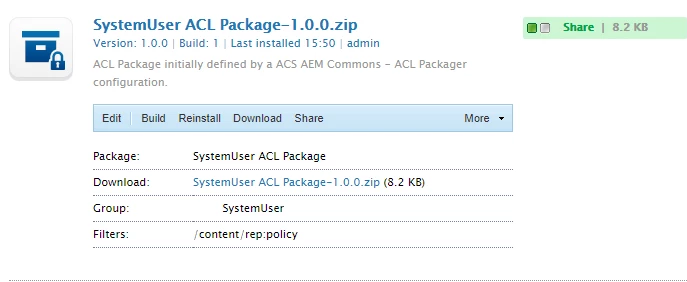
But after installing this ACL package in higher environments (like QA), then I can't see "mySystemUser" there (that is in http://localhost:4502/useradmin) and it's not present in CRX/DE either (home/users/system).

It's just that there is one node added after installing the ACL package under -

/content/rep:policy/allow63

My requirement is to copy the SystemUser (mySystemUser) and it's permission (that is on Content Folder) to higher environments via some deployable package?

Am I missing something here?

https://helpx.adobe.com/experience-manager/using/querying-experience-manager-sling.html
This post is no longer active and is closed to new replies. Need help? Start a new post to ask your question.
Best answer by Hemant_arora

You have not included the user in your package.

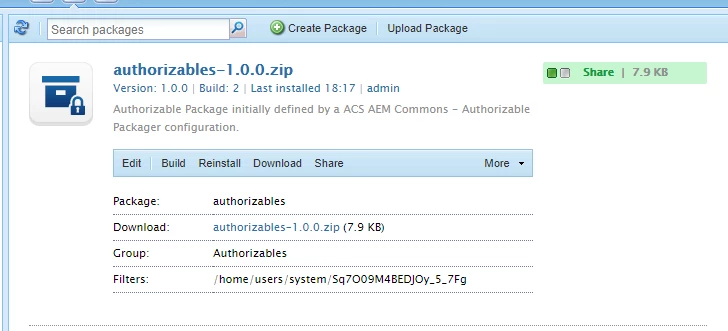
Your package should have path of the user e.g./home/users/system/Sq7O09M4BEDJOy_5_7Fg

You need not include the /content/rep:policy node in your package. Rather just add the username of the user while creating the package using acl packager tool of acs-commons. It will automatically find the path of user in crx/de and add it to package.  The node /content/rep:policy gets created once you assign permission on /content node to the user.

Select the merge option in the dialog.

After creating package using ACL Packager when you build the package using package manager, the /content/rep:policy nodes will be automatically taken care and will be deployed to the other environments.

3 replies

rahuls80678827
New Participant
March 26, 2018

Thankyou hemant for the inputs.

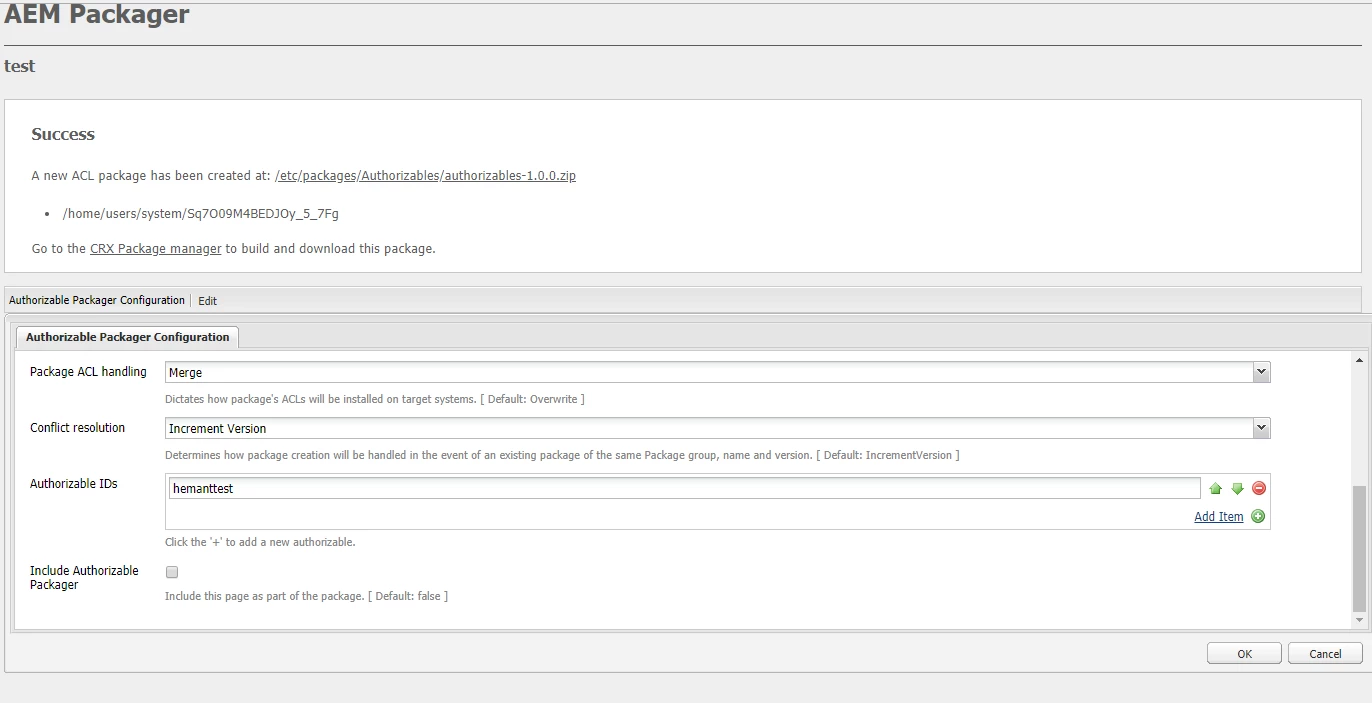
When I edit the page (created using ACL), below are the default fields are available and I have selected my System User (mySystemUser) in the "Principal names" field. Include patterns (/content/.* and /etc/.*) are coming by default.

Now, when I am creating ACL package using these details, I cannot see SystemUser name or it's path (mySystemUser) in my package. Please find the snapshot below -

Do I need to select my System User explicitly by Editing it and add in filter like below and then build and download the package?

smacdonald2008
New Participant
March 23, 2018

Great response Hemant arora

Hemant_arora
Hemant_aroraAccepted solution
New Participant
March 23, 2018

You have not included the user in your package.

Your package should have path of the user e.g./home/users/system/Sq7O09M4BEDJOy_5_7Fg

You need not include the /content/rep:policy node in your package. Rather just add the username of the user while creating the package using acl packager tool of acs-commons. It will automatically find the path of user in crx/de and add it to package.  The node /content/rep:policy gets created once you assign permission on /content node to the user.

Select the merge option in the dialog.

After creating package using ACL Packager when you build the package using package manager, the /content/rep:policy nodes will be automatically taken care and will be deployed to the other environments.