How to reference a static list for Form option component | Community
Skip to main content
Level 2
Oct 19, 2021 3:19 PM UTC
Solved

How to reference a static list for Form option component

Hello everyone

I’m trying to create a dropdown list were the list items is a list of countries (I have a list of countires in an XML and json format) and I want to load that static in /apps so I can reference it in form options (picture below)
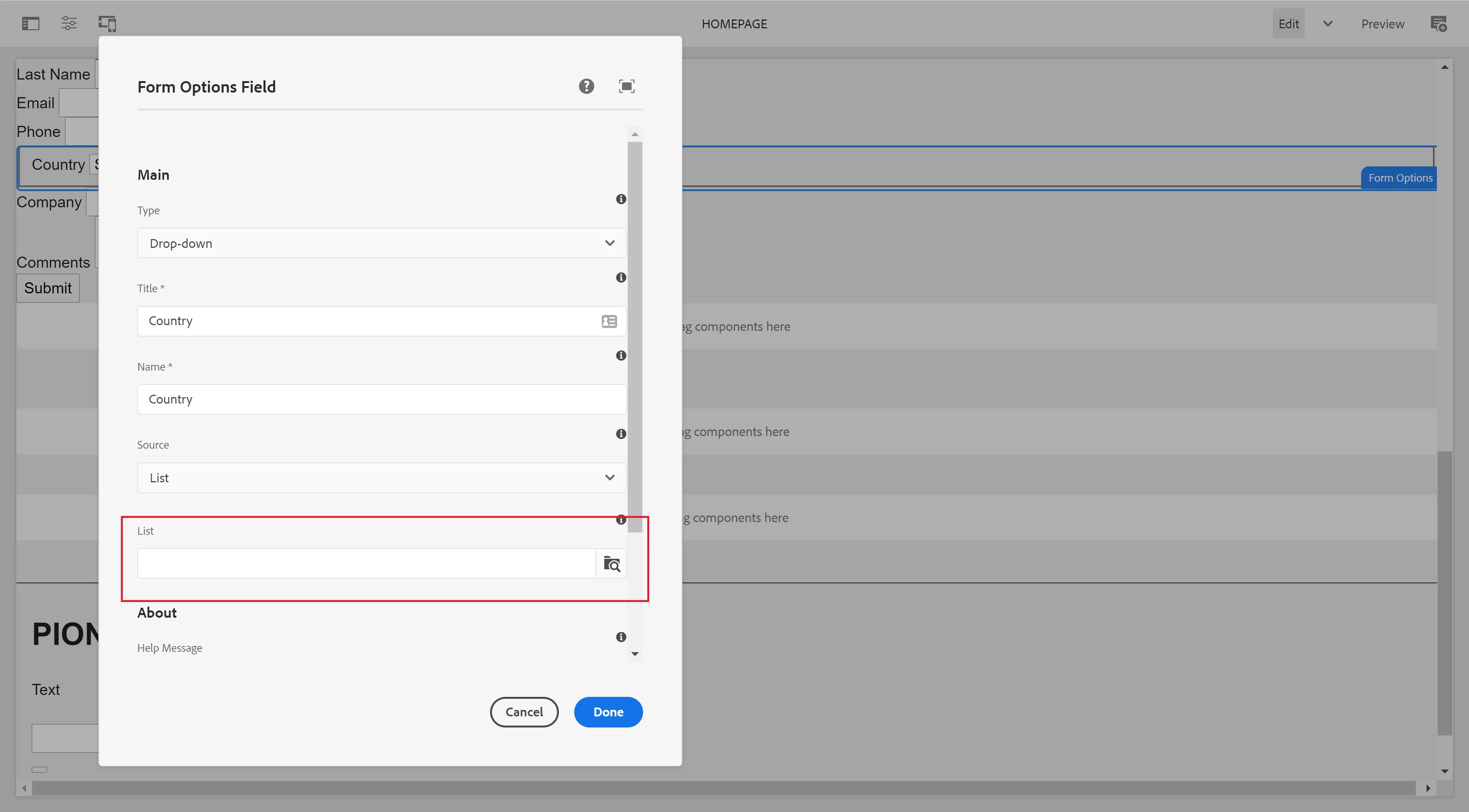
 

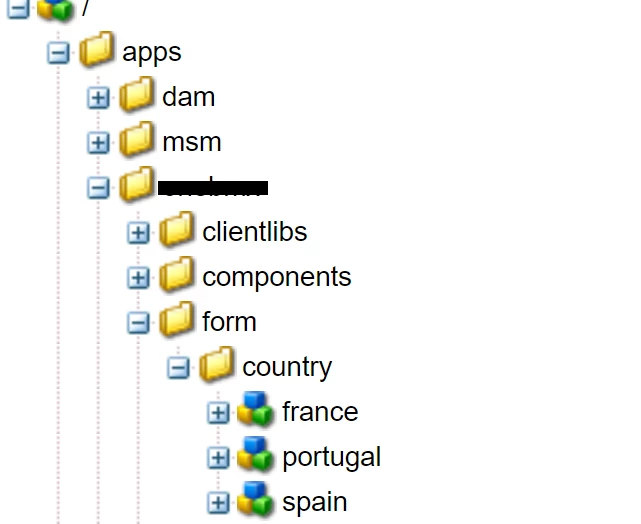
My question is: Is there anyway that I can load my defined list ? or do I need to create each node for each country (picture below)?
 

Thanks in advance.

This post is no longer active and is closed to new replies. Need help? Start a new post to ask your question.
arunpatidar
arunpatidarAccepted solution
New Participant
Oct 20, 2021 1:22 PM UTC

Hi,

In this case you can use datasource and return list items, you can create datasourec from json as well

e.g. https://aemlab.blogspot.com/2019/07/aem-touch-ui-dropdown-from-json.html

Arun Patidar

6 replies

lukasz-m
New Participant
Oct 20, 2021 8:28 AM UTC

Hi @odabio, I am not sure if this is one time action or you would like to maintain your list in the future, but you can consider below solutions that should allow you to automate list creation process.

  1. Data Importer functionality from ACS Commons - however it requires Excel file as an input - so you will need to transform your XML or JSON file into excel to use it.
    https://adobe-consulting-services.github.io/acs-aem-commons/features/mcp-tools/data-importer/index.html
  2. You can create simple java class that will do the import job, here is a nice example of servlet that allows to import data in JSON format https://blogs.perficient.com/2021/08/16/loading-json-content-into-aem/
  3. If you are using Groovy console you can also create groovy script that will create the list from XML or JSON - this is quite similar approach to the one described in point 2.
Translate
arunpatidar
New Participant
Oct 19, 2021 8:51 PM UTC
odabioAuthor
Level 2
Oct 20, 2021 7:02 AM UTC

Hi @arunpatidar 

Thanks for your answer but there's no way that I can read I defined list ? 

My list have more than 150 values (countries) and i would take too much time to create a node for each option...

I would be easier if I could read my defined list, If any ideas about how i could read the list it'll be very helpfull.


Thanks


Translate
arunpatidar
arunpatidarAccepted solution
New Participant
Oct 20, 2021 1:22 PM UTC

Hi,

In this case you can use datasource and return list items, you can create datasourec from json as well

e.g. https://aemlab.blogspot.com/2019/07/aem-touch-ui-dropdown-from-json.html

Translate
Arun Patidar