
Solved
How to restore deleted page in AEM 6.3
As in subject.
Fot the life of mine I can't find anything about that in the documentation nor in forums and the feature is nowhere to be found in the touch ui.
As in subject.
Fot the life of mine I can't find anything about that in the documentation nor in forums and the feature is nowhere to be found in the touch ui.
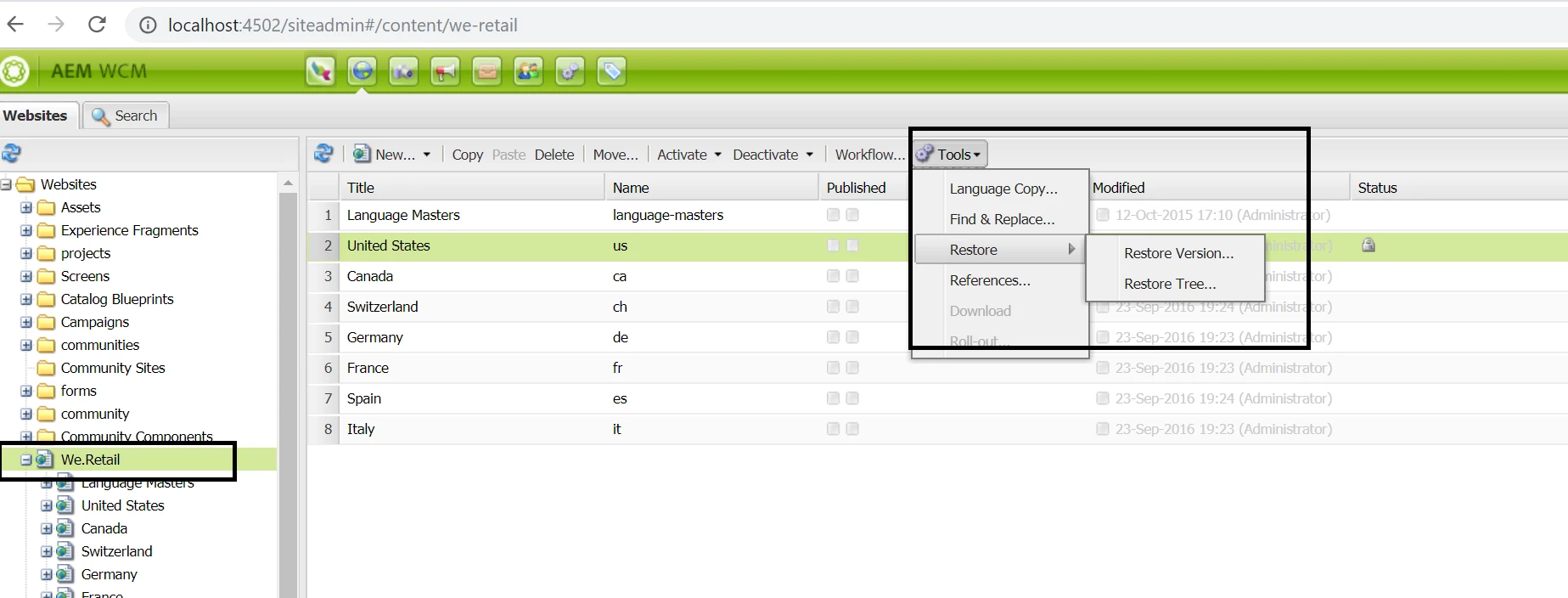
Probably, you're checking the same in TOUCH UI.
Open http://localhost:4502/siteadmin#/content -- this would enable CLASSIC UI. Then follow the links shared by Arun/Vishu. You'd see the "deleted" page under the selected parent page with an option to recover.
Enter your E-mail address. We'll send you an e-mail with instructions to reset your password.