How to rollback/goto any previous step in custom workflow model programatically? [AEM6.4] | Community
Skip to main content
New Participant
November 20, 2018
Solved

How to rollback/goto any previous step in custom workflow model programatically? [AEM6.4]

  • November 20, 2018
  • 2 replies
  • 1824 views

Hi,

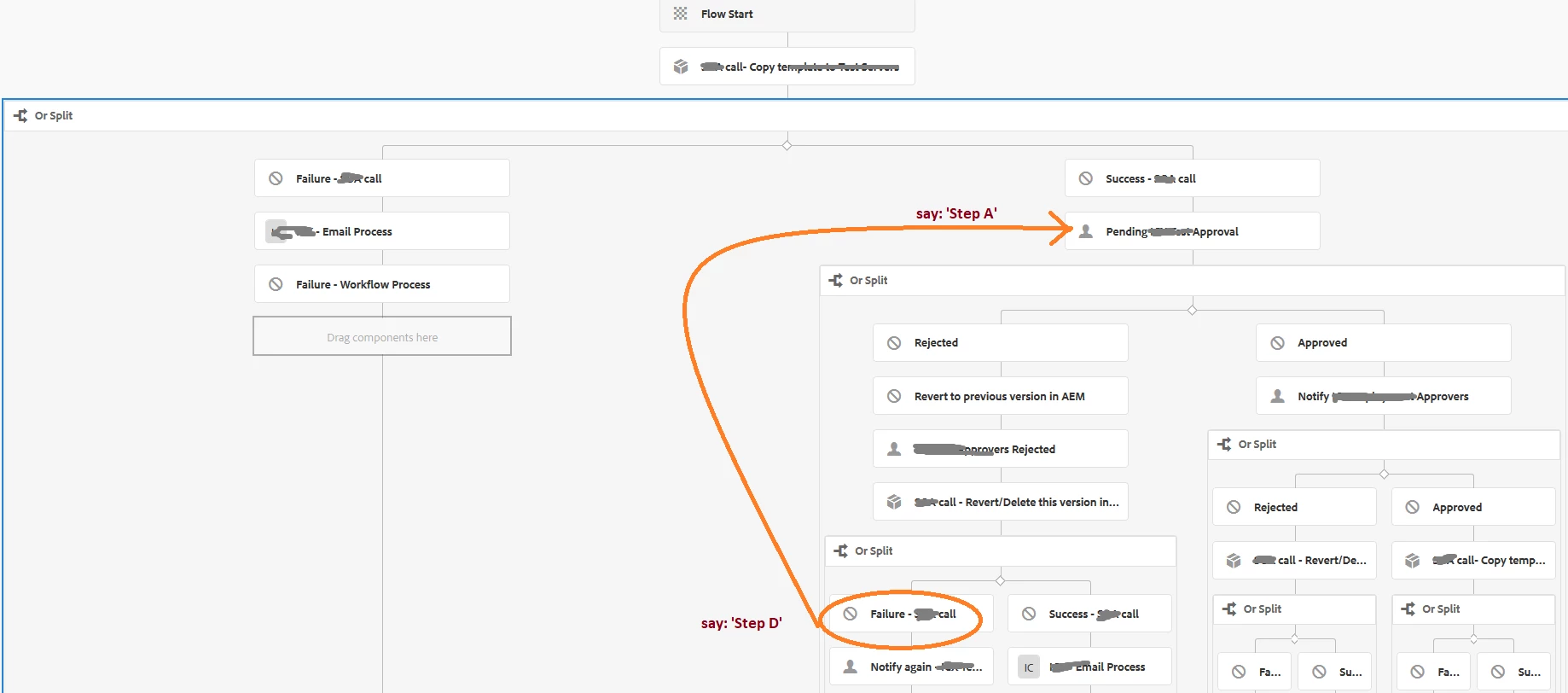
I'm using AEM6.4 for this project and there's a scenario in the Workflow where on the particular condition I need to 'Go back to one of the previous workflow steps?'

Say(refer image below): When the action fails on 'Step D' the control/workflow must be set again to 'Step A' and start again from that step.

I'm new to AEM & not sure if that's even possible but that's what is the requirement?

I saw a brief note on 'GoTo' statements for AEM 6.4 documentation on workflows but that's it just 2-3 lines about it. (not very helpful)

But unfortunately couldn't find any reference doc or example regarding the same.

Or in other words:

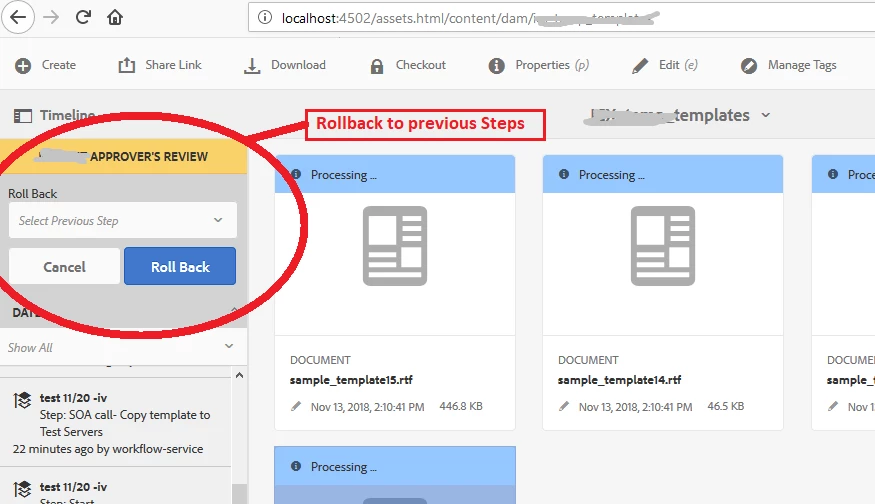
There's already Rollback(to any previous workflow step) functionality available in AEM (AEM6.4 atleast) via UI whenever a workflow step fails (refer image below). I just want to achieve this programmatically within the custom workflow process class.

Any help regarding this is appreciated.

-Thanks
This post is no longer active and is closed to new replies. Need help? Start a new post to ask your question.
Best answer by arunpatidar

Hi,

You can add Goto Step there you can choose programatically where control should go after notify again step.

Workflow Step Reference

2 replies

aanchal-sikka
New Participant
December 28, 2023

Hello,


You can use the Route API to advance the Workflow in variable available directions.

To fetch all available Routes use:  


List<Route> routes = workflowSession.getRoutes(workItem, false);

Then based on name/id of the route, you can advance the workflow


Aanchal Sikka
arunpatidar
arunpatidarAccepted solution
New Participant
November 21, 2018

Hi,

You can add Goto Step there you can choose programatically where control should go after notify again step.

Workflow Step Reference

Arun Patidar