how to select the inner components from the outer component | Community
Skip to main content
Employee
December 7, 2017
Solved

how to select the inner components from the outer component

  • December 7, 2017
  • 6 replies
  • 1327 views

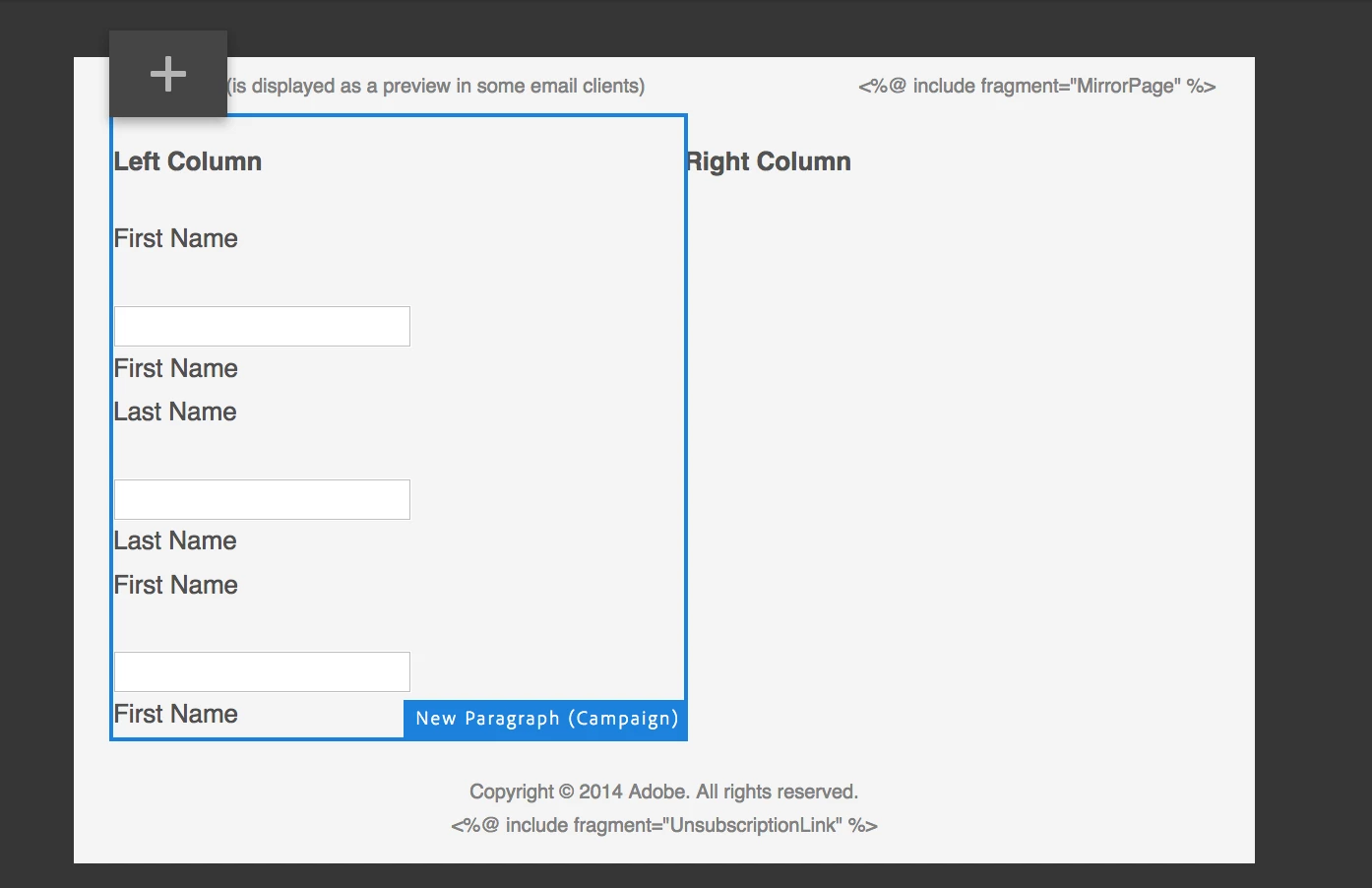
In the AEM, I create one page by using the template Adobe Campaign Email (ACS), in the created page, I drag and drop some Text Field (Campaign) component into the left column, when I try to click into the component (to configure additional properties), it just can't work, what I get is the outer component "New Paragraph (Campaign) " is highlighted and there is only '+' button available. my question is how I can select the inner component and configure it?
This post is no longer active and is closed to new replies. Need help? Start a new post to ask your question.
Best answer by kautuk_sahni

I am not able to reproduce this as well.

lucasli can you try this in the fresh instance. Also check if there is some error coming up when you are facing this problem (console and error.log). Also, please screen-cast this so that we can reproduce your exact steps.

6 replies

kautuk_sahni
kautuk_sahniAccepted solution
Employee
December 8, 2017

I am not able to reproduce this as well.

lucasli can you try this in the fresh instance. Also check if there is some error coming up when you are facing this problem (console and error.log). Also, please screen-cast this so that we can reproduce your exact steps.

Kautuk Sahni
smacdonald2008
New Participant
December 7, 2017

I also asked Kautuk to see if he can reproduce this issue.

smacdonald2008
New Participant
December 7, 2017

I am trying a few tests - this works

Another one:

I am not able to reproduce this - even after multiple page reloads.

Try on a fresh AEM instance and let us know if this occurs. That will tell us if issue is with AEM or your specific instance.

LucasLi2Author
Employee
December 7, 2017

I know it should works like this, but for the page from the template "Adobe Campaign Email (ACS)", it just can't work. (both tried with Chrome and Firefox browsers)

Could you have a try? my steps:

  1. Log in AEM6.3, and navigate to Sites > Campaigns > We.Retail > Email Campaigns
  2. Select Email Campaigns item and click Create to pop up menu
  3. Select Page, and select template "Adobe Campaign Email (ACS)"
  4. In the created page, click the Left Column section and add any component.
  5. In the first time, you are able to config this components.
  6. Refresh the page, and try to select this inner component again
  7. You will find that you are not able to select it any more.

Let me know if you want me to reproduce this issue, we have set up a call..

smacdonald2008
New Participant
December 7, 2017

For example - notice the grid here is the outer component and i am accessing the inner image component by clicking on it.

smacdonald2008
New Participant
December 7, 2017

Like a component in a grid system (the grid is the outer component and the inner component may be an image or text component)- you should be able to click on the inner component to access it.