How to test code quality issues in local | Community
Skip to main content
New Participant
April 5, 2022
Solved

How to test code quality issues in local

  • April 5, 2022
  • 2 replies
  • 804 views

Hi,


After recent AEM push update, our build is failing in "Code Quality" step .

Issue is with indexing, Please find below the issue statement 


"Index definitions type needs to be 'lucene' to compliant with AEM as a Cloud Service"


How can I test this issue in local before pushing it to stage? 


Thanks

Ganesh

+91-9380201140
 

This post is no longer active and is closed to new replies. Need help? Start a new post to ask your question.
Best answer by Anish-Sinha

Hi @aem-enthu27 ,

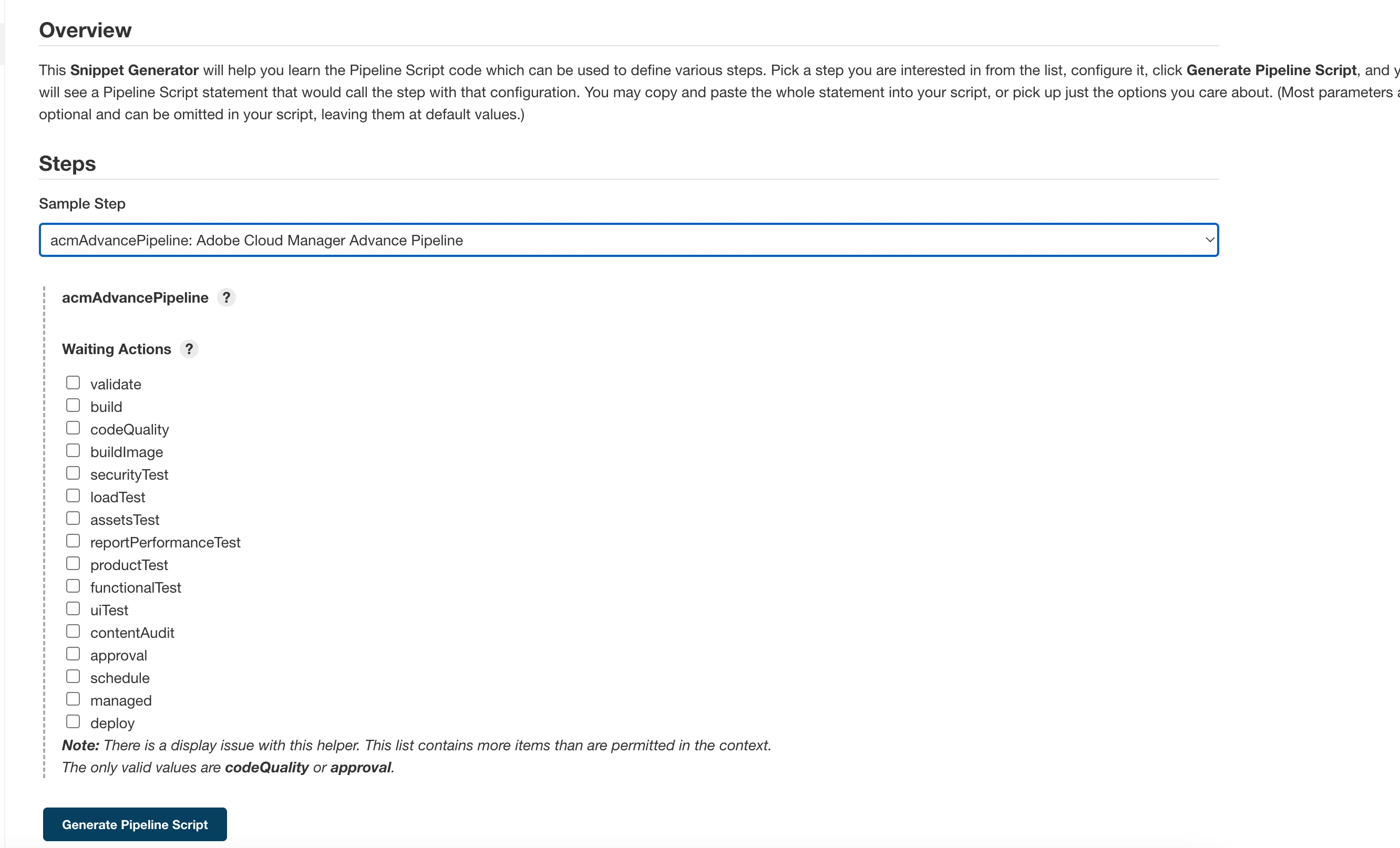
You can setup jenkins on your local. There is a jenkins plugin "Adobe Cloud Manager Plugin". Once you install this on your local jenkins, it does allow you to run different scripts on your codebase. This will perform similar checks that happens on Cloud Manager. There are some configurations that you will have to do to set it up. Please refer to this link - https://plugins.jenkins.io/adobe-cloud-manager/

Check the operations that this plugin provides in the attached screenshots.

I find it very useful for multiple operations.

Some more useful links -

https://chintalapudi4.medium.com/integrating-internal-git-with-cloud-manager-using-jenkins-c2dd2d2727f9

https://www.opsinventor.com/regarding-integrating-aem-cloud-manager-and-jenkins-diagrams-how-tos/


Moreover to fix the issue you can check this - https://experienceleague.adobe.com/docs/experience-manager-cloud-manager/using/how-to-use/custom-code-quality-rules.html?lang=en#oakpal-index-type-lucene


2 replies

Anish-Sinha
Anish-SinhaAccepted solution
Employee
April 5, 2022

Hi @aem-enthu27 ,

You can setup jenkins on your local. There is a jenkins plugin "Adobe Cloud Manager Plugin". Once you install this on your local jenkins, it does allow you to run different scripts on your codebase. This will perform similar checks that happens on Cloud Manager. There are some configurations that you will have to do to set it up. Please refer to this link - https://plugins.jenkins.io/adobe-cloud-manager/

Check the operations that this plugin provides in the attached screenshots.

I find it very useful for multiple operations.

Some more useful links -

https://chintalapudi4.medium.com/integrating-internal-git-with-cloud-manager-using-jenkins-c2dd2d2727f9

https://www.opsinventor.com/regarding-integrating-aem-cloud-manager-and-jenkins-diagrams-how-tos/


Moreover to fix the issue you can check this - https://experienceleague.adobe.com/docs/experience-manager-cloud-manager/using/how-to-use/custom-code-quality-rules.html?lang=en#oakpal-index-type-lucene


arunpatidar
New Participant
April 5, 2022