How to use multiple form container in AEM sites page | Community
Skip to main content
This post is no longer active and is closed to new replies. Need help? Start a new post to ask your question.
Nishant-Singh
Nishant-SinghAccepted solution
Employee
Aug 4, 2023 8:05 AM UTC

Hi @aravinds 


Please check this : https://experienceleague.adobe.com/docs/experience-manager-cloud-service/content/forms/integrate/services/embed-adaptive-form-aem-sites.html?lang=en#embed-an-adaptive-form-in-sites-editor


If the Form covers entire width of the frame checkbox is checked, an Adaptive Form occupies the full width of the container in which it is placed. In this case, an iframe is not used to render the form. The layout and design of an Adaptive Form adapt to span the entire width of the container, making it responsive and capable of adjusting to different screen sizes. This option allows to embed multiple Adaptive Forms within an AEM Sites page.

3 replies

aravindSAuthor
Level 5
Aug 7, 2023 10:29 AM UTC

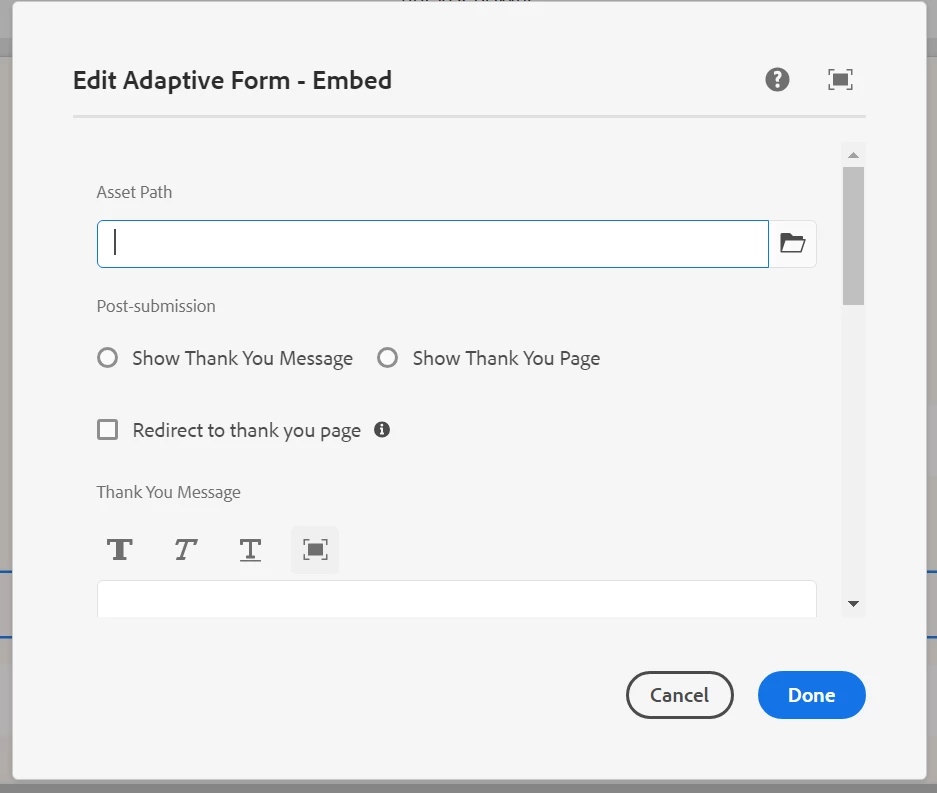
Found the solution, there is a checkbox field in dialog - "Form covers entire width of the page"

this needs to be unchecked whenever we need to use the multiple forms in same page.

If the above checkbox is unchecked, we can use the multiple adaptive form (using the Adaptive form embed) component.

Translate
Nishant-Singh
Nishant-SinghAccepted solution
Employee
Aug 4, 2023 8:05 AM UTC

Hi @aravinds 


Please check this : https://experienceleague.adobe.com/docs/experience-manager-cloud-service/content/forms/integrate/services/embed-adaptive-form-aem-sites.html?lang=en#embed-an-adaptive-form-in-sites-editor


If the Form covers entire width of the frame checkbox is checked, an Adaptive Form occupies the full width of the container in which it is placed. In this case, an iframe is not used to render the form. The layout and design of an Adaptive Form adapt to span the entire width of the container, making it responsive and capable of adjusting to different screen sizes. This option allows to embed multiple Adaptive Forms within an AEM Sites page.

Translate
aravindSAuthor
Level 5
Aug 4, 2023 8:32 AM UTC

Hi @nishant-singh , 

Thanks for your reply,

I'm using Adaptive Forms - Embed(v2) , whenever i use single form in page it works fine, But if i add second form in same page, 2nd form's clientlibs itself is not calling.

I tried 2 ways, I have combined the both clientlibs to single clientlibs and calling the method accordingly. I have tried different clientlibs for each form. But both the ways 2nd form's clientlib is not accessible i tried with debugger also.

Translate