How to view permission in touch UI (AEMaaCS) | Community
Skip to main content
Mario248
Level 7
March 2, 2023

How to view permission in touch UI (AEMaaCS)

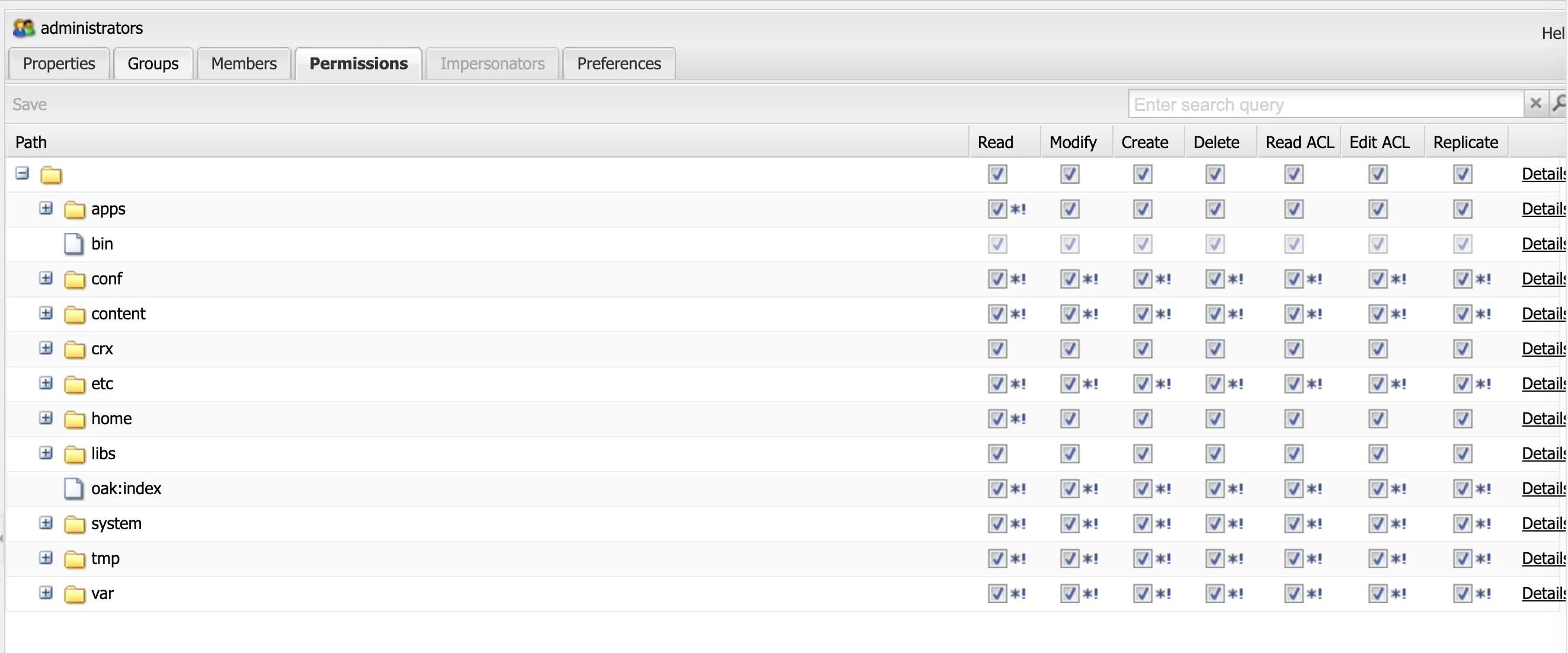
I am aware that in classic we can use useradmin (localhost:4502/useradmin) console to find user, groups and it's permission visually like below,


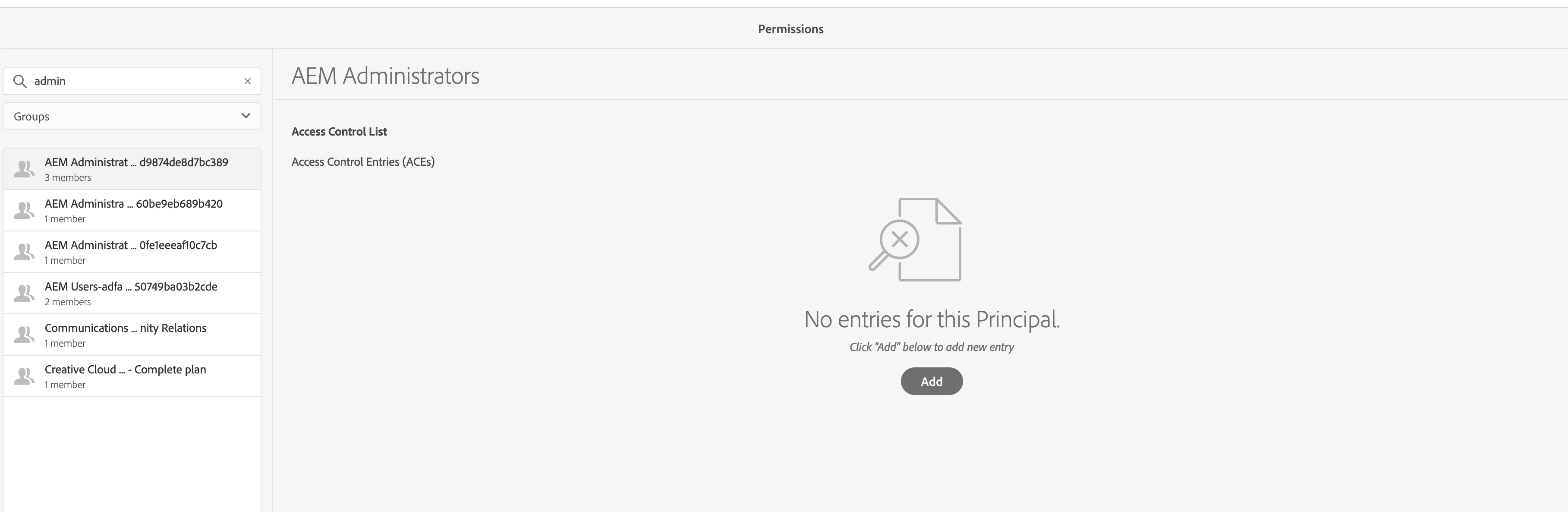
But in touch UI we would need to go to below consoles 


This post is no longer active and is closed to new replies. Need help? Start a new post to ask your question.

3 replies

Rohit_Utreja
New Participant
March 2, 2023

@mario248 


Go to below path
http://localhost:4502/security/permissions.html/principal/everyone

search for a user/group by entering it at the left side and selecting appropriate filter from dropdown. You will see these permissions at right side.

Translate
Level 3
March 2, 2023

@mario248 , http://localhost:4502/security/permissions.html/principal/admin?filter=user

You add it through ACEs (Access Control Entries).

http://localhost:4502/security/permissions.html/principal/everyone?filter=group


For example, in the above link for the group "everyone" you may see all the paths that is has been granted access to or denied to. We do not have an exact similar screen here that we see on classic ui.

Translate
Mario248
Mario248Author
Level 7
March 2, 2023

I am aware that we can look for ACE but why administrators group do not have any ACE,


Translate