html property value not displaying in touch UI | Community
Skip to main content
Level 2
Aug 29, 2017 9:13 AM UTC
Solved

html property value not displaying in touch UI

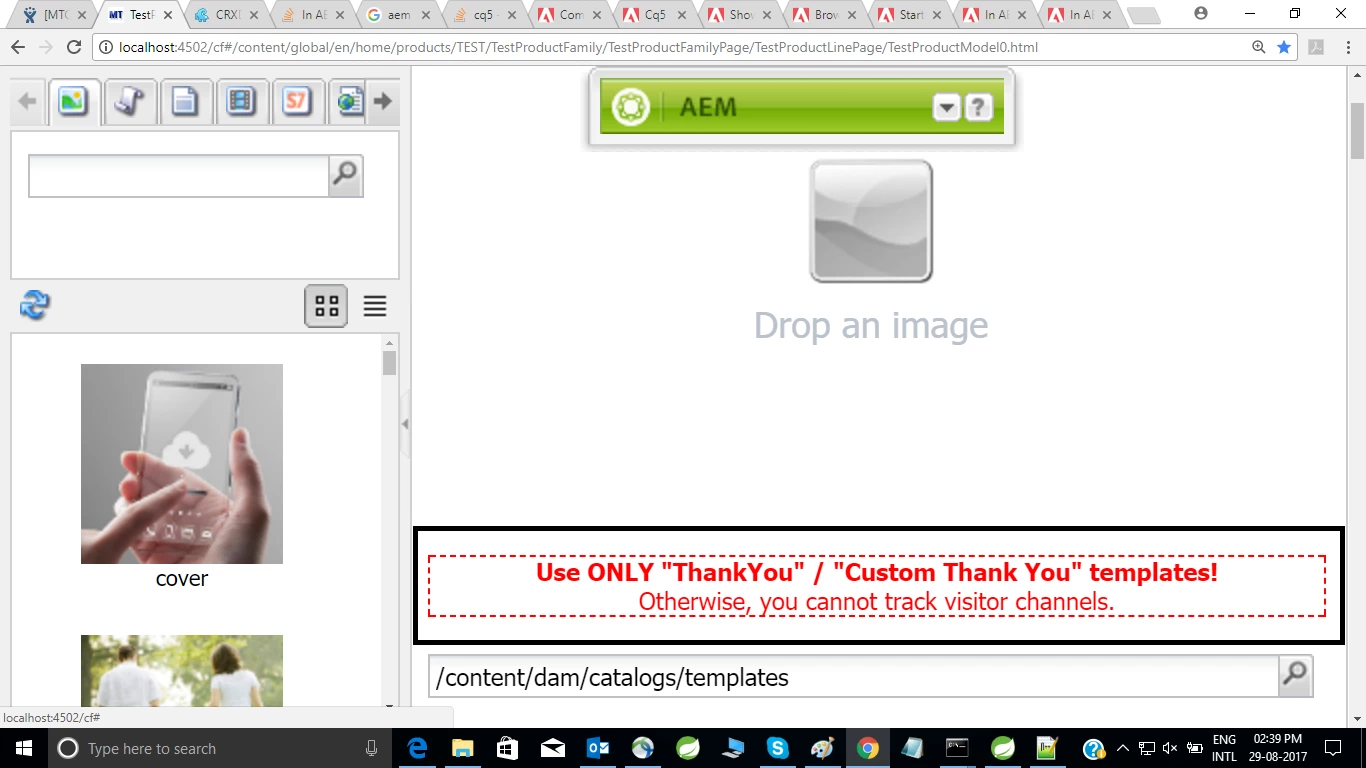
The  dialog field  with additional properties "html"  displaying in classic UI ,but it is not displaying in touch UI .

Please find the following code

@DialogField(

xtype = "label",

additionalProperties = {

@Property( name = "html",

value = "<div style=\"color: #ff0000; border: 1px dashed #ff0000;\"><div style=\"text-align: center;\"><b style=\"color: #ff0000;\">Use ONLY \"ThankYou\" / \"Custom Thank You\" templates!</b></div><div style=\"color: #ff0000; text-align: center;\">Otherwise, you cannot track visitor channels.</div></div><br>")}

)

private static final DialogOnlyField STATIC_MESSAGE_1 = DialogOnlyField.getInstance();

DialogOnlyField .java

public final class DialogOnlyField {

private final static DialogOnlyField INSTANCE = new DialogOnlyField();

private DialogOnlyField() {

}

public static final DialogOnlyField getInstance() {

return INSTANCE;

}

}

Followed the below link , no luck , not worked .

https://stackoverflow.com/questions/35504183/aem-6-1-how-to-get-the-warning-icon-in-a-cqdialog/35572188#35572188

can anyone please help me  in this ?

This post is no longer active and is closed to new replies. Need help? Start a new post to ask your question.
kautuk_sahni
kautuk_sahniAccepted solution
Employee
Aug 29, 2017 10:18 AM UTC

See this Icon Picker //Do read comments as well

Or as used in this example: - Custom color picker component in Touch UI in AEM 6.x | Adobe AEM Club (Color Icon)

This should help you.

~kautuk

Kautuk Sahni

5 replies

smacdonald2008
Level 10
Aug 29, 2017 3:20 PM UTC

Your HTML code - you specified in your example - would go into the HTL component as well.

Translate
smacdonald2008
Level 10
Aug 29, 2017 3:19 PM UTC

Of course, use the ootb granite data types for basic fields in a component dialog:

Reference Materials

However - a custom sling resource type is used when the data type is not available with with the granite types -- such as a color picker.

Translate
Prince_Shivhare
New Participant
Aug 29, 2017 3:16 PM UTC

As Scott and Kautuk said, please take the reference of color picker helpx article to work in Touch UI.

If you are working in Touch UI, make sure you are using HTL(Sightly).

Regards,

Prince

Translate
smacdonald2008
Level 10
Aug 29, 2017 3:10 PM UTC

What are you trying to do. If working in Touch UI, you should try to create an HTL component. For TOuch UI dialog, you can create a custom slign resource type to any component dialog - which is just a JQUery plug-in. See this article as an example -- Scott's Digital Community: Creating a custom Experience Manager sling:resourceType for Touch UI

However - @Property( name = "html",...) will nto work in TOuchUI dialog.

Translate
kautuk_sahni
kautuk_sahniAccepted solution
Employee
Aug 29, 2017 10:18 AM UTC

See this Icon Picker //Do read comments as well

Or as used in this example: - Custom color picker component in Touch UI in AEM 6.x | Adobe AEM Club (Color Icon)

This should help you.

~kautuk

Translate
Kautuk Sahni