I am trying to overlay createpagewizard | Community
Skip to main content
New Participant
January 20, 2021
Solved

I am trying to overlay createpagewizard
  • January 20, 2021
  • 4 replies
  • 3310 views

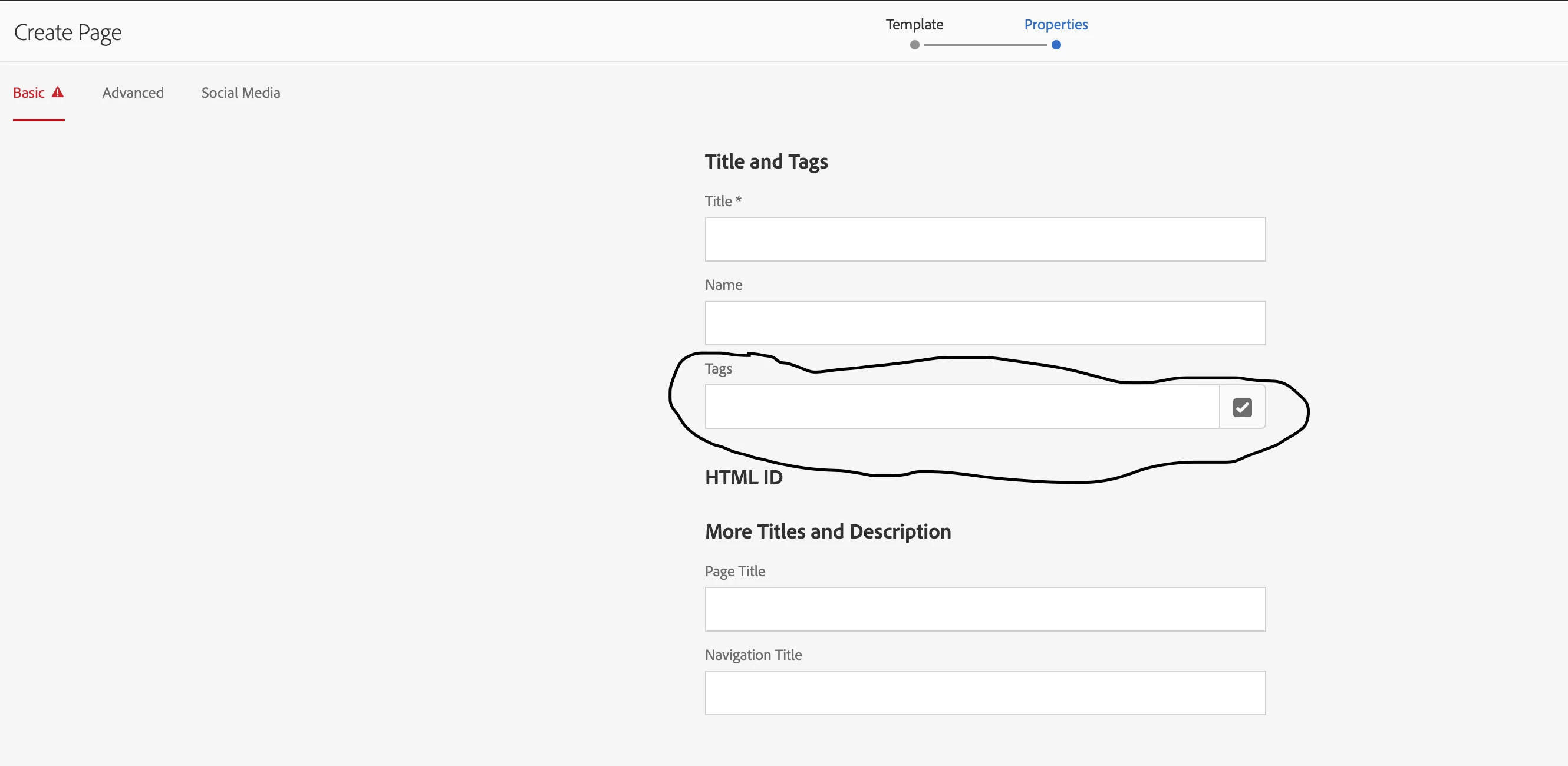
I am trying to hide the tags from the createpagewizard. The one i have highlighted in the screenshot. I was able to accomplish that ..But i notice some weird behavior after making that change .. For existing page components the edit tool which we notice in the edit mode isnt visible. Am i missing something? which is causing this awkward behavior
This post is no longer active and is closed to new replies. Need help? Start a new post to ask your question.
Best answer by BrianKasingli

@aemnewbie,

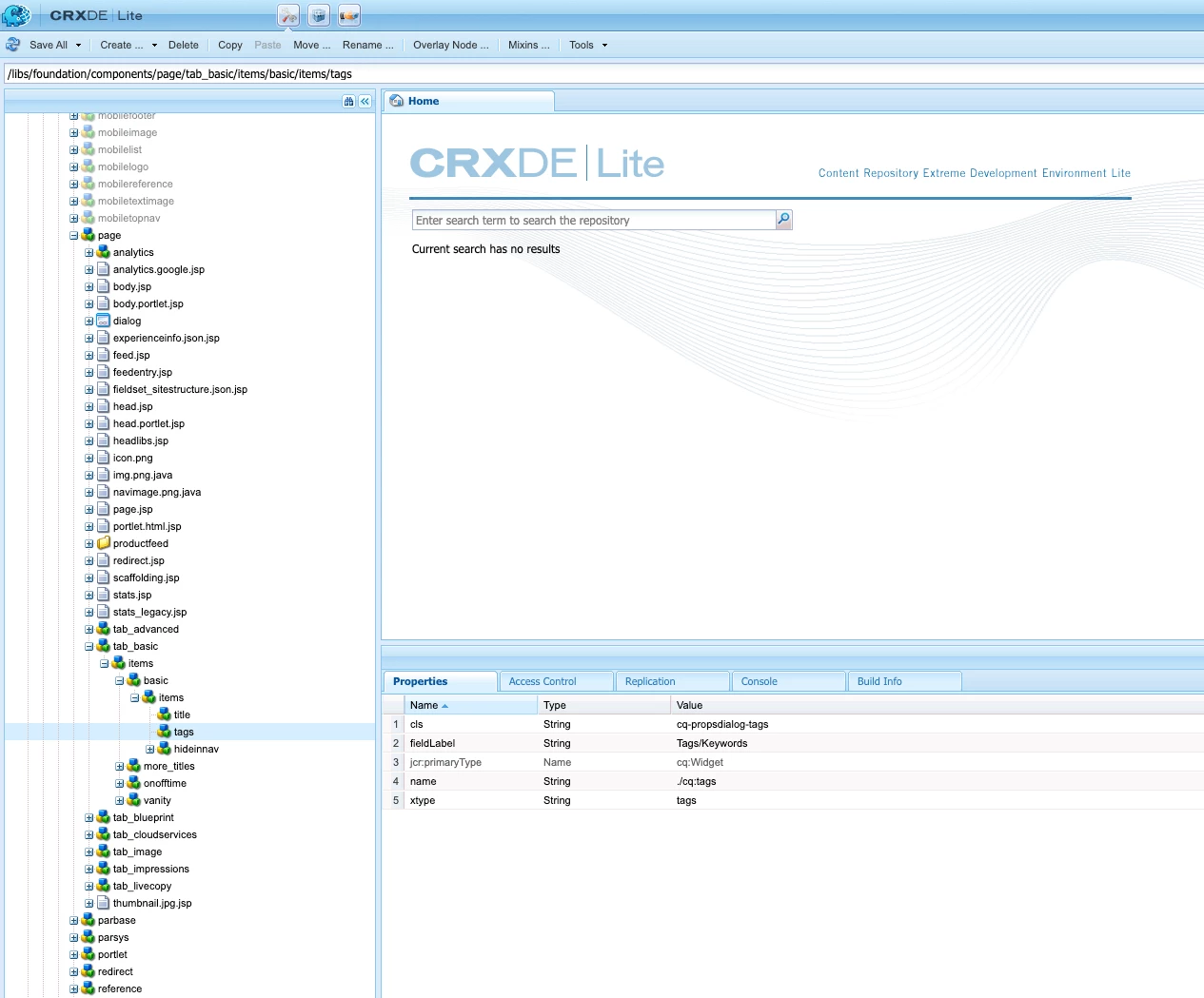
In most parts, page templates use the sling:superResourceType of /libs/foundation/components/page, which registers a dialogue with all the default options using Sling Resource Merger; this is why you don't see the nodes that make up the dialogue configurations. To remove the unwanted fields, in particular the tab_basic fields, you must overlay the tab_basic JCR node, /libs/foundation/components/page/tab_basic, in your /apps/my-site/ folder. 

I hope this helps. 


4 replies

New Participant
April 19, 2022

None of suggested options didn't help me either, but I've figured out the only working solution here:

  1. In your customized base page node include the tab that you need to modify (remove) using /mnt/override. In my case it is the "advanced" tab:
    <advanced
    jcr:primaryType="nt:unstructured"
    sling:resourceType="granite/ui/components/coral/foundation/include"
    path="/mnt/override/apps/*yourproject*/components/structure/page/tabs/advanced"/>
  2.  In the /apps/*yourproject*/components/structure/page/tabs/advanced add your modified node:
    <?xml version="1.0" encoding="UTF-8"?>
    <jcr:root xmlns:sling="http://sling.apache.org/jcr/sling/1.0" xmlns:cq="http://www.day.com/jcr/cq/1.0" xmlns:jcr="http://www.jcp.org/jcr/1.0" xmlns:nt="http://www.jcp.org/jcr/nt/1.0"
    jcr:primaryType="nt:unstructured">
    <advanced jcr:primaryType="nt:unstructured">
    <items jcr:primaryType="nt:unstructured">
    <column jcr:primaryType="nt:unstructured">
    <items jcr:primaryType="nt:unstructured"
    sling:hideChildren="[seo]">
    </items>
    </column>
    </items>
    </advanced>
    </jcr:root>

AEM CS 2021.12. I've specified the version, because it seems that some of the answers relied on older AEM 6... versions.

arunpatidar
New Participant
January 21, 2021

This happened when you don't overlay node properly:

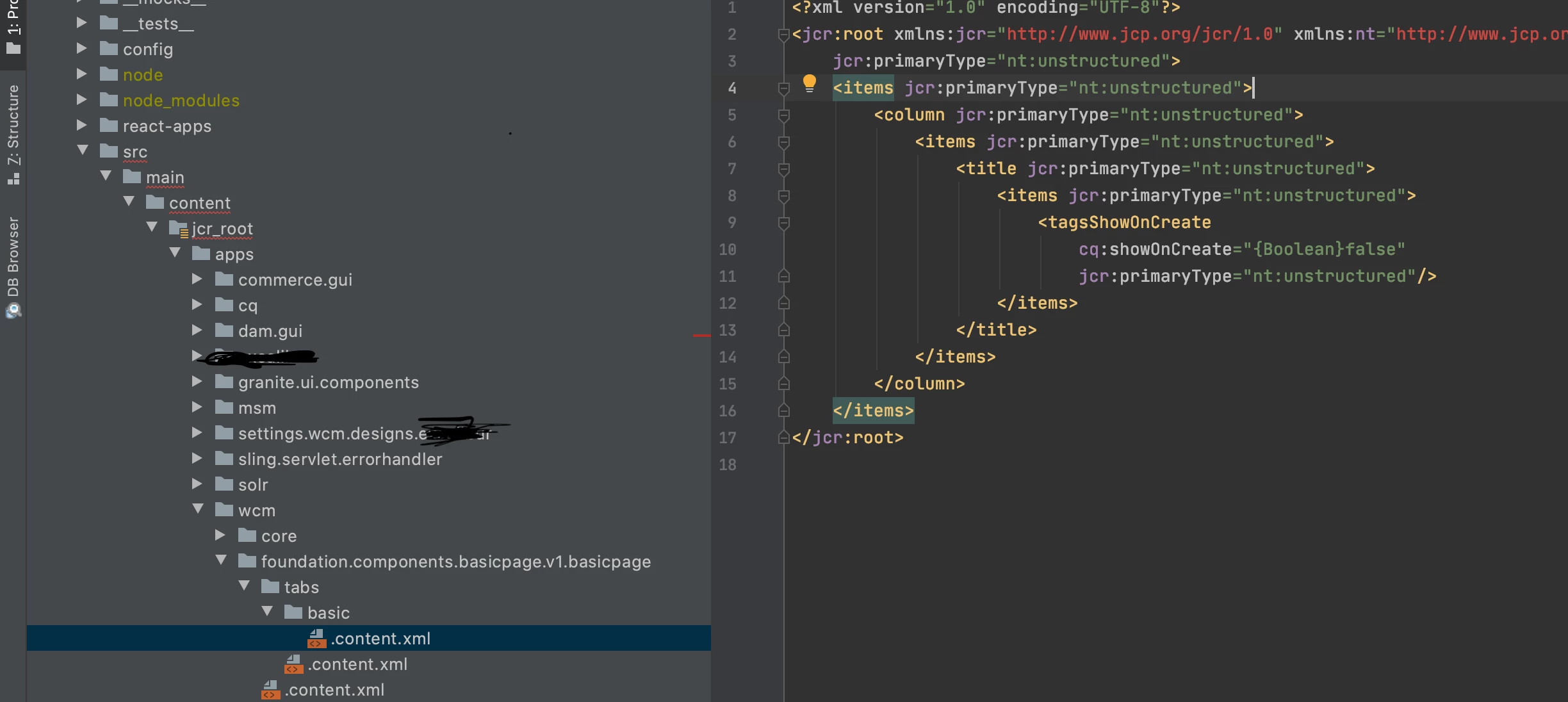
  1. created a cq:dialog node in your page component /apps/myproj/components/structure/defaultpage/cq:dialog/content/items/tabs/items/basic
  2. create tabs node(nt:unstructured) at /apps/myproj/components/structure/defaultpage/tabs/basic/items/column/items/title/items/tags with overlay node
  3. add basic tab created in step2 in the page dialog node(Step1) using path property 
    path
    String

    /apps/myproj/components/structure/defaultpage/tabs/basic

Arun Patidar
AEMnewbieAuthor
New Participant
January 21, 2021

Hello @arunpatidar This is what i tried for the first 2 steps .I didnt clearly understand the 3rd step

BrianKasingli
BrianKasingliAccepted solution
New Participant
January 20, 2021

@aemnewbie,

In most parts, page templates use the sling:superResourceType of /libs/foundation/components/page, which registers a dialogue with all the default options using Sling Resource Merger; this is why you don't see the nodes that make up the dialogue configurations. To remove the unwanted fields, in particular the tab_basic fields, you must overlay the tab_basic JCR node, /libs/foundation/components/page/tab_basic, in your /apps/my-site/ folder. 

I hope this helps. 


AEMnewbieAuthor
New Participant
January 20, 2021

@briankasingliI tried to overlay /libs/wcm/foundation/components/page/tab_basic/items/basic/items/tags but that didnt help !! I still see the tags in the create page after this approach and the edit toolbar is still broken

Kiran_Vedantam
New Participant
January 20, 2021

Hi @aemnewbie,


Can you please let me know the following:

  1. Any error is shown in the console after page load
  2. Any error is shown in the error.log related to the page after page load
  3. The XML that you have modified is not broken/invalid
  4. Try clearing the browser cache - some times this can also cause the issue

If you check the above things, you might find the root cause of the issue which can help us get the fix.


Thanks,

Kiran Vedantam.

AEMnewbieAuthor
New Participant
January 20, 2021
@kiran_vedantam i did check the error log console log ,and cleared the cache !! the logs look fine and the cache clear didnt change anything