Image Fileupload using Coral 3 drag and drop | Community
Skip to main content
Apr 19, 2019 7:52 PM UTC
Solved

Image Fileupload using Coral 3 drag and drop

I am looking for a way to drag and drog image file using coral 3 within the dialog (as shown below). 
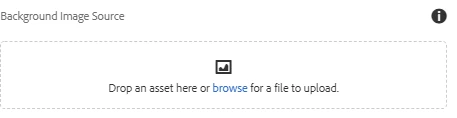
I was able to do this with coral 2 and was wondering how to do it with coral 3.

Can someone provide me the code to do this?

This post is no longer active and is closed to new replies. Need help? Start a new post to ask your question.
arunpatidar
arunpatidarAccepted solution
New Participant
Apr 23, 2019 4:06 PM UTC

Hi,

You can't do that with coral3 but you can use foundation fileupload

cq/gui/components/authoring/dialog/fileupload

OR use pathfield to browse images.

PathField — Granite UI 1.0 documentation

Arun Patidar

8 replies

crisr1
Level 4
Jan 27, 2020 10:38 PM UTC
Where you looking to Drag and Drop from the Asset Finder or were you looking to drop a file to upload it from the computer desktop?
Translate
arunpatidar
New Participant
Apr 23, 2019 5:52 PM UTC

I think it is by designed because if you compare coral2 and Granite fileupload

Granite FileUpload — Granite UI 1.0 documentation

Coral2 FileUpload — Granite UI 1.0 documentation

below properties have been removed from Granite fileupload which is used to browse assets from dam

fileNameParameter

The parameter representing the file name, for instance “./fileName” or “./image/fileName”. It will be used to determine the (relative) location where to store the name of the file.

fileReferenceParameter

The location where to store the reference of the file (when a file already uploaded on the server is used), usually ./fileReference or ./image/fileReference. NB: This is only working in the context of AEM Authoring

Translate
Arun Patidar
Apr 23, 2019 5:22 PM UTC

Hey Arun,

You are saying that it is not possible.

Was it designed that way?  Or is it a bug?

Translate
arunpatidar
arunpatidarAccepted solution
New Participant
Apr 23, 2019 4:06 PM UTC

Hi,

You can't do that with coral3 but you can use foundation fileupload

cq/gui/components/authoring/dialog/fileupload

OR use pathfield to browse images.

PathField — Granite UI 1.0 documentation

Translate
Arun Patidar
Apr 23, 2019 3:01 PM UTC

Hi rmahendra

I am looking for a dialog with a fileupload (in coral 3) that we can drag and drop the image.

The example you gave me does not have a coral 3 fileupload.

Translate
rmahendra
Employee
Apr 23, 2019 2:34 PM UTC
Apr 23, 2019 2:16 PM UTC

I already looked at the documentation, it does not show how to create a drag and drop fileupload.  The fileupload changed dramatically from it's previous version.  The documentation does not show an example on how to do this.

I would like a working sample.  Please provide a working example in xml.

Translate
kautuk_sahni
Employee
Apr 23, 2019 12:49 PM UTC