
Image is not shown up in editor | Community
Skip to main content
MuddleldLuck
New Participant
September 10, 2022

Image is not shown up in editor
  • September 10, 2022
  • 2 replies
  • 1818 views


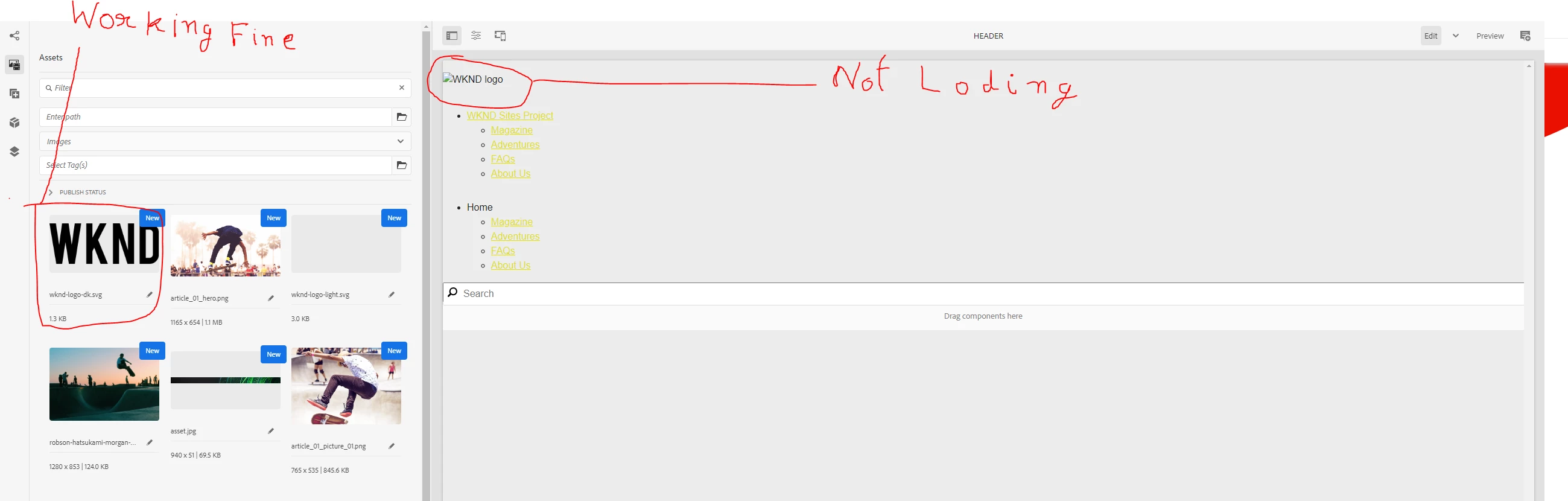
The image is working fine in the side panel, but when I drag and drop it is not loading up

This post is no longer active and is closed to new replies. Need help? Start a new post to ask your question.

2 replies

BrianKasingli
New Participant
September 10, 2022

it's quite possible that your JSP or Sightly HTL code is incorrectly embedding the image to the page; check the scripts and try again.
What does the <img src=""> actually produce?

BrianKasingli
New Participant
September 10, 2022


from looking at your inspect element, you must make changes to your component to output <img HTML element instead of the div.


MuddleldLuck
New Participant
September 10, 2022

this is my HTL code 


This is `view as published`

when I click on this pencil Icon

I am able to see image

 but after that when I click on tick it again broken!!

Sachin_Arora_
New Participant
September 10, 2022

Please inspect the image and check the src attribute of <img> tag. Also please confirm if its custom component or core component.

MuddleldLuck
New Participant
September 10, 2022

I am following this tutorial
https://experienceleague.adobe.com/docs/experience-manager-learn/getting-started-wknd-tutorial-develop/project-archetype/pages-templates.html?lang=en

Page and Templates
    Update the Header and Footer with Experience Fragments


On inspect

there is no `img` tag