In Authoring environment RTE in Touch ui show empty when anchor link and latter source edit is clicked (AEM6.3 with SP2) | Community
Skip to main content
srinivas_chann1
New Participant
March 27, 2020
Solved

In Authoring environment RTE in Touch ui show empty when anchor link and latter source edit is clicked (AEM6.3 with SP2)

  • March 27, 2020
  • 3 replies
  • 5169 views

Hello,


1>On using RTE to just have anchor link  by giving an label

2> latter on clicking source edit  shows an  empty.


We want to add in rte anchor tag like


<a id="test"> </a>  ,

Note:- Here the title is empty for the anchor link and not getting allowed by RTE


The use case we would want just a anchor link with some custom code added to it without any title.

Issue is  on submitting the dialog and on re-opening does not have the anchor link. Touch UI anchor icon added with a label:-



Source edit clicked and turned off:-
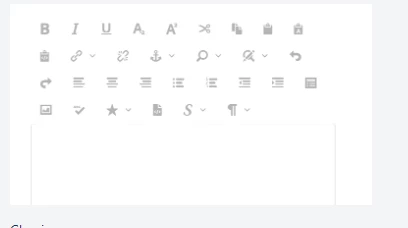

Please let me know as how this could be solved


Thanks


Thanks

This post is no longer active and is closed to new replies. Need help? Start a new post to ask your question.
Best answer by Nirmal_Jose

Hi,

Once you re-open the dialog and see that the anchor tag is no more appearing, is the <a id="someid"></a> visible on source editor view or that is trimmed off. If its trimmed off, mostly link checker might be removing a bad link. Please follow [1] to disable link checker as a whole or for a single use case.


[1] - https://helpx.adobe.com/in/experience-manager/kb/how-to-configure-linkchecker-tomark-alllinks-asvalid.html

3 replies

srinivas_chann1
New Participant
April 11, 2020

Hi,


Thanks for the input.  


On the Link https://helpx.adobe.com/in/experience-manager/kb/how-to-configure-linkchecker-tomark-alllinks-asvalid.html

I had 2 queries.Could you please provide inputs as how this work for RTE:-


1>In which file should i add the below ,so that RTE will bypass the link validation

Optionally use x-cq-linkchecker="skip" in the <a>. Link Checker will not even check for validity


2>The Link Checker should not be enabled on publish instances

How to achieve this that it works in author but is not enabled in publish


Thanks

New Participant
May 14, 2021
Hi srinivas_chann1, I am trying to add the anchor tag in RTE but i didnt find the Correct steps to implement, can you please help to solve my issue. Thanks in advance
srinivas_chann1
New Participant
April 11, 2020

Hi,

Thanks for the input.

On the Link https://helpx.adobe.com/in/experience-manager/kb/how-to-configure-linkchecker-tomark-alllinks-asvali...


I had 2 queries.Could you please provide inputs as how this work for RTE:- 1>

In which file should i add the below ,so that RTE will bypass the link validation Optionally use x-cq-linkchecker="skip" in the . Link Checker will not even check for validity 2>The Link Checker should not be enabled on publish instances How to achieve this that it works in author but is not enabled in publish Thanks

Nirmal_Jose
Nirmal_JoseAccepted solution
Employee
March 30, 2020

Hi,

Once you re-open the dialog and see that the anchor tag is no more appearing, is the <a id="someid"></a> visible on source editor view or that is trimmed off. If its trimmed off, mostly link checker might be removing a bad link. Please follow [1] to disable link checker as a whole or for a single use case.


[1] - https://helpx.adobe.com/in/experience-manager/kb/how-to-configure-linkchecker-tomark-alllinks-asvalid.html

srinivas_chann1
New Participant
April 5, 2020

Hi,


Thanks for the input.  


On the Link https://helpx.adobe.com/in/experience-manager/kb/how-to-configure-linkchecker-tomark-alllinks-asvalid.html

I had 2 queries.Could you please provide inputs as how this work for RTE:-


1>In which file should i add the below ,so that RTE will bypass the link validation

Optionally use x-cq-linkchecker="skip" in the <a>. Link Checker will not even check for validity


2>The Link Checker should not be enabled on publish instances

How to achieve this that it works in author but is not enabled in publish


Thanks