jar dependency in crx-quickstart | Community
Skip to main content
manikanthar1295
New Participant
May 13, 2019
Solved

jar dependency in crx-quickstart

  • May 13, 2019
  • 4 replies
  • 4870 views

Hi Team,

AEM having lot of in build jar.

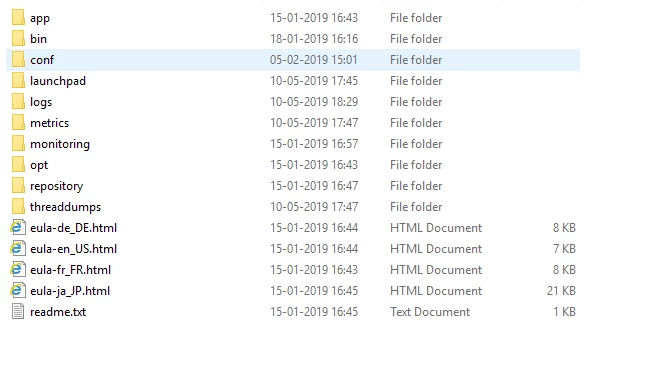
Where there jar are stored in quick start folder.

I have searched in many  folder not able to find
This post is no longer active and is closed to new replies. Need help? Start a new post to ask your question.
Best answer by user05162

As scott mentioned, you need to clarify your question a bit more. But if you are looking for the location of bundle jar files, Follow the steps below:

  • Get the bundle Id of the custom bundle from <host>:<port>/system/console
  • Go to "crx-quickstart/launchpad/felix/bundle<ID>", where ID is the bundle ID you got from the first step.
  • You will find bundle.jar file under Version*.* directory- That is the jar file location for the bundle ID you got from step1

4 replies

New Participant
May 13, 2019

As jaideep mentioned all the jar files are under felix folder.

Ravi_Pampana
New Participant
May 13, 2019

Hi,

If you are looking for OOB jars present in http://localhost:4502/system/console/bundles then it will be available in .m2 folder.

user05162Accepted solution
Employee
May 13, 2019

As scott mentioned, you need to clarify your question a bit more. But if you are looking for the location of bundle jar files, Follow the steps below:

  • Get the bundle Id of the custom bundle from <host>:<port>/system/console
  • Go to "crx-quickstart/launchpad/felix/bundle<ID>", where ID is the bundle ID you got from the first step.
  • You will find bundle.jar file under Version*.* directory- That is the jar file location for the bundle ID you got from step1
smacdonald2008
New Participant
May 13, 2019

Your question is not clear - what information are you looking for?