Layout Container Not Inheriting Grid Size from Parent
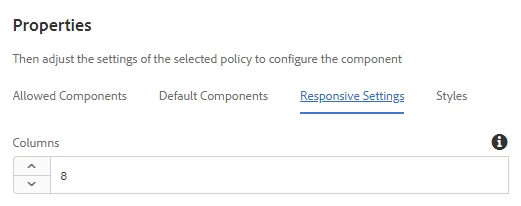
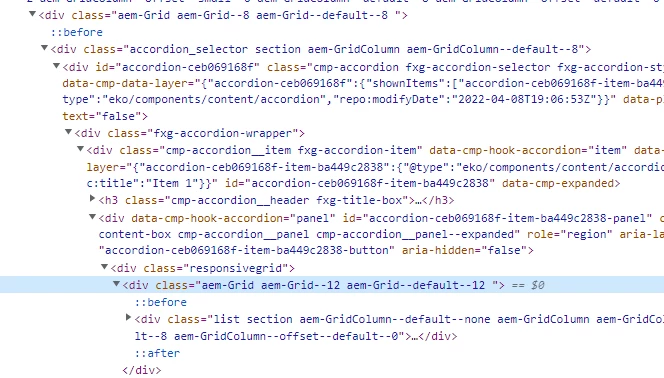
When adding components inside a Tab or Accordion component extended from AEM Core Components, the grid layout of inner container/component is not inheriting from parent Layout Container component, but instead has default 12 column grid. The Responsive Grid editor to resize the component inside of the Tab or Accordion Layout Container however is listening to the size of the Layout Container parent component that the Tab or Accordion is in.
For instance, I have a template that has a two-column layout with an 8 column width section and a 4 column width section. When I place a Tab or Accordion inside of the 8 column width section using a Layout Container as the primary Tab or Accordion component, the grid size of the LC inside the Tab or Accordion is set to 12 but the component I pull into the Tab or Accordion LC can only be resized to an 8 column width grid. If I size this component down to a 6 and then try to size it back up to full width, the max it can go is 8. I am not able to the the Responsive Grid editor to size the nested component to anything above an 8. If the LC in the Tab or Grid was set to 8, the 8 of the child component would be see as full width but because the nested LC is a 12 and the child can only go to 8, it's not filling the full width of the Accordion or Tab anymore. I have to go through CRX to remove the responsive node or modify it manually through CRX.
The only thing I can find that come close to describing the issue is in the Core Components issues - -https://github.com/adobe/aem-core-wcm-components/issues/1133 -- where it says that this is a problem with the OOTB Responsive Grid handling but currently has no alternative.
Is there any knowledge of this kind of nesting issue with the Responsive Grid editor? Is there a way around it or to force inheritance for nested Layout Containers without modifying the width in CRX?