List Out Page Reference in Assets Properties | Community
Skip to main content
New Participant
Nov 4, 2019 8:49 AM UTC
Solved

List Out Page Reference in Assets Properties

How can I list out all the assets with the page reference?

I tried to check the properties of the assets in crx/de lite but there is no mention the page reference in the properties of the asset.

So I'm assuming the query builder won't work to list all assets with the page reference.

Currently, I'm auditing the assets and try to find out how many pages impacted if I removed the assets.

This post is no longer active and is closed to new replies. Need help? Start a new post to ask your question.
Theo_Pendle
Theo_PendleAccepted solution
Level 8
Nov 4, 2019 7:48 PM UTC

Hello

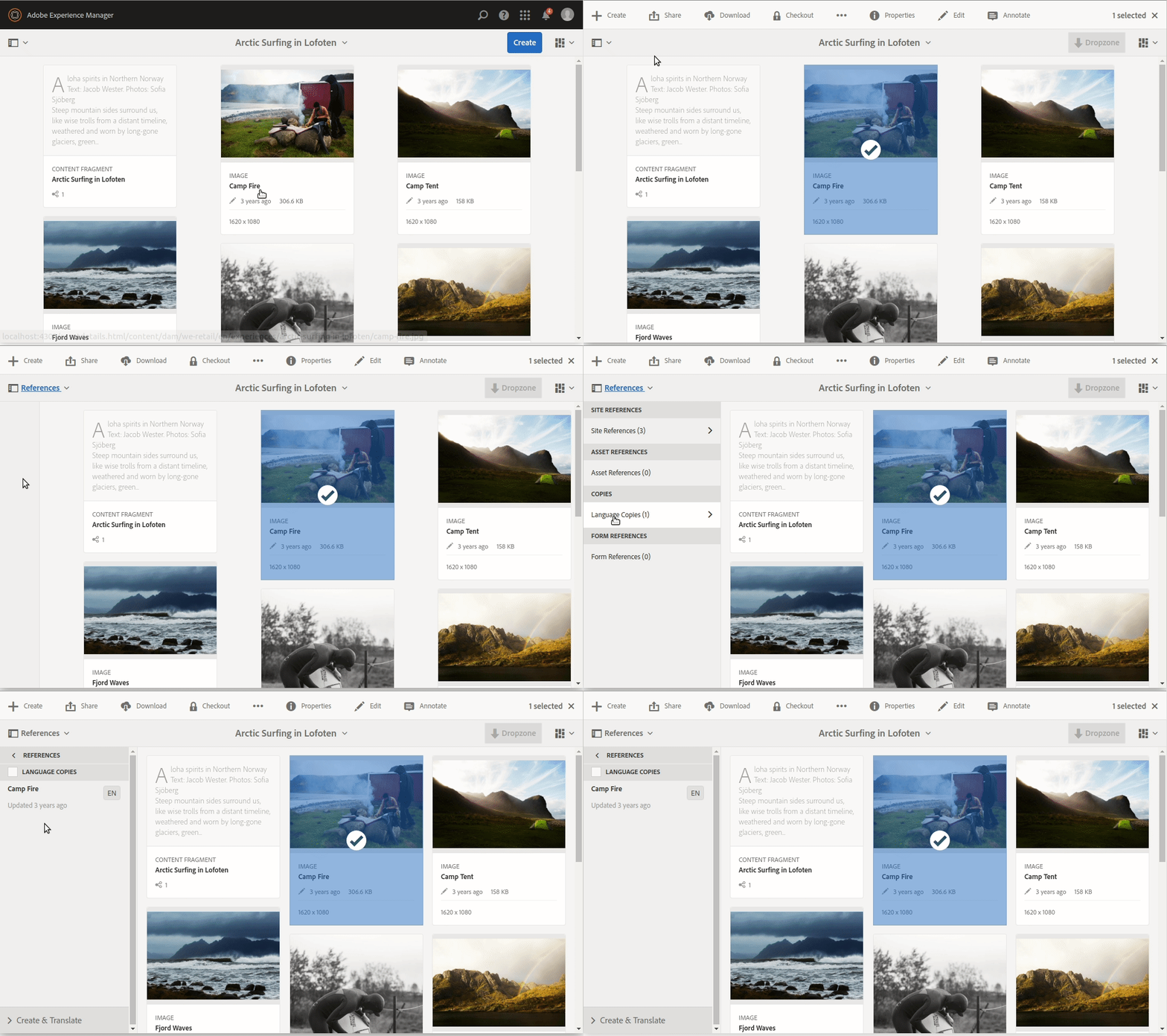
shashi1223​ is right, you can do this using the TouchUI as described above. Here is a GIF:

However if you are planning to do some kind of bulk delete or if you want to get a list of all references in a more structured format, you can use the /bin/wcm/references.json​ webservice like in this example:

GET

http://localhost:4502/bin/wcm/references.json?path=/content/dam/we-retail/en/experiences/arctic-surfing-in-lofoten/fjord…

This will return all references to the asset in JSON format, enjoy!

2 replies

Theo_Pendle
Theo_PendleAccepted solution
Level 8
Nov 4, 2019 7:48 PM UTC

Hello

shashi1223​ is right, you can do this using the TouchUI as described above. Here is a GIF:

However if you are planning to do some kind of bulk delete or if you want to get a list of all references in a more structured format, you can use the /bin/wcm/references.json​ webservice like in this example:

GET

http://localhost:4502/bin/wcm/references.json?path=/content/dam/we-retail/en/experiences/arctic-surfing-in-lofoten/fjord…

This will return all references to the asset in JSON format, enjoy!

Translate
Shashi_Mulugu
New Participant
Nov 4, 2019 2:04 PM UTC

OOTB for every asset if we you just select an asset without going into an asset for editing, you can see an option for "Content only" in left top Panel Header below "AEM Logo". There you can select "References" which will give the list of pages where this asset has been used.

Translate