logs not getting updated when running AEM inside windows
as above.
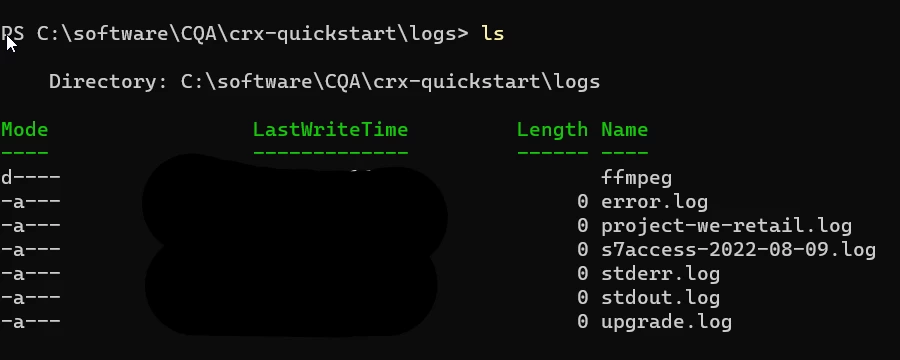
So it's my first time using Windows as a local development machine. I've always used Macs before my latest role. But my issue is that none of the files inside /crx-quickstart/log is getting updated.
as an example:
if I open up a page for editing, the cmd.exe will be very busy with logging. But if I check the files inside /log, none of them has increased in size. When using AEM inside a Mac, I know access.log and error.log will be very busy getting updates.
Any ideas on what's happening? Thanks
--------
Things I tried:
- I tried running java -Xmx4096m -jar cq-author-p4502.jar
- I tried using the start scripts inside crx-quickstart/bin
- I tried numbers 1 and 2 but using cmd.exe (run-as admin)
- I tried numbers 1 and 2 but using powershell (run-as admin)
- As a test, I deleteg all the *.log inside /crx-quickstart/logs and restarted AEM. all the files are showing up as zero bytes. (I tried opening the file using nano in Windows terminal and there's nothing there.)