
Mandatory field not working for Autocomplete field | Community
Skip to main content
tushaar_srivastava
New Participant
June 26, 2019
Solved

Mandatory field not working for Autocomplete field

  • June 26, 2019
  • 1 reply
  • 1464 views

I have added isrequired{string} : true property and

sling:resourceTyoe : granite/ui/components/foundation/form/autocomplete in dam asset dialog.

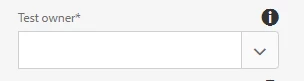
The error pop up and the red border that should appear for mandatory fields is not appearing .

However, when required{Boolean}:true property is added the validation ”Please fill out this field” is appearing but I am not able to save the form as the error dialog”

One or more required fields missing” appears.
This post is no longer active and is closed to new replies. Need help? Start a new post to ask your question.
Best answer by arunpatidar

Hi,

There is no OOTB property for coral resource type called isrequired{string}, and please use coral3 insteadof of coral2

Autocomplete — Granite UI 1.0 documentation

What is your use case here? If you want user to fill fields then use required(Boolean) property.

1 reply

arunpatidar
arunpatidarAccepted solution
New Participant
June 26, 2019

Hi,

There is no OOTB property for coral resource type called isrequired{string}, and please use coral3 insteadof of coral2

Autocomplete — Granite UI 1.0 documentation

What is your use case here? If you want user to fill fields then use required(Boolean) property.

Arun Patidar