Migrating custom xtypes to Touch UI | Community
Skip to main content
Level 2
Feb 19, 2019 10:52 PM UTC
Solved

Migrating custom xtypes to Touch UI

Hello

We are trying to migrate the classic UI custom xtypes developed by extending "CQ.form.CompositeField" to Touch UI but unfortunately not able to find the approach in Touch UI.
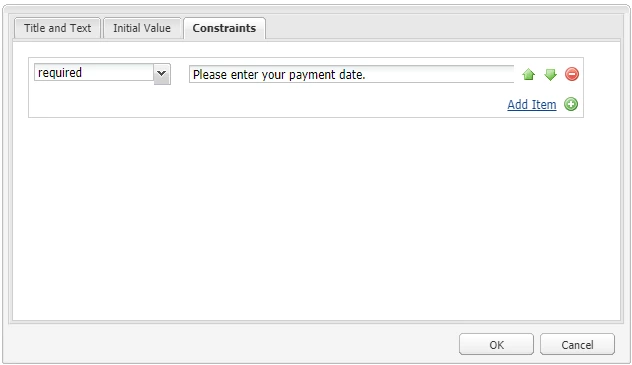
Please provide your guidance.

Regards

Albin I

This post is no longer active and is closed to new replies. Need help? Start a new post to ask your question.
smacdonald2008
smacdonald2008Accepted solution
Level 10
Feb 20, 2019 1:55 PM UTC

We checked with the Touch UI team. Reply is here:

Hey – the respective granite widget is ootb in 64 - /libs/granite/ui/components/coral/foundation/form/multifield

I recommend changing their storage structure from comma separated properties to nodes and properties (ootb coral multifield)

A sample - http://experience-aem.blogspot.com/2018/04/aem-64-touch-ui-nested-composite-multifield-coral-3.html

5 replies

smacdonald2008
smacdonald2008Accepted solution
Level 10
Feb 20, 2019 1:55 PM UTC

We checked with the Touch UI team. Reply is here:

Hey – the respective granite widget is ootb in 64 - /libs/granite/ui/components/coral/foundation/form/multifield

I recommend changing their storage structure from comma separated properties to nodes and properties (ootb coral multifield)

A sample - http://experience-aem.blogspot.com/2018/04/aem-64-touch-ui-nested-composite-multifield-coral-3.html

Translate
AlbinIs1Author
Level 2
Feb 20, 2019 1:01 PM UTC

Yes, we are trying to migrate this Classic UI implementation to Touch UI but not getting appropriate details on Touch UI implementation.

Please guide me with details

Translate
smacdonald2008
Level 10
Feb 20, 2019 2:57 AM UTC

When moving to Touch Ui, you should be using Granite typeA. If granite types do not meet your business requirements, you can develop custom sling resource type. Do not try and use xtype in Touch UI.

Translate
AlbinIs1Author
Level 2
Feb 20, 2019 1:07 AM UTC

The fields should be displayed horizontally as shown in the below diagram.

The field values are currently stored as - field1/field2(multiple rows are comma separated) - this is implemented in custom xtype JS

Custom xtype JS

Ejst.CustomWidget = CQ.Ext.extend(CQ.form.CompositeField, {

    hiddenField: null,

    allowField: null,

    otherField: null,


    constructor: function(config) {

        config = config || { };

         var defaults = {

            "border": false,

            "layout": "table",

              "padding":"2px",

            "columns":2

        };

        config = CQ.Util.applyDefaults(config, defaults);

        Ejst.CustomWidget.superclass.constructor.call(this, config);

    },

    // overriding CQ.Ext.Component#initComponent

    initComponent: function() {

        Ejst.CustomWidget.superclass.initComponent.call(this);

        this.hiddenField = new CQ.Ext.form.Hidden({

            name: this.name

        });

        this.add(this.hiddenField);

        this.allowField = new CQ.form.Selection({

            type:"select",

            cls:"ejst-customwidget-1",

            loader: {

                dataUrl:CQ.HTTP.externalize("/bin/tree.json"),

                requestMethod:"GET"

                },

            listeners: {

                selectionchanged: {

                    scope:this,

                    fn: this.updateHidden

                }

            },

            optionsProvider: this.optionsProvider

        });

        this.add(this.allowField);

        this.otherField = new CQ.Ext.form.TextField({

            cls:"ejst-customwidget-2",

            listeners: {

                change: {

                    scope:this,

                    fn:this.updateHidden

                }

            }

        });

        this.add(this.otherField);

    },

    // overriding CQ.form.CompositeField#processPath

    processPath: function(path) {

        console.log("CustomWidget#processPath", path);

        this.allowField.processPath(path);

    },

    // overriding CQ.form.CompositeField#processRecord

    processRecord: function(record, path) {

        console.log("CustomWidget#processRecord", path, record);

        this.allowField.processRecord(record, path);

    },

    // overriding CQ.form.CompositeField#setValue

    setValue: function(value) {

        var parts = value.split("/");

        this.allowField.setValue(parts[0]);

        this.otherField.setValue(parts[1]);

        this.hiddenField.setValue(value);

    },

    // overriding CQ.form.CompositeField#getValue

    getValue: function() {

        return this.getRawValue();

    },

    // overriding CQ.form.CompositeField#getRawValue

    getRawValue: function() {

        if (!this.allowField) {

            return null;

        }

        return this.allowField.getValue() + "/" +

               this.otherField.getValue();

    },

    // private

    updateHidden: function() {

        this.hiddenField.setValue(this.getValue());

    }

});

// register xtype

CQ.Ext.reg('ejstcustom', Ejst.CustomWidget);

Regards

Albin I

Translate
Prince_Shivhare
New Participant
Feb 20, 2019 12:11 AM UTC

could you please elaborate what you are trying to achieve here? I mean if it is multifield, then you have lot of helpx articles to go through. or let us know what is your use case here.

Translate