Missing core Package | Community
Skip to main content
New Participant
May 26, 2022
Solved

Missing core Package

  • May 26, 2022
  • 1 reply
  • 768 views

Hi,


 I downloaded SDK instance for cloud(2022.1.6198.20220113T173638Z-211100) and setup author instance when I open CRXD there is no core components package that is /apps/core so that I manually added core components packages then after I created a wknd spa react project with archetype 34 by following wknd spa react document when I try to add Helloworld component the component is available in the components but when I drag onto the page its not displaying on page but in crxde "/content/project/page/root" component helloworld is there. Can anyone help me to fix this
 

This post is no longer active and is closed to new replies. Need help? Start a new post to ask your question.
Best answer by SantoshSai

Hi @vani1012 

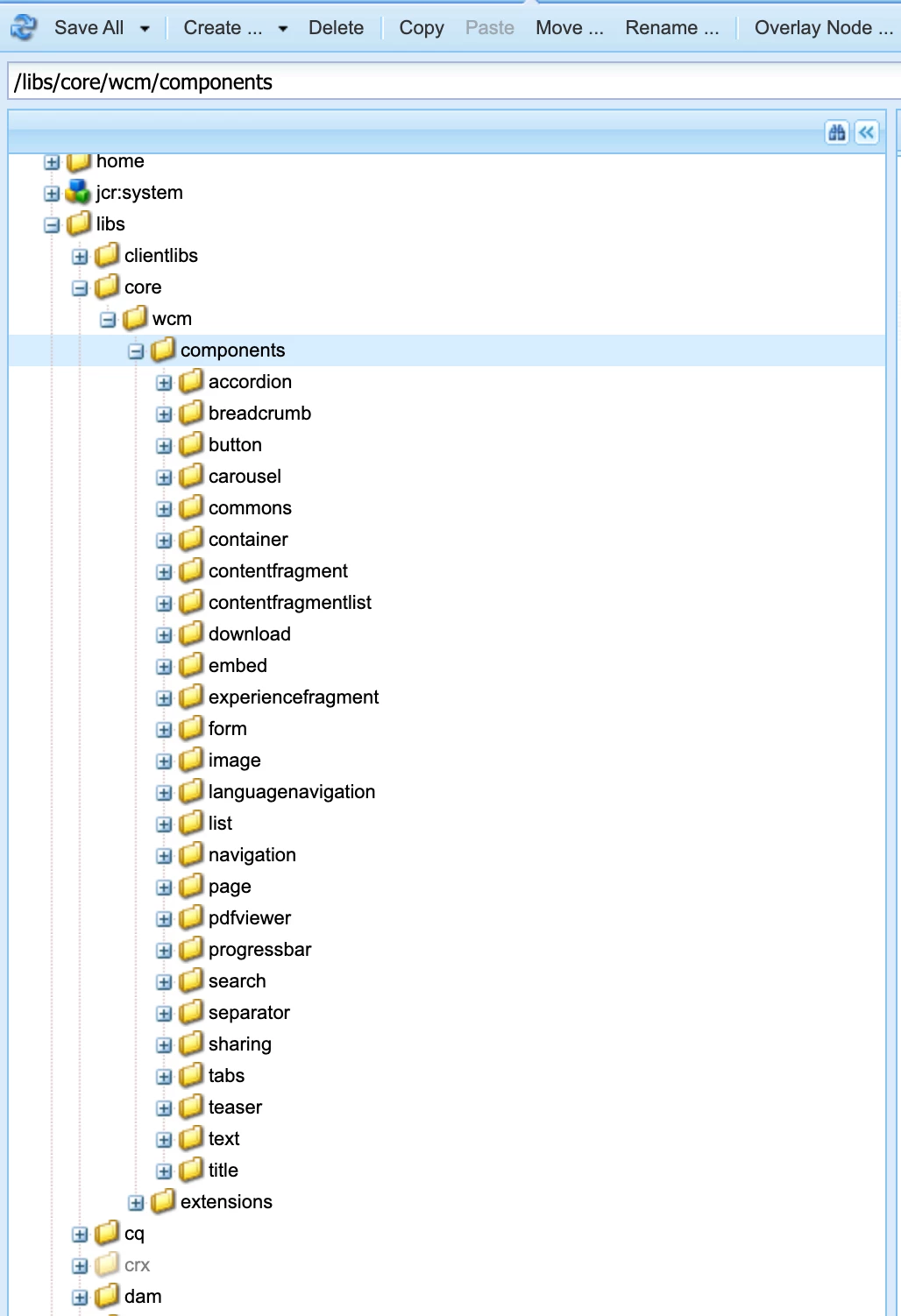
"AEM as a Cloud Service automatically comes with the latest version of the Core Components. Just as AEMaaCS offers you the latest features of AEM, AEMaaCS automatically keeps you up-to-date with the latest version of the Core Components."

  • The Core Components are included in /libs.


Reference: https://experienceleague.adobe.com/docs/experience-manager-core-components/using/get-started/using.html?lang=en

To answer your question, Under system console http://localhost:4502/system/console/bundles check your WKND SPA React - Coreaem-guides-wknd-spa.react.core must be in Installed state, check error and prepare it to be in Active state - should solve your problem!

Hope that helps!

Regards,
Santosh

1 reply

SantoshSai
SantoshSaiAccepted solution
New Participant
May 26, 2022

Hi @vani1012 

"AEM as a Cloud Service automatically comes with the latest version of the Core Components. Just as AEMaaCS offers you the latest features of AEM, AEMaaCS automatically keeps you up-to-date with the latest version of the Core Components."

  • The Core Components are included in /libs.


Reference: https://experienceleague.adobe.com/docs/experience-manager-core-components/using/get-started/using.html?lang=en

To answer your question, Under system console http://localhost:4502/system/console/bundles check your WKND SPA React - Coreaem-guides-wknd-spa.react.core must be in Installed state, check error and prepare it to be in Active state - should solve your problem!

Hope that helps!

Regards,
Santosh

Santosh Sai