
Mitigating serialization issues in AEM | Community
Skip to main content
lif66417554
New Participant
July 19, 2018
Solved

Mitigating serialization issues in AEM

  • July 19, 2018
  • 4 replies
  • 2182 views

Hi all,

I am seeing below article.

Mitigating serialization issues in AEM

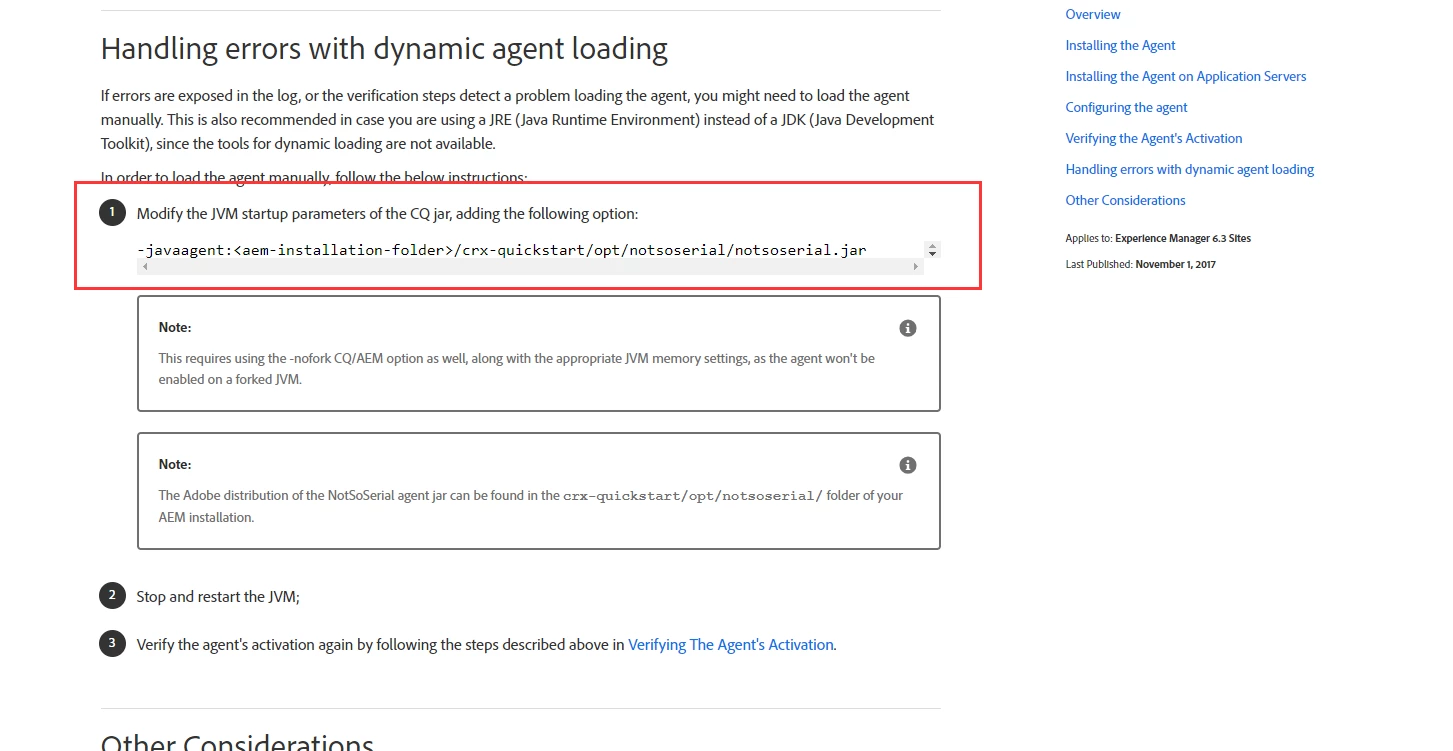
I am confused how to  modify the the JVM startup parameters of the CQ jar? I am not sure  I should add  -javaagent:<aem-installation-folder>/crx-quickstart/opt/notsoserial/notsoserial.jar to where .
Thanks

This post is no longer active and is closed to new replies. Need help? Start a new post to ask your question.
Best answer by Kunwarsaluja

by default you don't need to do anything and dynamic loading of the serialization agent would take care of everything. If incase things fails, add (1) to your startup script (start.bat or terminal along with other jvm arguments) where you adjust the path of the notsoserial.jar per your deployment directory

(1) : -javaagent:<aem-installation-folder>/crx-quickstart/opt/notsoserial/notsoserial.jar

4 replies

smacdonald2008
New Participant
July 20, 2018

Great answer!

KunwarsalujaAccepted solution
Employee
July 19, 2018

by default you don't need to do anything and dynamic loading of the serialization agent would take care of everything. If incase things fails, add (1) to your startup script (start.bat or terminal along with other jvm arguments) where you adjust the path of the notsoserial.jar per your deployment directory

(1) : -javaagent:<aem-installation-folder>/crx-quickstart/opt/notsoserial/notsoserial.jar

Ratna_Kumar
New Participant
July 19, 2018

Hi,

Look into this thread: How to start AEM 6.2 in debug mode by clicking on jar file

In that thread it says, how to pass parameters via argument[Option 2]..So that will let you do JVM  start-up parameters of CQ Jar.

Thanks,

Ratna Kumar.

jantzen_b
Employee
July 19, 2018

I'll move your question into the Adobe Experience Manager​ community.