Multi image dialog - store items/images with image resource type | Community
Skip to main content
Level 4
Dec 5, 2021 8:48 PM UTC
Solved

Multi image dialog - store items/images with image resource type

hello all,


I'm building multi image dialog, everything works fine except that when the dialog item (with image and some text) is stored I would like the item/s to be stored as sling:resourceType of core image so that in the HTL I can use something like, 

data-sly-resource="${ item @ resourceType = 'core/wcm/components/image/v2/image' } so that I can leverage responsive features of image component.


Currently I'm rendering image as, for which I'm not sure is a proper way and is this going to work on publishing server ?

<img src="${item.fileReference}"/>


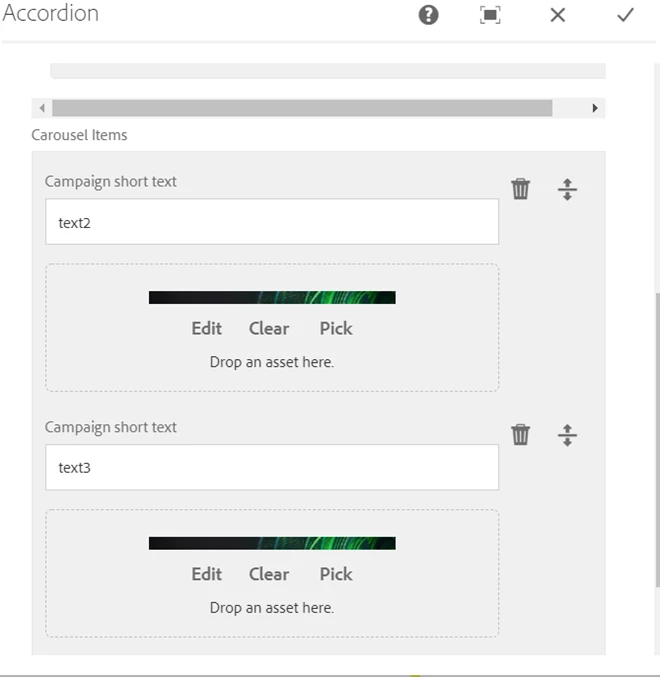
Component dialog


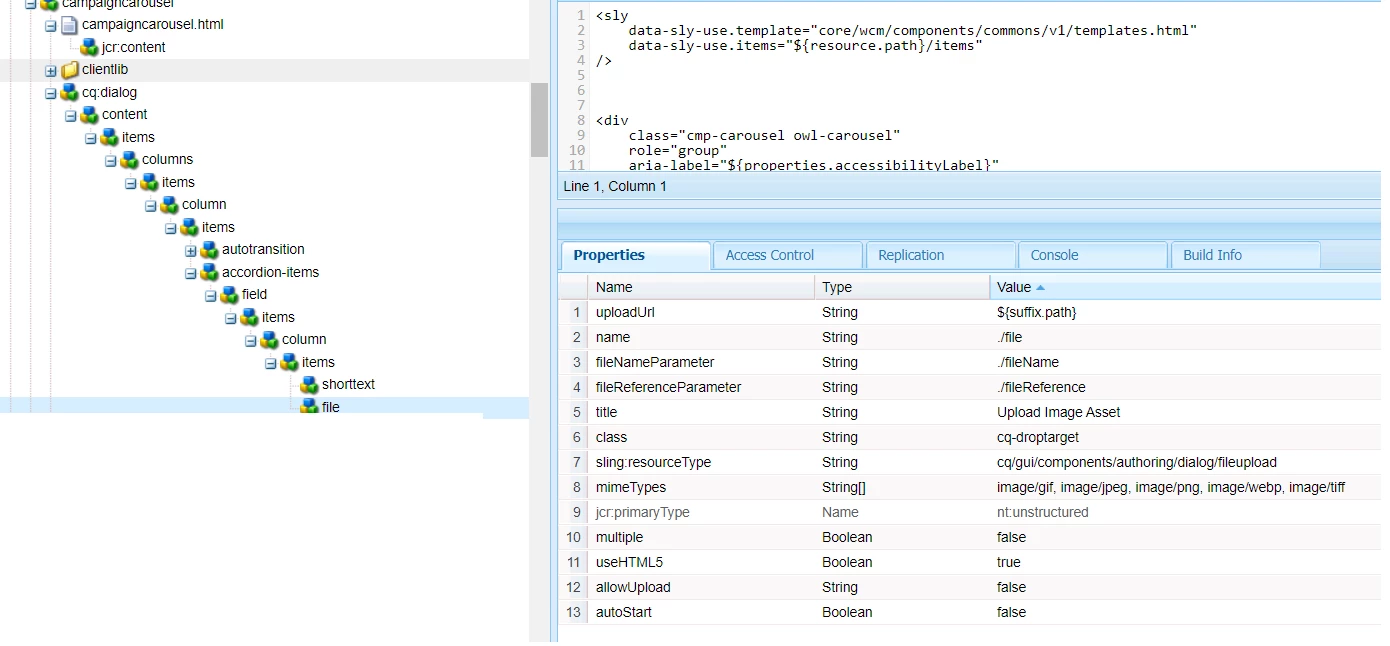
dialog structure in crx


Content item upon Author uploads image to dialog. 
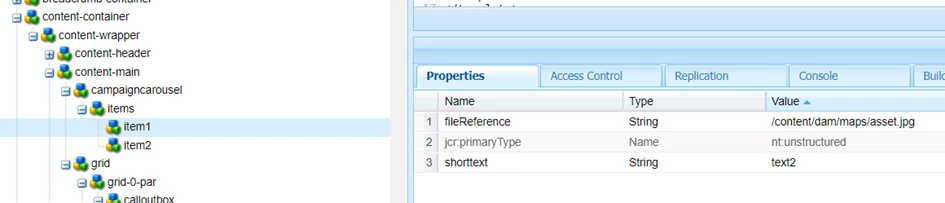


This is where (item1, item2, etc...) I would like to have one more property, sling:resourceType of core image .


Thank you


This post is no longer active and is closed to new replies. Need help? Start a new post to ask your question.
nbg62Accepted solution
Level 4
Dec 6, 2021 9:43 AM UTC

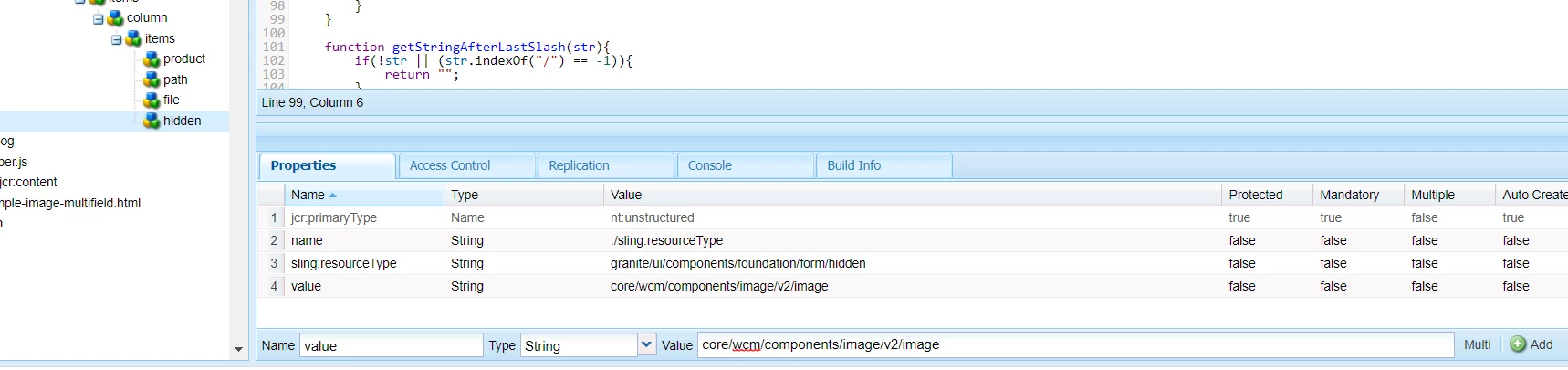
Solution was to add hidden field for resourceType in the dialog


5 replies

Nikhil-Kumar
New Participant
Dec 6, 2021 6:50 AM UTC

@urosk  - As this is a multifield of image, so it will hold data in different node (like item0, item1,..) . Just check for resourceType in the parent node i.e items.

Translate
nbg62Author
Level 4
Dec 6, 2021 8:15 AM UTC

Thanks,


actually I'm not interested in knowing the node type, my question is how can I add sling:resourceType to node0, node1, etc...


If I have sling:resourceType of image on the nodes I could leverage, data-sly-resource="${ item @ resourceType = 'core/wcm/components/image/v2/image' } 


Without resourceType on the nodes, data-sly-resource won't render image properly.

Translate
arunpatidar
New Participant
Dec 6, 2021 9:34 AM UTC

you can try to add one more hidden field with default value along with shorttext and file e.g. type


name = ./sling:resourceType
value= core/wcm/components/image/v2/image
sling:resourceType=granite/ui/components/coral/foundation/form/hidden


Translate
Arun Patidar
Level 2
Dec 6, 2021 6:49 AM UTC

 ..

Translate