Need to add one custom button besides move button in dam admin | Community
Skip to main content
lovepreetk75597
New Participant
July 24, 2019
Solved

Need to add one custom button besides move button in dam admin

  • July 24, 2019
  • 4 replies
  • 4004 views

Hi Everyone,

I have one requirement where i have to add new button besides move button in DAM admin with same functionality. I have overlaid this node "/apps/settings/granite/ui/shell/actions" and tried to add new button there But i have figured out that button names are pre-defined. So if i try to give any new name except copy,move,relate,unrelate or delete then am seeing blank space on DAM admin.

How could i add my custom button with custom name. Do i need to define this custom button somewhere else.

Following is the screenshots where am trying to configure custom button:
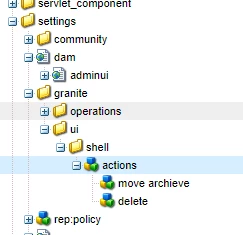
DAM admin :
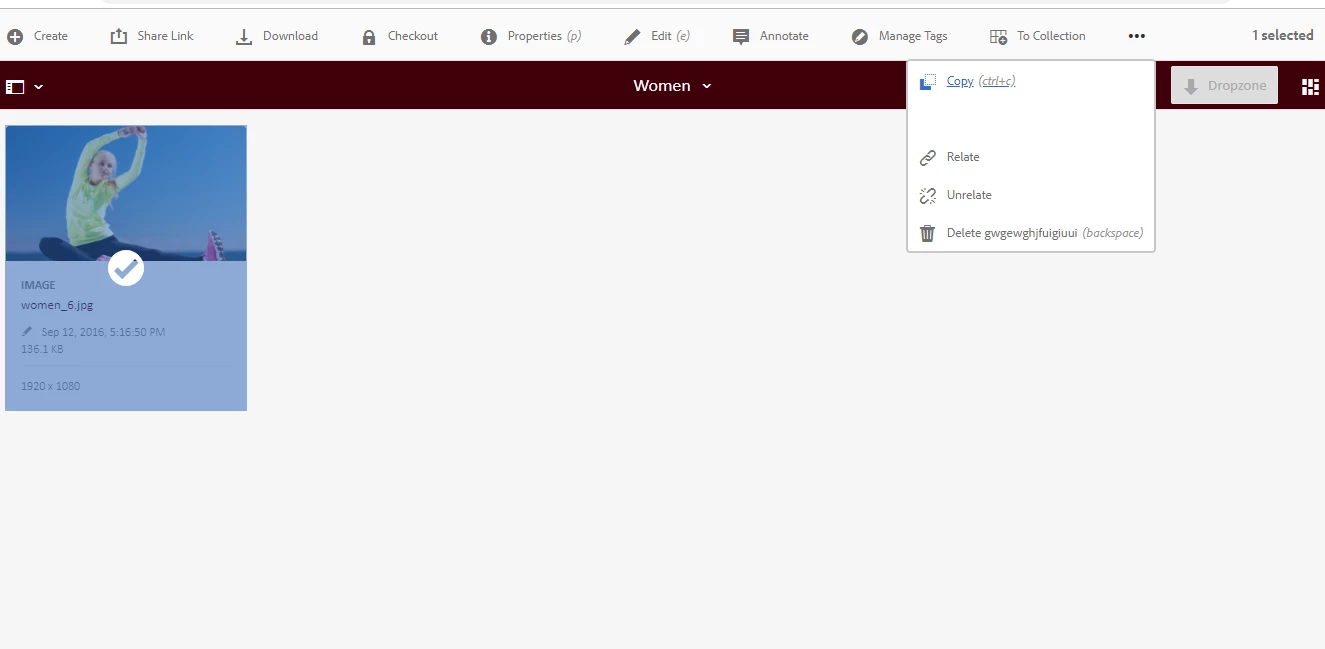
Thanks & Regards,

Lovepreet

This post is no longer active and is closed to new replies. Need help? Start a new post to ask your question.
Best answer by vipins5188

Hi,


You are looking at wrong place, if you want to add new button than you have to overlayassetdetails page.

You have to overlay "/libs/dam/gui/content/assetdetails" under this you will find all button and their respective aciton.

Once you overlay and add your new button, you can add variant ,rendercondition and etc...

For example have a look how they have implementated move action /libs/dam/gui/content/assetdetails/jcr:content/actions/moveasset

Hope this helps.

Thanks,

Vipin

4 replies

vipins5188
vipins5188Accepted solution
New Participant
July 24, 2019

Hi,


You are looking at wrong place, if you want to add new button than you have to overlayassetdetails page.

You have to overlay "/libs/dam/gui/content/assetdetails" under this you will find all button and their respective aciton.

Once you overlay and add your new button, you can add variant ,rendercondition and etc...

For example have a look how they have implementated move action /libs/dam/gui/content/assetdetails/jcr:content/actions/moveasset

Hope this helps.

Thanks,

Vipin

New Participant
July 24, 2019

Hello,

Please use Sling Resource Merger to achieve this.Some useful links below:-

Using the Sling Resource Merger in AEM

http://www.aemcq5tutorials.com/tutorials/sling-resource-merger-in-aem/

Using this you can achieve something like below

Thanks & Regards

Ashish Ranjan

lovepreetk75597
New Participant
July 24, 2019

AEM 6.4.2

Himanshu_Singhal
New Participant
July 24, 2019

Please specify AEM version.