Nested multifield not working after upgarding to AEM 6.5.15 | Community
Skip to main content
New Participant
August 10, 2023
Solved

Nested multifield not working after upgarding to AEM 6.5.15

  • August 10, 2023
  • 3 replies
  • 998 views

Hi All ,


We tried upgrading AEM from 6.5.8 to 6.5.15. After upgrade , the nested Multifield inside content fragment not able to save values in respective JSON format  ({"x":"x","y":"y","z":"z"}) instead saving in string array. [x,y] Because of that CFM values are blank .


Multifield js referred.


https://jimfrenette.com/aem/content-fragments/composite-multifield/


Tried also this ,still facing the same issue.


http://experience-aem.blogspot.com/2022/05/aem-6512-content-fragment-editor-composite-multifield-visibility-rules-mixin-entry.html 


Anyone else facing this similar issue.


Thank you in advance.


This post is no longer active and is closed to new replies. Need help? Start a new post to ask your question.
Best answer by Mahedi_Sabuj

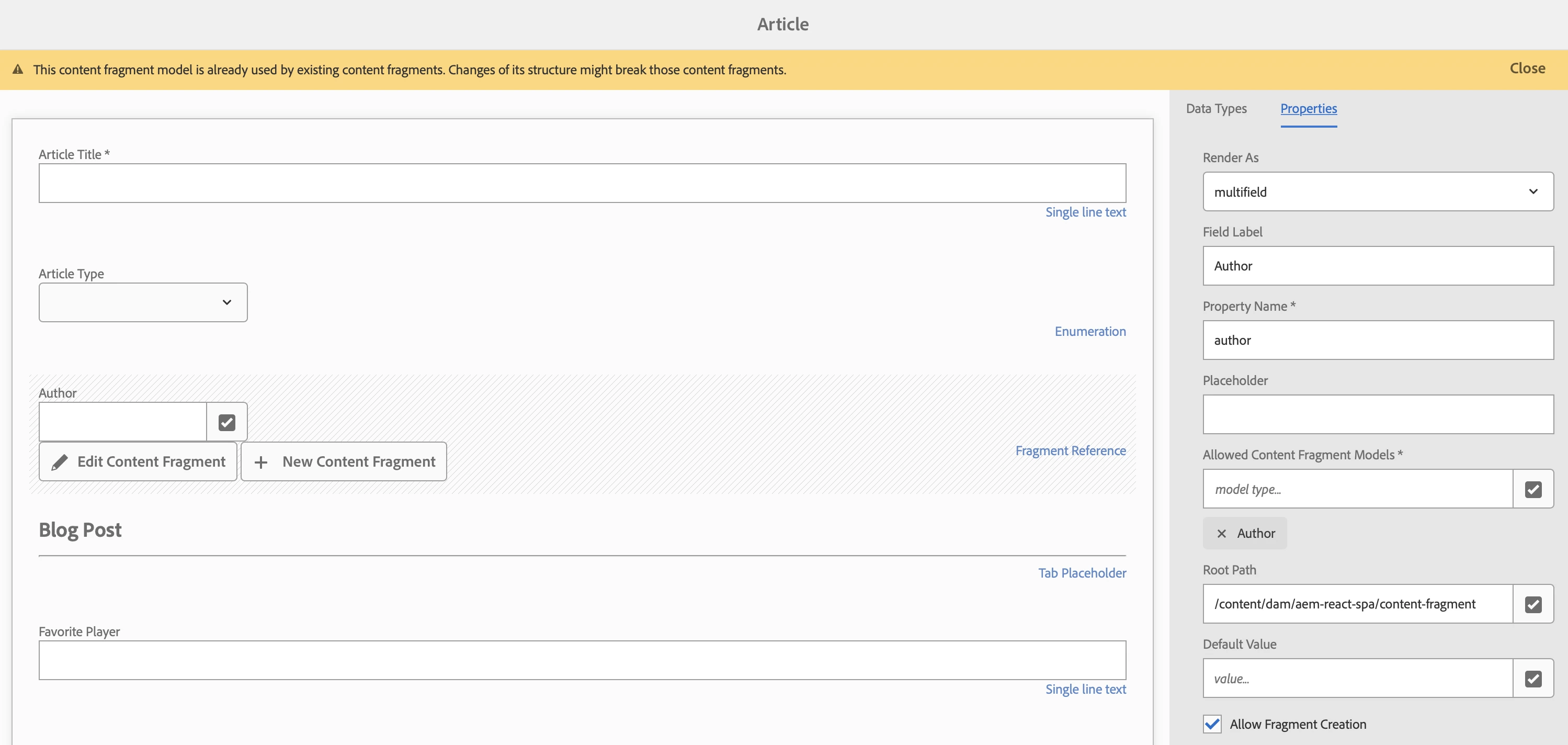
Hi @harishv31Recommended approach from Adobe for achieving a Nested Multifield is to implement a Nested Content Fragment.

  • Add a Content Reference Multifield in the first content fragment model.
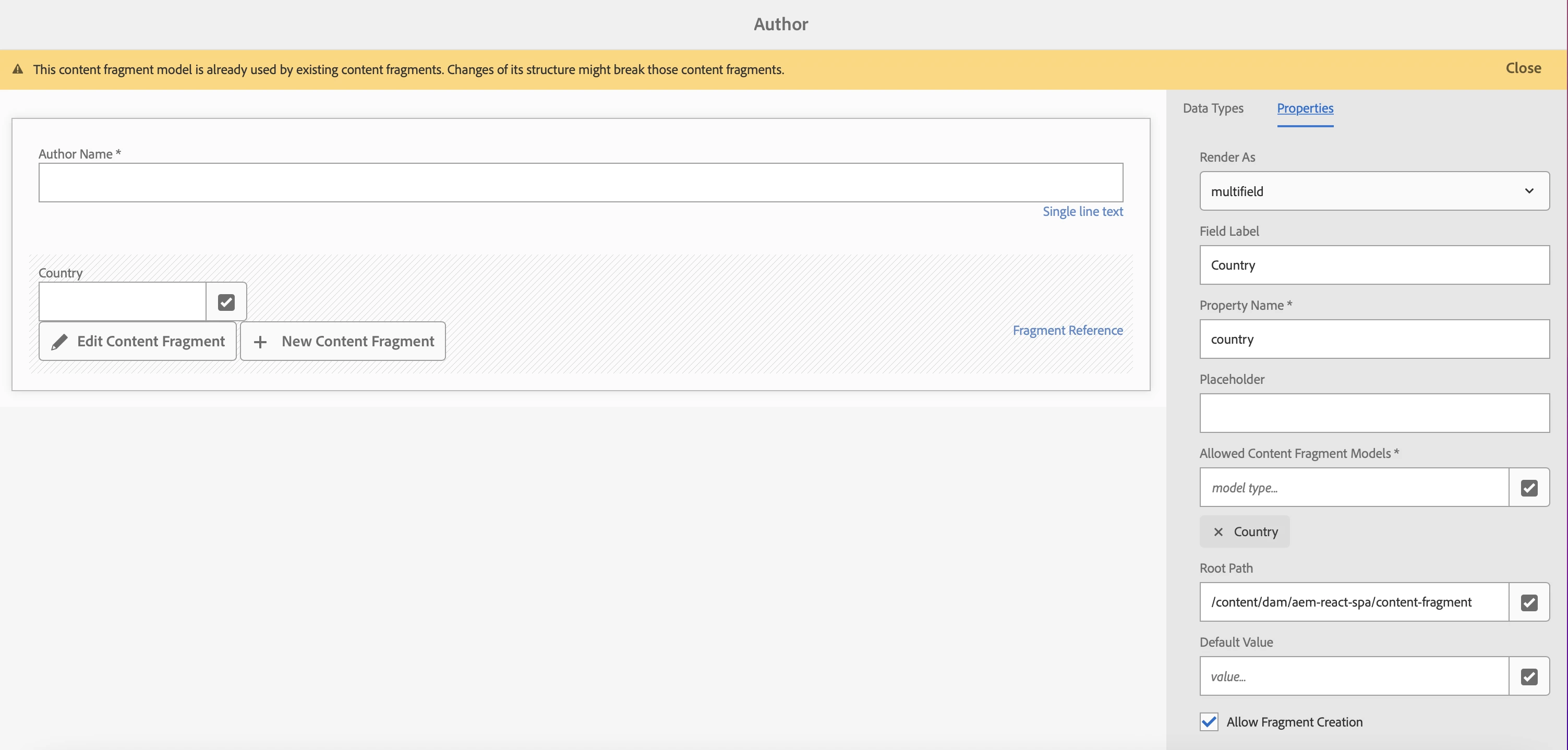
  • Create a 2nd content fragment model and again add a multifield of required type there.
  • Reference the content fragments of second type from the first type

1st Content Fragment with Author Multifield (Fragment Reference)

2nd Content Fragment with Country Multifield (Fragment Reference)
3 replies

mahi1729
New Participant
August 11, 2023

Assuming it's an existing system, probably changing your implementation globally is not viable. As a recommendation for all future cfm models follow best practices from Adobe, and for this one probably you have to understand the customization done and refactor to make it work in the upgraded env. 

Mahedi_Sabuj
Mahedi_SabujAccepted solution
New Participant
August 10, 2023

Hi @harishv31Recommended approach from Adobe for achieving a Nested Multifield is to implement a Nested Content Fragment.

  • Add a Content Reference Multifield in the first content fragment model.
  • Create a 2nd content fragment model and again add a multifield of required type there.
  • Reference the content fragments of second type from the first type

1st Content Fragment with Author Multifield (Fragment Reference)

2nd Content Fragment with Country Multifield (Fragment Reference)

Mahedi Sabuj
aanchal-sikka
New Participant
August 10, 2023

@harishv31 


I am assuming that nested multifield is a customization.


If yes, Adobe ticket cannot be raised. You would need to investigate and fix it.


In case, you have customized any OOTB js library. Please take the latest file, and append your customization to it.

Aanchal Sikka