Not getting AEM in properties of ui.apps and ui.content in Eclipse | Community
Skip to main content
sibim50528883
New Participant
November 28, 2019

Not getting AEM in properties of ui.apps and ui.content in Eclipse

  • November 28, 2019
  • 7 replies
  • 5544 views

Hi All,

I am facing an issue in Eclipse on AEM project.

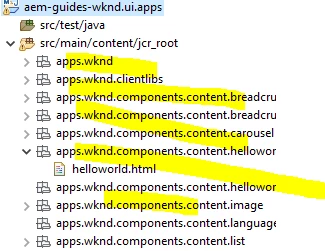
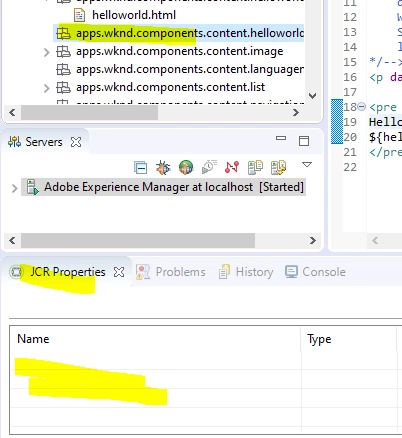
I am not getting JCR properties in AEM perspective and also the folder structure of ui.apps and ui.content also not looking great in my eclipse.

On searching in web I came across this thread unable to get jcr properties in eclipse  which will fix my jcr:properties visibility and folder structure issue.

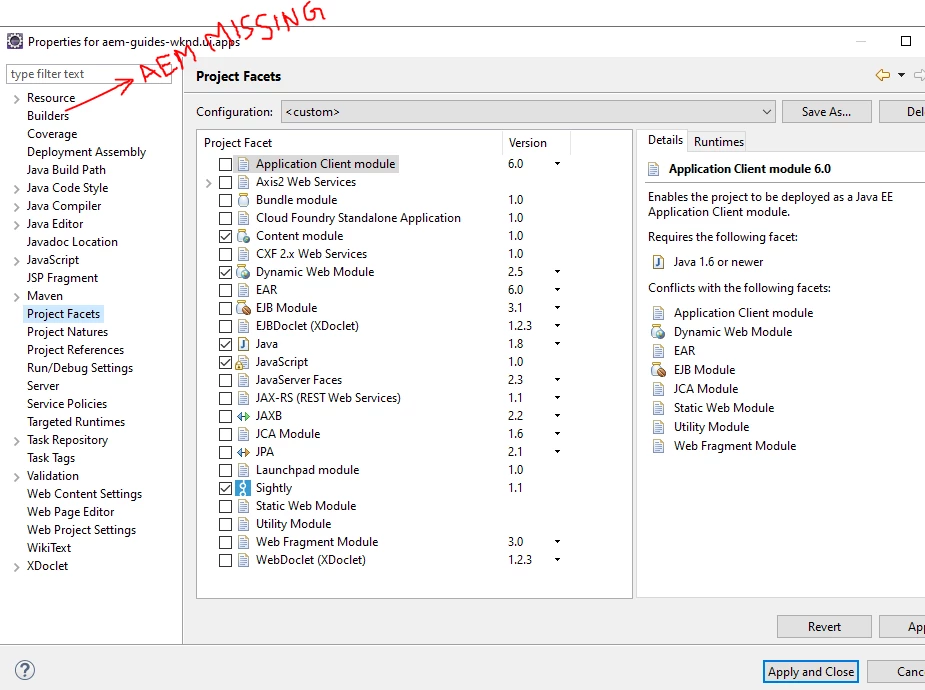
But the problem is I am not getting the AEM in Properties of project (ui.apps and ui.content).

I am on AEM perspective and also AEM server started successfully. My projects facets also proper.

Version of Eclipse: Version: 2018-12 (4.10.0)

Maven :3.6.0

Java: jdk 1.8.0_201

Kindly help me to fix this.

Thanks in Advance.

screenshot 1: folder structure
Screenshot 2: AEM option missing in properties
Screenshot 3: JCR properties
Adding screenshots

This post is no longer active and is closed to new replies. Need help? Start a new post to ask your question.

7 replies

New Participant
February 5, 2024
Hi I am getting exact same issue. No AEM menu in Properties, no Import From Server menu too. AEM Perspective is activated normally. Using Eclipse 2023-12 version. Thanks
sibim50528883
New Participant
December 2, 2019

I am opening in AEM perspective only. AEM server also started successfully.

To sync the content root folder I am not getting the AEM option in the properties of the ui.apps and ui.content as below.

arunpatidar
New Participant
November 30, 2019

Hi,

Please check which prospective are you in. Navigator or in Project Explorer

https://adobeaemhub.com/synchronize-the-code-between-aem-instance-and-eclipse/

AEM Perspective - Node Details

Adding a node (component) via Eclipse

Arun Patidar
sibim50528883
New Participant
November 30, 2019

From the steps he gave in the link you provided, there is a tab called AEM in the properties of ui.apps (Rightclick ui.apps --> Properties).

I am not getting that AEM tab to map the root directory.

That's where I am struck now.

Employee
November 29, 2019

For JCR properties, check "Create Header Component" from 2 - Pages and Templates . It includes some AEM plugin troubleshooting tips.

sibim50528883
New Participant
November 29, 2019

Hi Berliant,

I am looking for something like the below screenshot (Reference: Set up a local AEM Development Environment ). I followed the reference.

jcr:properties as exactly in AEM.

The change in Component code from eclipse are not publishing to AEM localhost. I turned on the "Automatically publish when resource changes" option in AEM server.

Employee
November 28, 2019

You need to select a node type, so the JCR properties are applicable for that type of objects: