Omnisearch panel Start Workflow button | Community
Skip to main content
New Participant
August 18, 2022
Solved

Omnisearch panel Start Workflow button

  • August 18, 2022
  • 2 replies
  • 708 views

Hi everyone,


I have a custom requirement where the author wants to activate through workflow more than one asset using search filter option. a button needs to be available to start a workflow but i'm not able to find whether I need to overlay from libs or create a custom js.
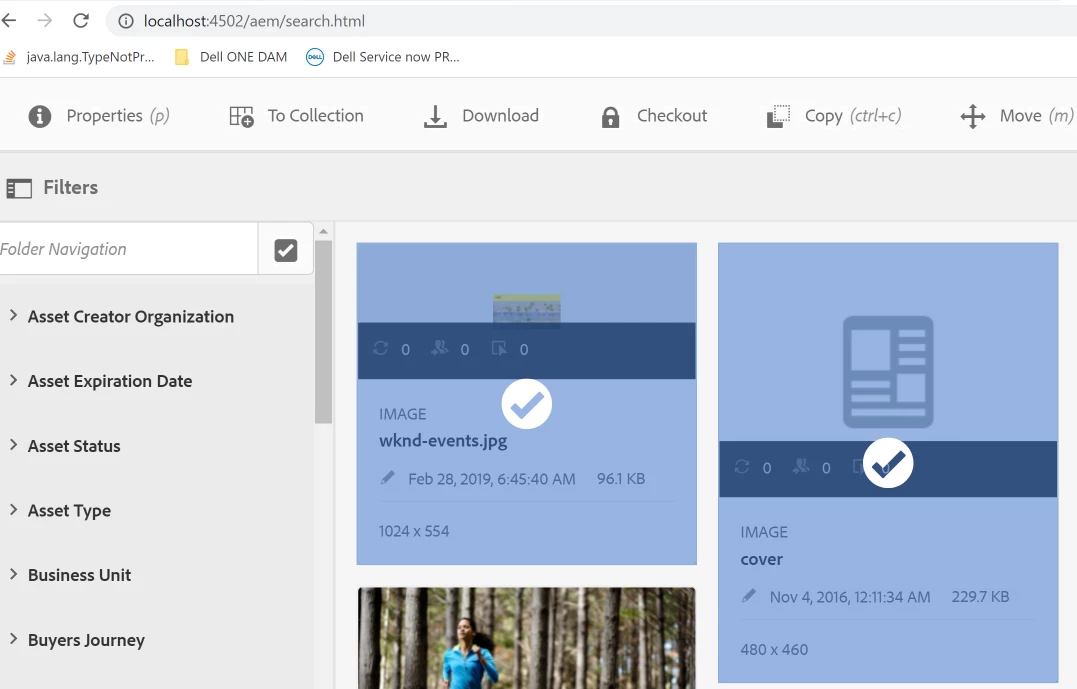


I tried to find documentation but there is not any reference. Could you please help guide me in how to accomplish this requirement?.


EDIT:  a similar thread had been created with not response. Has someone created something similar?
https://experienceleaguecommunities.adobe.com/t5/adobe-experience-manager-assets/adding-create-button-in-asset-search-console/m-p/375471#M618

Thanks

This post is no longer active and is closed to new replies. Need help? Start a new post to ask your question.
Best answer by aanchal-sikka

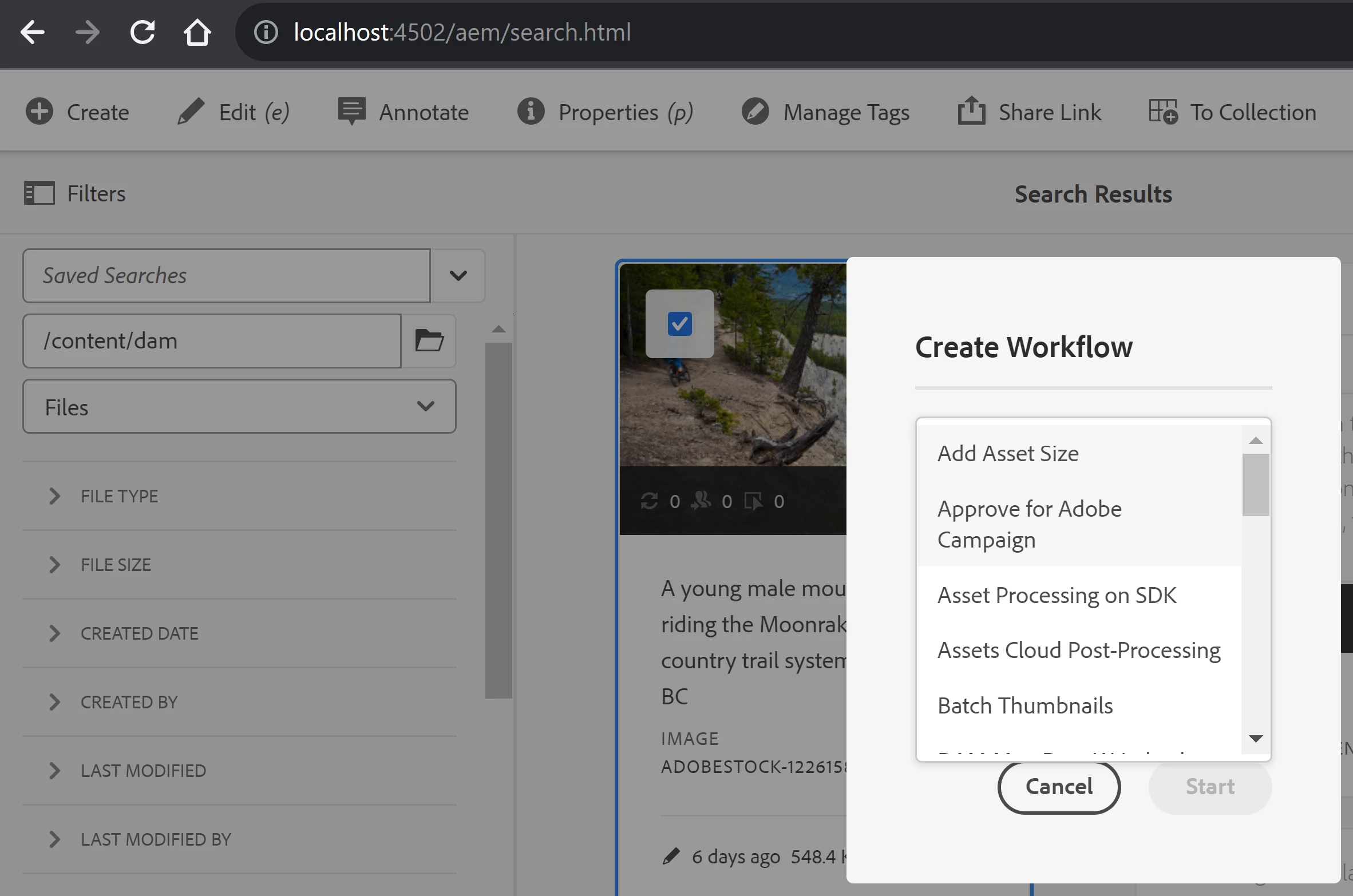
Create Workflow option is available in latest AEMaaCS SDK.


If a user has Read access on the Workflow Models, he should be able to trigger the workflows. Here is the rendercondition at http://localhost:4502/libs/granite/omnisearch/content/metadata/asset/actions/selection/create/items/createworkflow.infinity.json


{ "jcr:primaryType": "nt:unstructured", "action": "foundation.dialog", "granite:class": "cq-dam-omnisearch-workflow", "granite:rel": "cq-damadmin-admin-actions-createworkflow", "icon": "workflow", "text": "Workflow", "activeSelectionCount": "multiple", "sling:resourceType": "granite/ui/components/coral/foundation/collection/actionlink", "data": { "jcr:primaryType": "nt:unstructured", "src.uritemplate": "/mnt/overlay/dam/gui/content/commons/createworkflowdialog.html", "nesting": "hide" }, "granite:data": { "jcr:primaryType": "nt:unstructured", "trackingElement": "assets-omnisearch-results-create-workflow", "multipleWorkflowLimit": 15 }, "granite:rendercondition": { "jcr:primaryType": "nt:unstructured", "sling:resourceType": "cq/gui/components/renderconditions/canreadworkflowmodels" } }


2 replies

kautuk_sahni
Employee
October 19, 2023

@ernest-99 Did you find the suggestions from Aanchal helpful? Please let us know if more information is required. Otherwise, please mark the answer as correct for posterity. If you have found out solution yourself, please share it with the community.

Kautuk Sahni
aanchal-sikka
aanchal-sikkaAccepted solution
New Participant
October 18, 2023

Create Workflow option is available in latest AEMaaCS SDK.


If a user has Read access on the Workflow Models, he should be able to trigger the workflows. Here is the rendercondition at http://localhost:4502/libs/granite/omnisearch/content/metadata/asset/actions/selection/create/items/createworkflow.infinity.json


{ "jcr:primaryType": "nt:unstructured", "action": "foundation.dialog", "granite:class": "cq-dam-omnisearch-workflow", "granite:rel": "cq-damadmin-admin-actions-createworkflow", "icon": "workflow", "text": "Workflow", "activeSelectionCount": "multiple", "sling:resourceType": "granite/ui/components/coral/foundation/collection/actionlink", "data": { "jcr:primaryType": "nt:unstructured", "src.uritemplate": "/mnt/overlay/dam/gui/content/commons/createworkflowdialog.html", "nesting": "hide" }, "granite:data": { "jcr:primaryType": "nt:unstructured", "trackingElement": "assets-omnisearch-results-create-workflow", "multipleWorkflowLimit": 15 }, "granite:rendercondition": { "jcr:primaryType": "nt:unstructured", "sling:resourceType": "cq/gui/components/renderconditions/canreadworkflowmodels" } }


Aanchal Sikka