OOTB Asset report issue | Community
Skip to main content
vijayk87714775
Level 4
Mar 23, 2018 2:36 AM UTC
Solved

OOTB Asset report issue

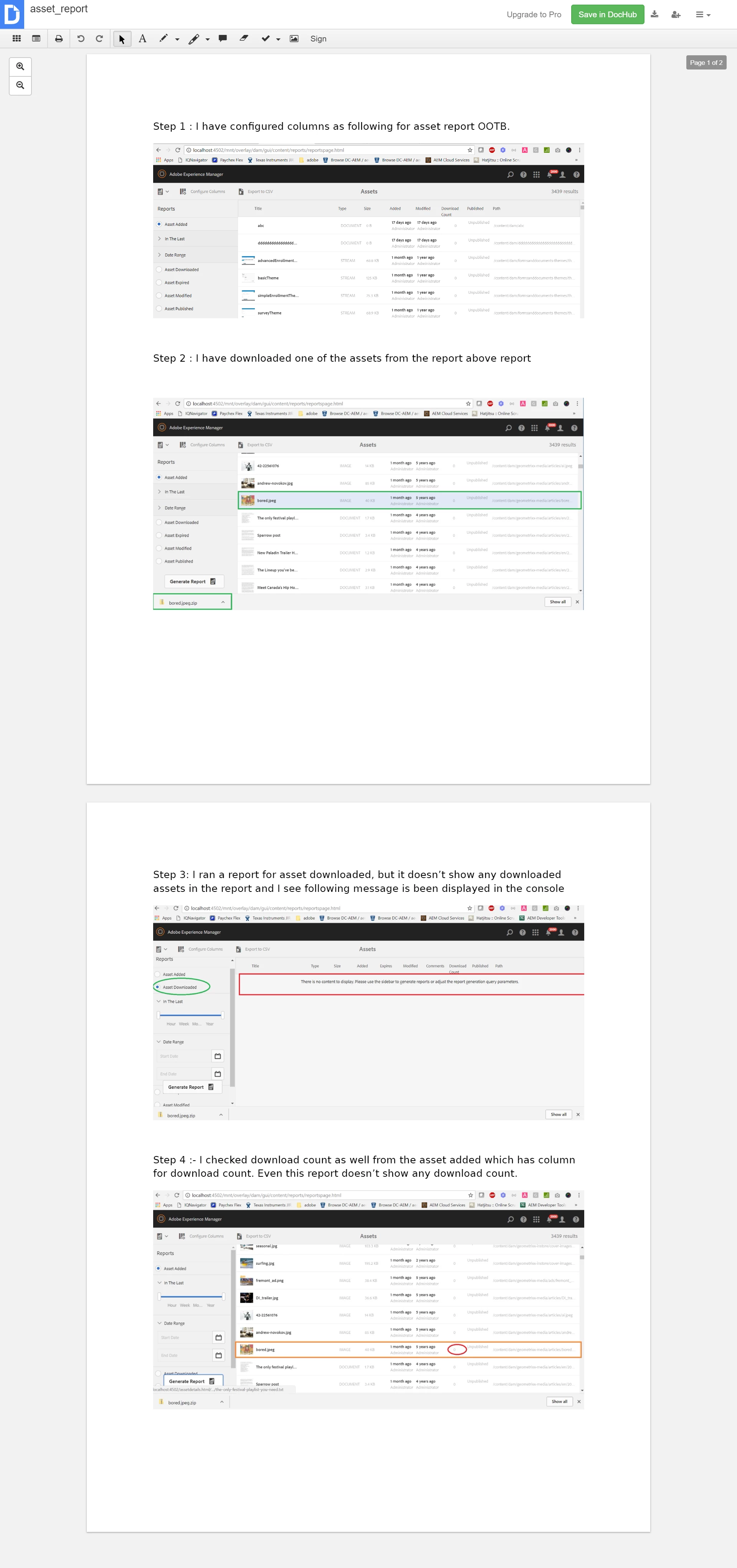
​I  am using OOTB for generating assets report on 6.2 . I have configured the columns as per the documentation provided in adobe docs. But I was not able to generate a report for downloaded assets , and also it does show download count as well. PFA

This post is no longer active and is closed to new replies. Need help? Start a new post to ask your question.
Techaspect_Solu
Techaspect_SoluAccepted solution
Level 7
Mar 23, 2018 3:08 PM UTC

Hi,

Once you configure the columns, to enable the data on reports, you will have to enable "Day CQ DAM Event Recorder" OSGI setting in configuration manager.

1) Go to http://localhost:4502/system/console/configMgr

2) Search for "Day CQ DAM Event Recorder"

3) Check all the event types you want to capture in asset reports

4) Check enable this service and click on save

Once you follow above steps, you can go back to the reports screen and verify. You should be seeing data in reports

We hope this information helps!

Regards,

TechAspect Solutions

2 replies

vijayk87714775
Level 4
Apr 10, 2018 2:58 PM UTC

thanks Techaspect Solutions for replying. Issue got resolved after installing CFP-13

Translate
Techaspect_Solu
Techaspect_SoluAccepted solution
Level 7
Mar 23, 2018 3:08 PM UTC

Hi,

Once you configure the columns, to enable the data on reports, you will have to enable "Day CQ DAM Event Recorder" OSGI setting in configuration manager.

1) Go to http://localhost:4502/system/console/configMgr

2) Search for "Day CQ DAM Event Recorder"

3) Check all the event types you want to capture in asset reports

4) Check enable this service and click on save

Once you follow above steps, you can go back to the reports screen and verify. You should be seeing data in reports

We hope this information helps!

Regards,

TechAspect Solutions

Translate