Page after move workflow source code | Community
Skip to main content
New Participant
January 22, 2024

Page after move workflow source code

  • January 22, 2024
  • 2 replies
  • 1027 views

Hi 

we would like to to change URL of the page without republishing the references so unticked the “republish” box for the pages seen in the screenshot but they got republished regardless.
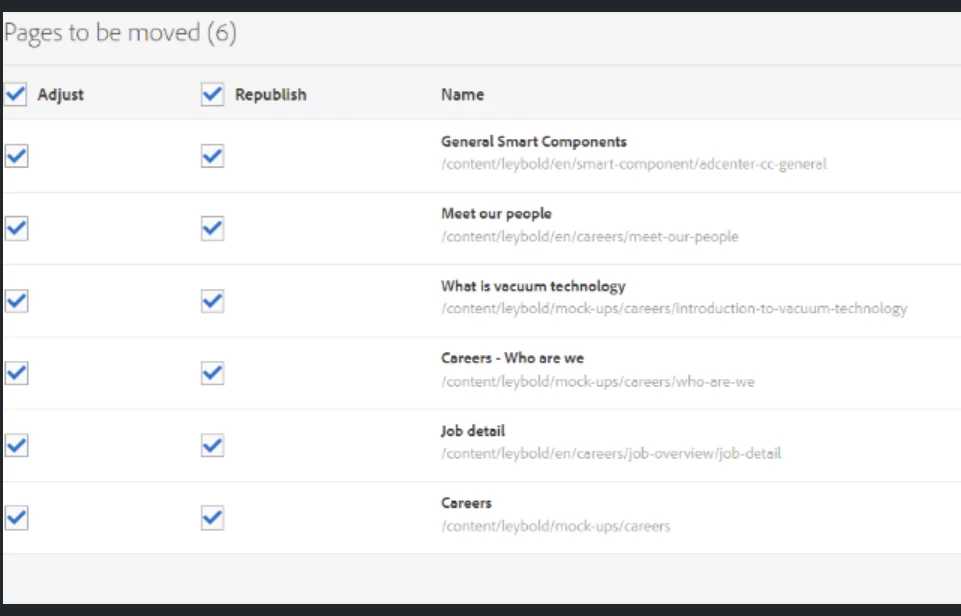
 

Actually its working fine on the OOTB workflow.

Can anyone share the ootb code for the workflow, it helps me how they are skipping republising when republish checkbox is unchecked.


Thanks,

Vani


This post is no longer active and is closed to new replies. Need help? Start a new post to ask your question.

2 replies

kautuk_sahni
Employee
January 23, 2024

@kamal_kishor Did you find the suggestions from users helpful? Please let us know if more information is required. Otherwise, please mark the answer as correct for posterity. If you have found out solution yourself, please share it with the community.

Kautuk Sahni
Vani1012Author
New Participant
January 23, 2024

Its not helpful, need more inputs

Kamal_Kishor
New Participant
January 22, 2024

@vani1012: If the reference page(s) were previously activated, then ideally they should be re-published as well otherwise you will start to see broken links on them.

Maybe you can create some new test pages which refer your <page-to-be-moved>. Ensure you have not published those test pages. Then try to un-check the 'Republish' box while moving the same page and see if it still re-publishes the reference pages.

For page move, documentation says:


If the page was already published, moving the page will automatically unpublish it. By default, it will be republished when the move is complete, but this can changed by unchecking the Republish field in the Adjust/Republish step.


Please refer: https://docs.mktossl.com/docs/experience-manager-65/content/sites/authoring/authoring/managing-pages.html?lang=en#moving-or-renaming-a-page


Please let me know if I have misunderstood your use-case.
thanks.

Vani1012Author
New Participant
January 22, 2024

@kamal_kishor 

If the page was already published, moving the page will automatically unpublish it. By default, it will be republished when the move is complete, but this can changed by unchecking the Republish field in the Adjust/Republish step.

Yes to change I unchecked republish option eventhough it is publishing.
Actually there is no problem in the OOTB, Can you share the code of that functionality.