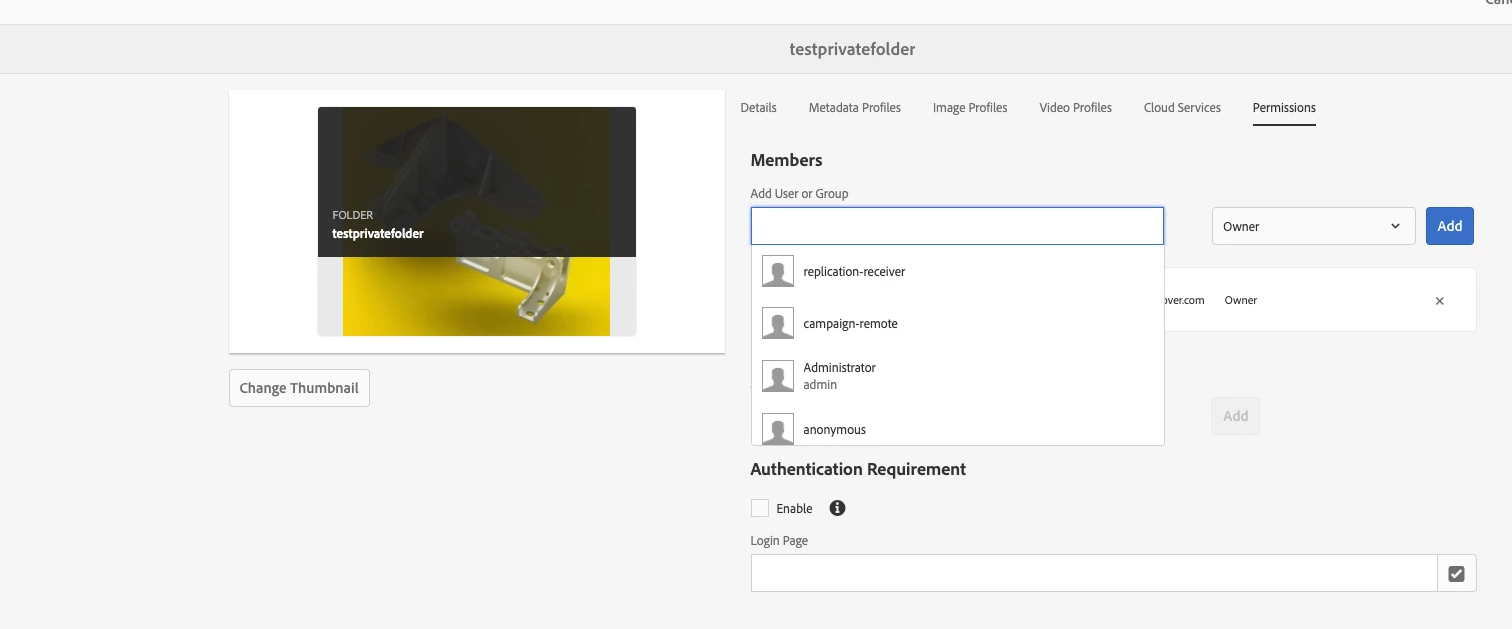
I tried the same i am able to create a folder as private and publish the asset from that folder. Are you the owner of the Private folder or someone created and shared you this private folder.If its later case then you should have Owner access to publish or share it with other user as per my understanding as shown below.
I have by accident created some folders on private mode but these contain assets we need to be able to publish to our EPIM systems for web. But I cannot unlock the folders nor the assets. How can I make this folders public instead of private?
I tried the same i am able to create a folder as private and publish the asset from that folder. Are you the owner of the Private folder or someone created and shared you this private folder.If its later case then you should have Owner access to publish or share it with other user as per my understanding as shown below.
Thanks everyone for your suggestions. We have different scenario for replicating the content. Replication to distinct publishers based on content path is handled by configuring the replication user to the appropriate replication agents.
The replication users have read access to the required content folders to replicate the content appropriately to publishers. Everything was working until we faced issue in private folders. Once the folders are made private and assigned owners replicate the content, agents are failing to replicate -stating permission error. The configured user agents in the replication agent has the required read access to these private folders necessary for replication. If the folder is made public, agents are activating the content and works as expected