[re]Configure "Convert to Content Project" in Eclipse? | Community
Skip to main content
Level 3
Feb 10, 2021 1:17 AM UTC
Solved

[re]Configure "Convert to Content Project" in Eclipse?

Hello,


I am using Eclipse 2019-9 version and AEM 6.5.

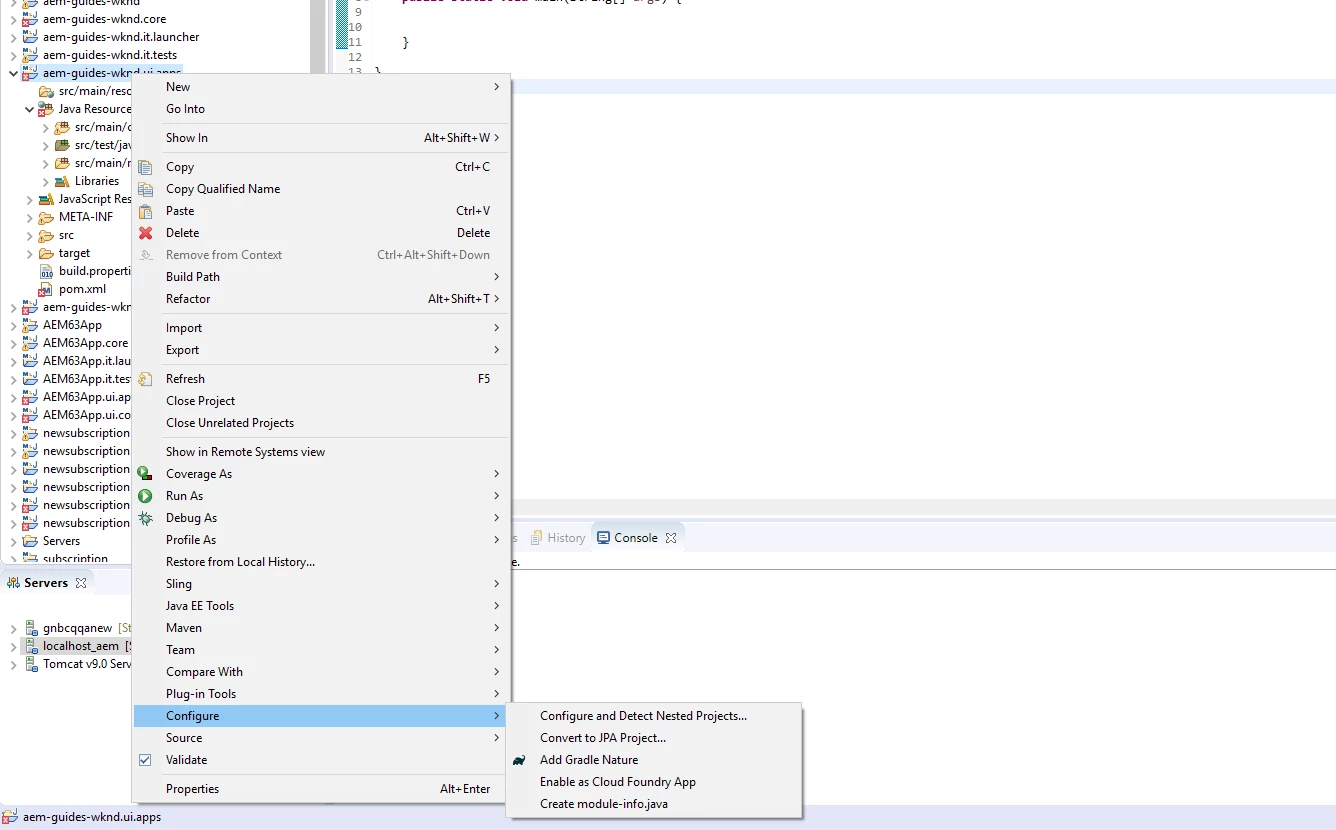
I tried to configure apps in my project to "Content project" in Eclipse so that I can see the properties in AEM prospective.

However, I can not see the option of "Convert to Content Project".

Do you have any idea why I don't see this option?

Thanks,


This post is no longer active and is closed to new replies. Need help? Start a new post to ask your question.
Sanket_Kumbharkhane
Sanket_KumbharkhaneAccepted solution
Level 4
Feb 10, 2021 6:38 AM UTC

Hi @keehwan1 ,


Can you try to install the AEM Develop tool in your eclipse? if not, here is the doc on how to install & configure


https://experienceleague.adobe.com/docs/experience-manager-64/developing/devtools/aem-eclipse.html?lang=en#overview


After installation, the "Convert to Content Project" option should get enable in eclipse.


3 replies

Sanket_Kumbharkhane
Sanket_KumbharkhaneAccepted solution
Level 4
Feb 10, 2021 6:38 AM UTC

Hi @keehwan1 ,


Can you try to install the AEM Develop tool in your eclipse? if not, here is the doc on how to install & configure


https://experienceleague.adobe.com/docs/experience-manager-64/developing/devtools/aem-eclipse.html?lang=en#overview


After installation, the "Convert to Content Project" option should get enable in eclipse.


Translate
keehwan1Author
Level 3
Feb 14, 2021 4:47 PM UTC
Thank you, Sanket Kumbharhane
Translate