Regex format not working properly | Community
Skip to main content
Level 2
Dec 3, 2022 12:07 PM UTC
Solved

Regex format not working properly

I created regex format in textfield and numberfield.In numberfield it works well but in textfield area its not working. i don't know where i did mistake.

This post is no longer active and is closed to new replies. Need help? Start a new post to ask your question.
Nikita___GargAccepted solution
Employee
Dec 5, 2022 5:27 AM UTC

hi @hagrid,

Can you check the resourceType of textfield ? Is it coralui2 or coral ui 3 ?

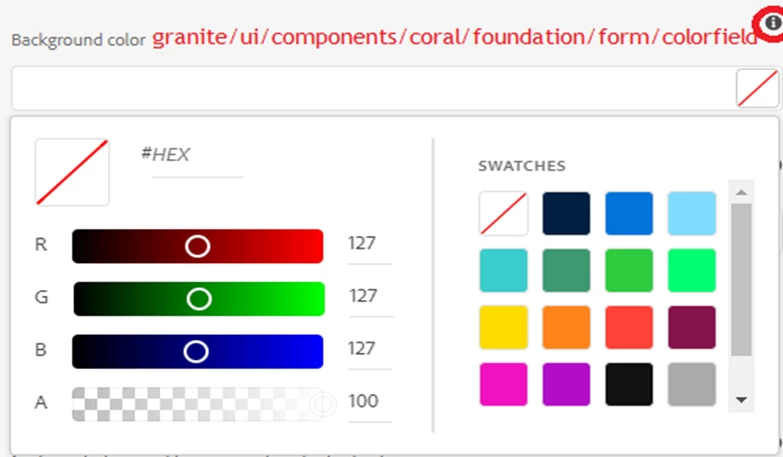
You can use colorpicker as well for this instead of regex. Please refer this

5 replies

Employee
Dec 5, 2022 2:35 AM UTC

hi @hagrid ,

Please refer to @arunpatidar comments in the post Solved: Touch Ui Dialog || Regex validation of Dialog Fiel... - Adobe Experience League Community - 307660

which i have pasted here as well

"Hi,

Please check coral3 properties at TextField — Granite UI 1.0 documentation

Coral 2 at - TextField — Granite UI 1.0 documentation

I don't think so, there were regex validation supported by Adobe for touch UI in coral2.

Could you please share the link where you are referring?

granite:data node is used only to add custom data attribute for touch UI dailog fields.

In coral2, that was achieved by adding properties in field node itself. "

Hoping that this helps.

Thanks,

Nikita Garg

Translate
hagridAuthor
Level 2
Dec 6, 2022 5:33 AM UTC
New Participant
Dec 3, 2022 1:42 PM UTC

Hi @hagrid

What is your use case (expectations) .pls explain more .

Thanks

Translate
hagridAuthor
Level 2
Dec 4, 2022 6:57 AM UTC

Hi @knan 

I used these properties but i didn't get output in my page.

Translate
Nikita___GargAccepted solution
Employee
Dec 5, 2022 5:27 AM UTC

hi @hagrid,

Can you check the resourceType of textfield ? Is it coralui2 or coral ui 3 ?

You can use colorpicker as well for this instead of regex. Please refer this

Translate