Reject Translation function doesn't work in Translation Connector | Community
Skip to main content
New Participant
October 17, 2018
Solved

Reject Translation function doesn't work in Translation Connector

  • October 17, 2018
  • 14 replies
  • 7031 views

Hello every experts:

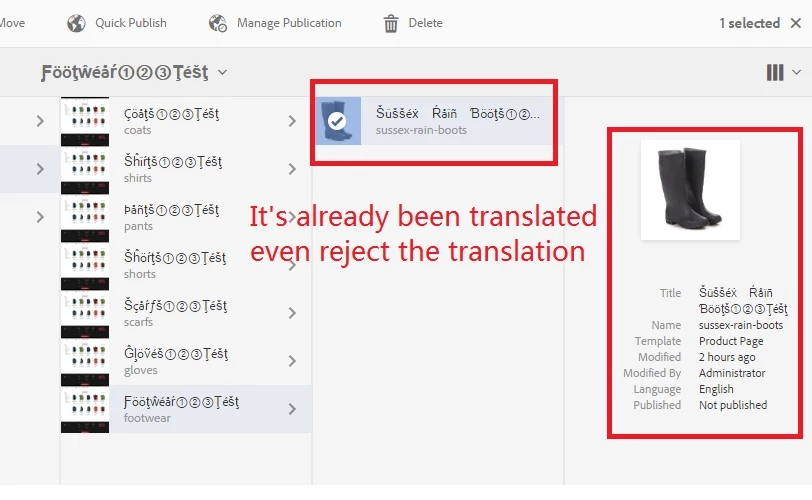
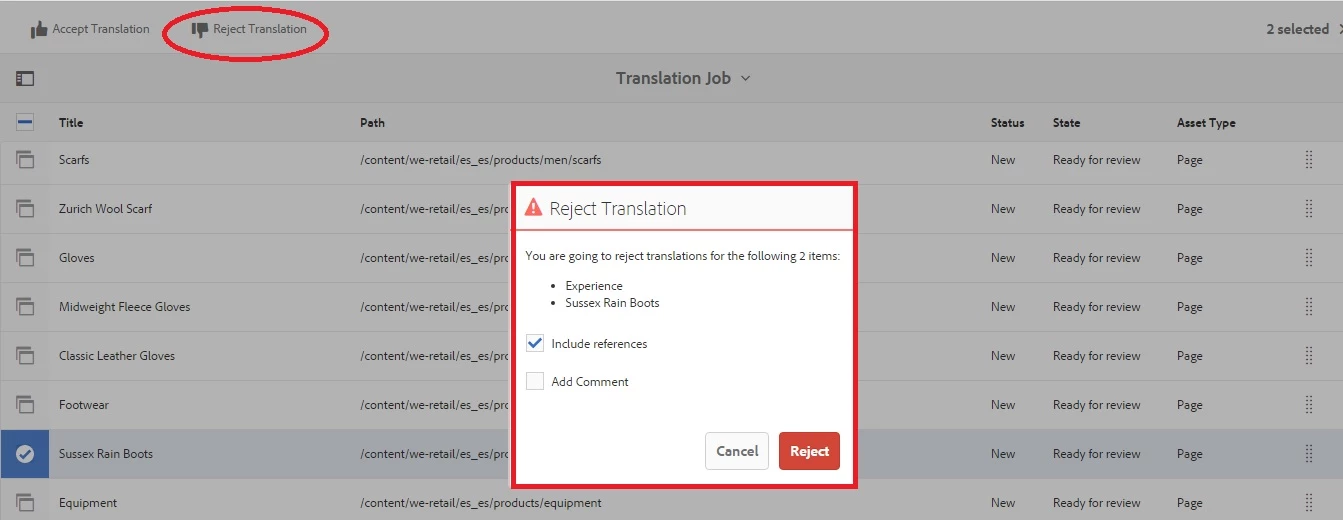
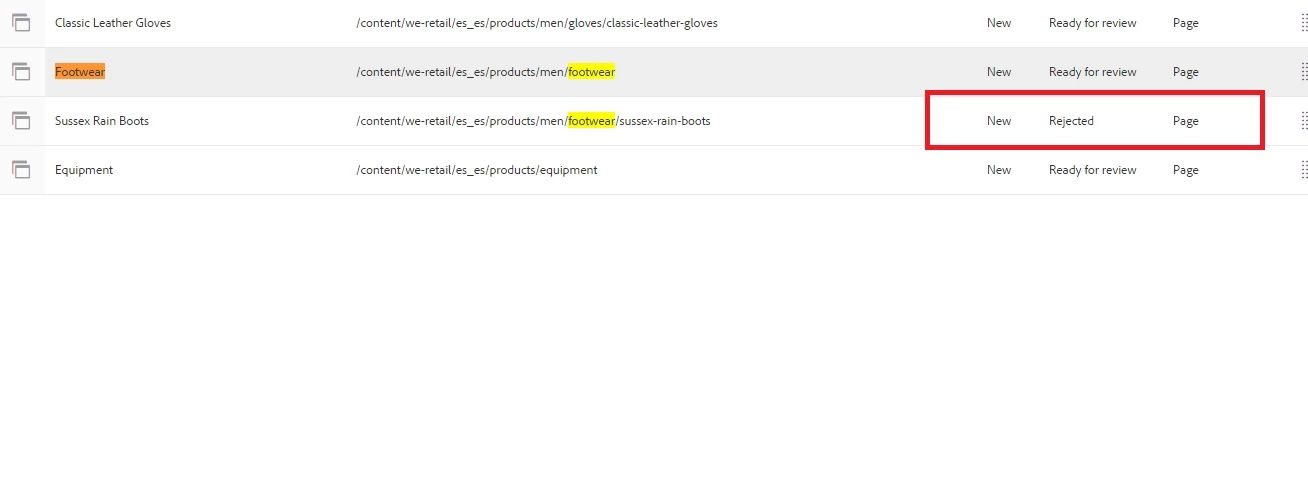
I am using bootstrap connector to test Pseudo Translation functionality. If I totally have 7 pages need to be translated, 6 of them are approved translation, 1 of them is rejected, however I still can see the page is still be translated even though I reject this page in Translation Job. I also checked the JS code of accepttranslation.js and rejecttranslation.js are pretty similiar, so I assume reject translation functions is the same as accept translation which means reject translation doesn't work.

I also tested Microsoft Translation Connector, the behavior is the same.

So does anyone know why reject translation doesn't work? Is this the AEM bug and any solutions to resolve this problem?

Please refer to attachment for more detail.
This post is no longer active and is closed to new replies. Need help? Start a new post to ask your question.
Best answer by Ankur_Sial

Hi,

Reject functionality would initiate update translations, if supported by translation partner. Once a user rejects translation objects, translation partner will be notified with the same. If you are working with a partner, please request your translation partner regarding the support for reject workflow. If you are building your own connector or a partner, this process is initiated via updateTranslationObjectState[1].

Also, as this needs reading comments and updating translations accordingly, it is not supported by Machine Translation only frameworks like Microsoft.

Reject status is an indication that the content needs update. The content would not be reverted to source language.

[1] https://helpx.adobe.com/experience-manager/6-4/sites/developing/using/reference-materials/javadoc/com/adobe/granite/translation/api/TranslationService.html#updateTranslationObjectState-java.lang.String-com.adobe.granite.translation.api.TranslationObject-com.adobe.granite.translation.api.TranslationState-

14 replies

New Participant
October 29, 2018

Hi @Ankur Sial,

I think I get the inspiration from you comment about "If you are building your own connector or a partner, this process is initiated via updateTranslationObjectState[1]" which means any status changed for TO will trigger the updateTranslationObjectState method, this helped me a lot, as I can write my custom "Accept" or "Reject" script in this method to communicate with TMS.

So I will mark your answer as the correct answer. Thank you again.

New Participant
October 24, 2018

Hi Ankur,

Thank you for your reply, you means reject translation doesn't supported by Machine Translation? Only support by Human Translation? If I have to use Machine Transaltion, how can I customize reject translation code to co-operate with 3rd Translation Provider? Do you have any ideas?

Ankur_SialAccepted solution
New Participant
October 24, 2018

Hi,

Reject functionality would initiate update translations, if supported by translation partner. Once a user rejects translation objects, translation partner will be notified with the same. If you are working with a partner, please request your translation partner regarding the support for reject workflow. If you are building your own connector or a partner, this process is initiated via updateTranslationObjectState[1].

Also, as this needs reading comments and updating translations accordingly, it is not supported by Machine Translation only frameworks like Microsoft.

Reject status is an indication that the content needs update. The content would not be reverted to source language.

[1] https://helpx.adobe.com/experience-manager/6-4/sites/developing/using/reference-materials/javadoc/com/adobe/granite/translation/api/TranslationService.html#updateTranslationObjectState-java.lang.String-com.adobe.granite.translation.api.TranslationObject-com.adobe.granite.translation.api.TranslationState-

New Participant
October 24, 2018

Thank you smacdonald2008​ for your reply. BTW: Can you let me know where I can find the source code of Accpet Translation and Reject Translation step?

Please check screenshot if I find the right one?

One more question: If I want to have RejectTranslation event integrate with 3rd party Translation provider, how should I do this ? As I know Accept/Reject translation is AEM OOTB function, not sure how to call out external application?

smacdonald2008
New Participant
October 23, 2018

This type of question is exactly why the AEM ENG Translation team is holding this event next Tues. I strongly recommend that you sign up (see link in my previous reply) and you can ask these questions to the team. In the mean time - i have asked the team to look here too.

New Participant
October 23, 2018

Hi ,

We have a 3rd translation provider system need to be integrated with AEM, so we need translation connector to do the Translation. Here I want to confirm if Reject/Approve Translation function in TranslatonJob is AEM bug or this is what design as it is?

If it is a AEM bug, do we have a patch?

If it is design as expected, I don't understand the business value here. I think if we reject some page's translation, we can leave a comment the reason why we reject and send this reject translation and comment to the 3rd translation provider to let them know we reject the page's translation. This is the right business behavior, right?

smacdonald2008
New Participant
October 23, 2018

Why are you not using AEM functionality for translating content. We have a session next week on this very subject -- https://www.meetup.com/AEM-Technologist-Group/events/252347279/

arunpatidar
New Participant
October 23, 2018

Hi,

I am able to reproduce the issue in 6.3.

For me its occurring while creating language copies, while updating language copies, it is not updating the content.

Arun Patidar
New Participant
October 23, 2018

Hello, everyone,

Anyone can reproduce this issue? Any solution for this?

New Participant
October 19, 2018

Thank you for your reply. Would you please attach your screenshot for me? I want to know how is the right behavior looks like after you click reject translation for one/some pages.

BTW: you are using Human Manual Translation or Machine Translation?