RTE dialog field not working in 6.3.3 | Community
Skip to main content
New Participant
Sep 24, 2018 3:21 PM UTC
Solved

RTE dialog field not working in 6.3.3

I'm having a very similar issue to this thread that was closed with no resolution: RichText not working for touch UI AEM 6.4

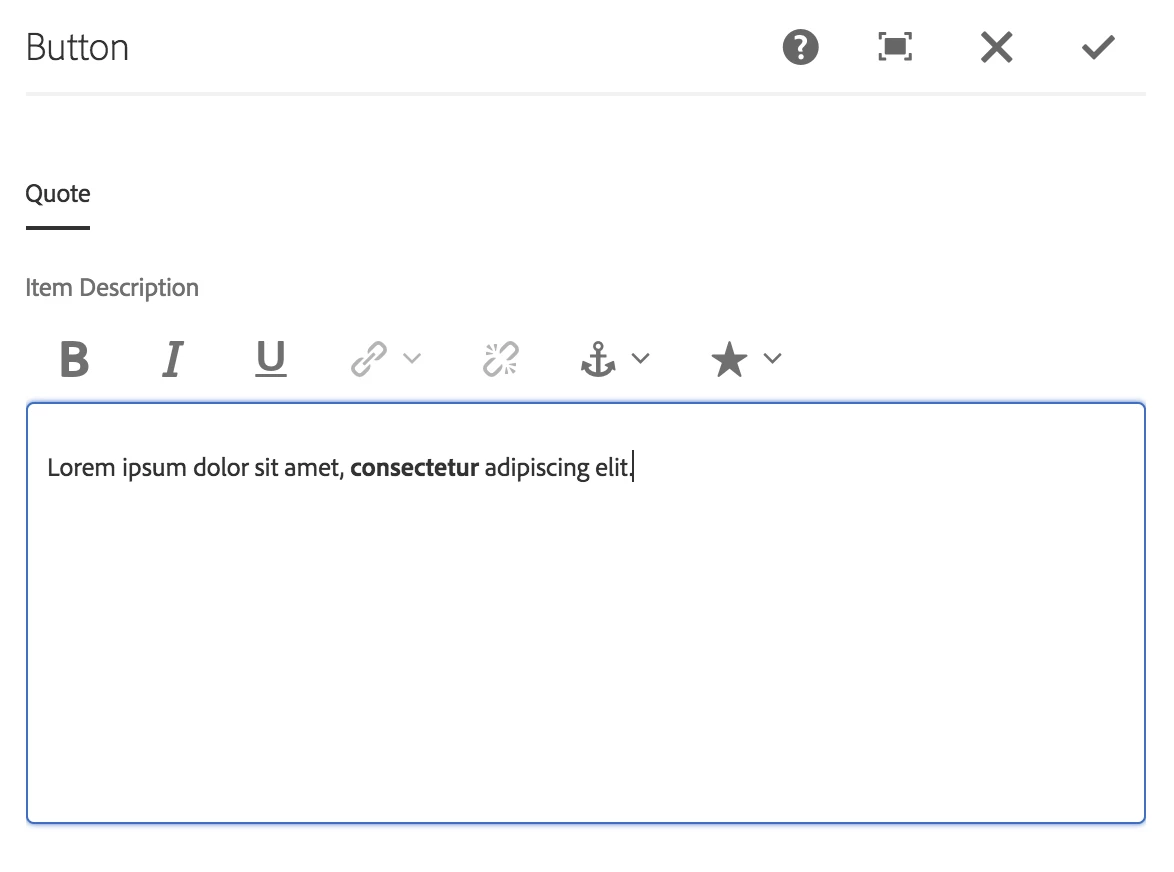
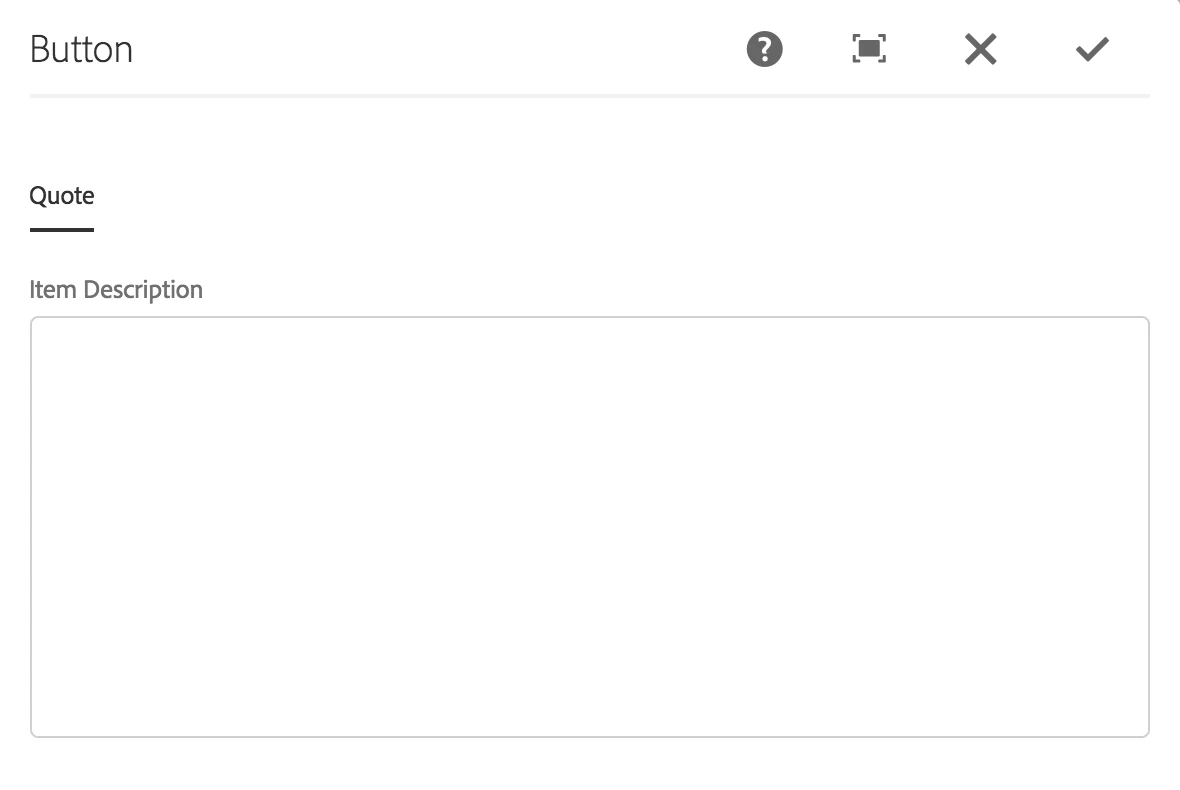
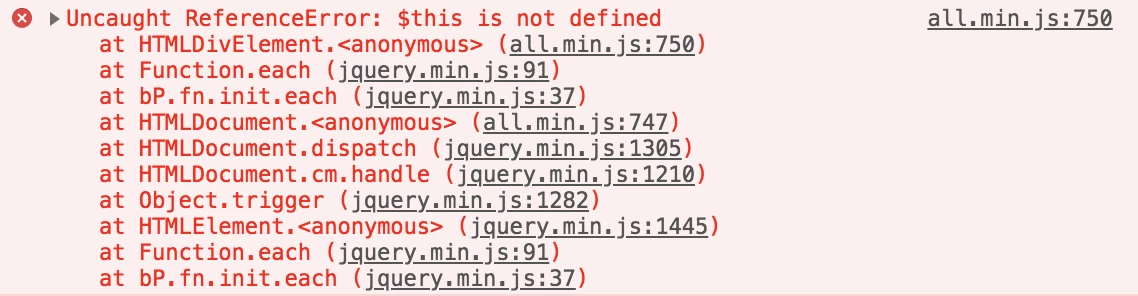
In my local instance (6.3.0), the rich text editor is working fine in my custom component but in 6.3.3 it won't even allow me to add anything to the field or show any of the plugins. In 6.3.3 there is an "Uncaught ReferenceError: $this is not defined" console error.

6.3.0
6.3.3
6.3.3 console error:
This is the dialog.xml:

<?xml version="1.0" encoding="UTF-8"?>

<jcr:root xmlns:sling="http://sling.apache.org/jcr/sling/1.0" xmlns:cq="http://www.day.com/jcr/cq/1.0" xmlns:jcr="http://www.jcp.org/jcr/1.0" xmlns:nt="http://www.jcp.org/jcr/nt/1.0"

    jcr:primaryType="nt:unstructured"

    jcr:title="Button"

    sling:resourceType="cq/gui/components/authoring/dialog">

    <content

        jcr:primaryType="nt:unstructured"

        sling:resourceType="granite/ui/components/coral/foundation/container"

        margin="{Boolean}true">

        <items jcr:primaryType="nt:unstructured">

            <tabs

                jcr:primaryType="nt:unstructured"

                sling:resourceType="granite/ui/components/coral/foundation/tabs"

                maximized="{Boolean}true">

                <items jcr:primaryType="nt:unstructured">

                    <quote

                        jcr:primaryType="nt:unstructured"

                        jcr:title="Quote"

                        sling:resourceType="granite/ui/components/coral/foundation/container"

                        margin="{Boolean}true">

                        <items jcr:primaryType="nt:unstructured">

                            <text

                                jcr:primaryType="nt:unstructured"

                                sling:resourceType="cq/gui/components/authoring/dialog/richtext"

                                fieldLabel="Item Description"

                                name="./text"

                                useFixedInlineToolbar="{Boolean}true">

                                <rtePlugins jcr:primaryType="nt:unstructured">

                                    <format

                                        jcr:primaryType="nt:unstructured"

                                        features="*"/>

                                    <misctools

                                        jcr:primaryType="nt:unstructured"

                                        features="specialchars">

                                        <specialCharsConfig jcr:primaryType="nt:unstructured">

                                            <chars jcr:primaryType="nt:unstructured">

                                                <copyright

                                                    jcr:primaryType="nt:unstructured"

                                                    entity="&amp;#169;"/>

                                                <trademark

                                                    jcr:primaryType="nt:unstructured"

                                                    entity="&amp;#8482;"/>

                                                <registered

                                                    jcr:primaryType="nt:unstructured"

                                                    entity="&amp;#174;"/>

                                                <emDash

                                                    jcr:primaryType="nt:unstructured"

                                                    entity="&amp;#8212;"/>

                                                <pound

                                                    jcr:primaryType="nt:unstructured"

                                                    entity="&amp;#163;"/>

                                                <nbsp

                                                    jcr:primaryType="nt:unstructured"

                                                    entity="&amp;#160;"/>

                                            </chars>

                                        </specialCharsConfig>

                                    </misctools>

                                </rtePlugins>

                                <uiSettings jcr:primaryType="nt:unstructured">

                                    <cui jcr:primaryType="nt:unstructured">

                                        <inline

                                            jcr:primaryType="nt:unstructured"

                                            toolbar="[format#bold,format#italic,format#underline,#justify,#lists,subsuperscript#subscript,subsuperscript#superscript,links#modifylink,links#unlink,links#anchor,#image,findreplace#find,findreplace#replace,spellcheck#checktext,misctools#specialchars,misctools#sourceedit,#styles,#paraformat,table#table]">

                                            <popovers jcr:primaryType="nt:unstructured"/>

                                        </inline>

                                    </cui>

                                </uiSettings>

                            </text>

                        </items>

                    </quote>

                </items>

            </tabs>

        </items>

    </content>

</jcr:root>

Any ideas of how to fix?

Thanks!

This post is no longer active and is closed to new replies. Need help? Start a new post to ask your question.
aneetaroraAccepted solution
Employee
Sep 24, 2018 3:34 PM UTC

rachelb88688093​

This is a known issue with the inital release 6.3.3.0.

AEM 6.3.3.0 was reuploaded. You can download it again and install this one instead to resolve the issue.

https://www.adobeaemcloud.com/content/marketplace/marketplaceProxy.html?packagePath=/content/companies/public/adobe/pack…

Best Regards,

Aneet Arora

3 replies

New Participant
Sep 24, 2018 4:22 PM UTC

This solved the problem. Thanks!

Translate
aneetaroraAccepted solution
Employee
Sep 24, 2018 3:34 PM UTC

rachelb88688093​

This is a known issue with the inital release 6.3.3.0.

AEM 6.3.3.0 was reuploaded. You can download it again and install this one instead to resolve the issue.

https://www.adobeaemcloud.com/content/marketplace/marketplaceProxy.html?packagePath=/content/companies/public/adobe/pack…

Best Regards,

Aneet Arora

Translate
smacdonald2008
Level 10
Sep 24, 2018 3:32 PM UTC

This could be a bug in the upgrade. If the RTE is not working as shown in the video:

Then something needs to be fixed at the software level.

Please report this to AEM Customer Care by raising a support ticket so it can be fixed.

Translate