RTE doesn't work when placed in a page dialog? | Community
Skip to main content
New Participant
February 14, 2018
Solved

RTE doesn't work when placed in a page dialog?

  • February 14, 2018
  • 13 replies
  • 10253 views

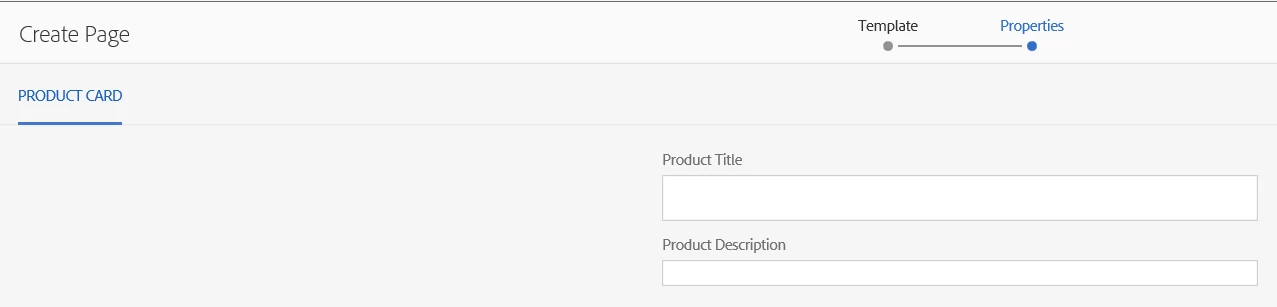
I have created a static template for some product pages. Simplified for debugging it looks like this at page creation time:

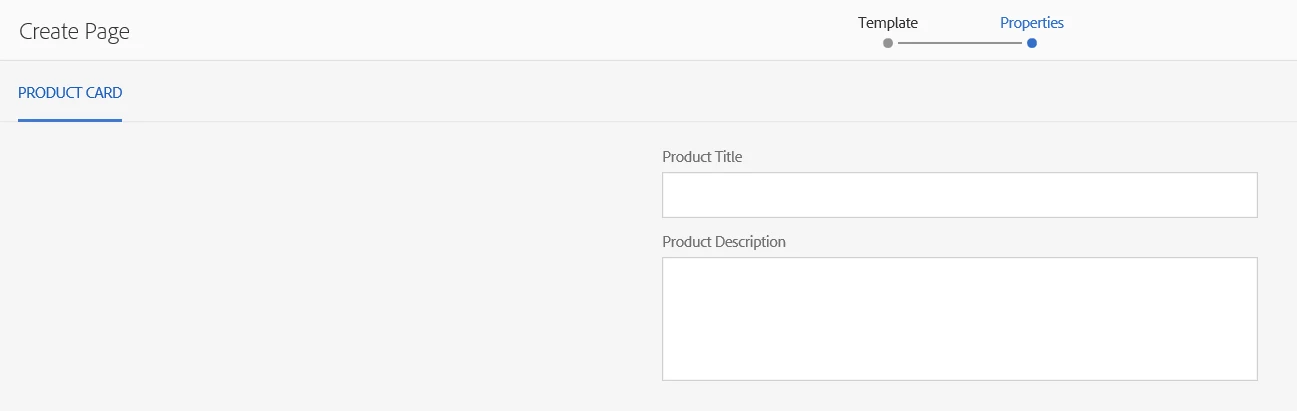
However when the Product Description field is replaced by a richtext, the input collapses to this:

What could cause this?

This post is no longer active and is closed to new replies. Need help? Start a new post to ask your question.
Best answer by praveenjain

Root Cause : The div created for RTE filed during page creation does not contain contenteditable="true" but contains when Edited from Page properties.

<div class="coral-RichText-editable coral-Form-field coral-Textfield coral-Textfield--multiline coral-RichText is-edited webkit chrome" data-config-path="/mnt/override/apps/gwc/watchman/components/page/localePage/_cq_dialog/content/items/tabs/items/ctc/items/column/items/ctcicontext.infinity.json" data-use-fixed-inline-toolbar="true" data-custom-start="null" data-editor-type="text" data-external-style-sheets="" contenteditable="true" style="outline-style: none;"><p>Call Now</p></div>

Fix:

If you need to make it editable during page creation

You need to write js on foundation-contentloaded (component clientlib) $(document).on("foundation-contentloaded",function(){}

and add contenteditable="true" in div. It will starting working fine.
13 replies

alexr21Author
New Participant
February 15, 2018

I also tried #1 and #2 and it made no difference.

alexr21Author
New Participant
February 15, 2018

jainpraveen12​, it is not possible to type anything into the single line, it does not accept input focus. So #3 cannot be reproduced.

Why can't I make it behave the same in Page Properties as it does in a Component Dialog?

New Participant
February 14, 2018

To answer your question its a expected behavior as I mentioned in point 3.

Also looks like toolbar is missing, hence you can refer point 1&2 as required.

1) To get toolbar in RTE, you need to add below property in cq:dialog

property name: extraClientlibs

property value: cq.authoring.dialog.rte.coralui2

2) Toolbar will be displayed on top of this filed so you can add below css in author clientlibs to separate filed from toolbar

.coral-RichText-ui{ margin-bottom:42px;}

3) Normaly RTE will be shown in single line unless you press enter.

ie as your type value in RTE it will keep increasing as shown in below