.sftmp file | Community
Skip to main content
vijayk87714775
Level 4
Sep 17, 2018 8:33 PM UTC
Solved

.sftmp file

Hi All , In our project under the content there is a node that has file with the extension  .sftmp . Not sure how that node got created . Wanted to know in which scenarios does this node gets created . and If I delete this node will there be any issues ??

Thanks in advance.
This post is no longer active and is closed to new replies. Need help? Start a new post to ask your question.
arunpatidar
arunpatidarAccepted solution
New Participant
Sep 18, 2018 10:17 AM UTC

Hi,

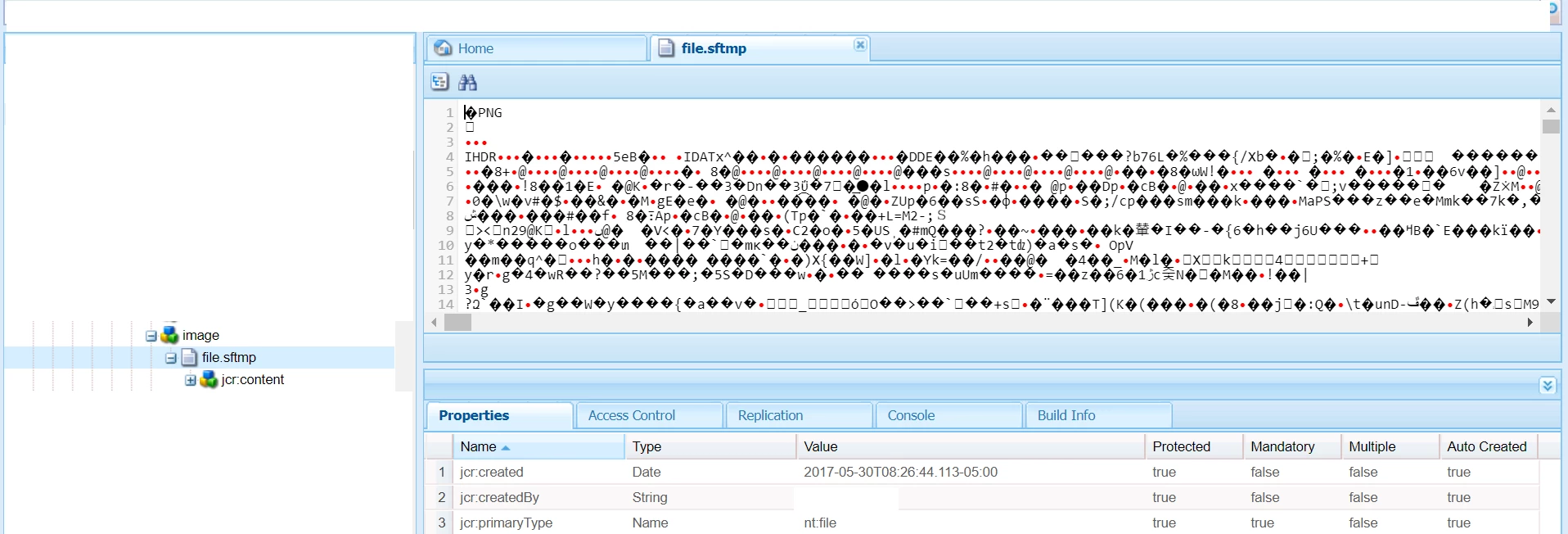
file.sftmp is used to hold tempaory assets data in JCR.

when you use fileupload component and browse/drag-drop an asset in component, asset is uploaded in JCR with name file.sftmp, and as soon as you submit dialog, node name changed to file.

In Summary:

before dialog submit asset node name is file.sftmp

after dialog submit asset node name is file

Arun Patidar

3 replies

arunpatidar
arunpatidarAccepted solution
New Participant
Sep 18, 2018 10:17 AM UTC

Hi,

file.sftmp is used to hold tempaory assets data in JCR.

when you use fileupload component and browse/drag-drop an asset in component, asset is uploaded in JCR with name file.sftmp, and as soon as you submit dialog, node name changed to file.

In Summary:

before dialog submit asset node name is file.sftmp

after dialog submit asset node name is file

Translate
Arun Patidar
Employee
Sep 18, 2018 4:29 AM UTC

if you try to upload a new thumbnail image on editable template this image gets corrupted and get saved .sftmp file.

The workaround is to remove the file extension .sftmp and image will start loading fine. This was known issue and fixed on AEM 6.4

Translate
Level 3
Sep 18, 2018 3:37 AM UTC

Please check if you are using a OOTB file upload component in your project.

FileUpload — Granite UI 1.0 documentation​

Component Path: /libs/foundation/components/form/upload

sling:resourceType="cq/gui/components/authoring/dialog/fileupload"

Translate
