Solved
Siteadmin - filter pages created by author
We have multiple authors who create pages in AEM. Sometimes authors just want to filter the pages that they have created.
How can this be achieved in siteadmin ?
We have multiple authors who create pages in AEM. Sometimes authors just want to filter the pages that they have created.
How can this be achieved in siteadmin ?
Hi @dips1
In AEM siteadmin OOTB we have option to sort pages based on modified by in "List View".
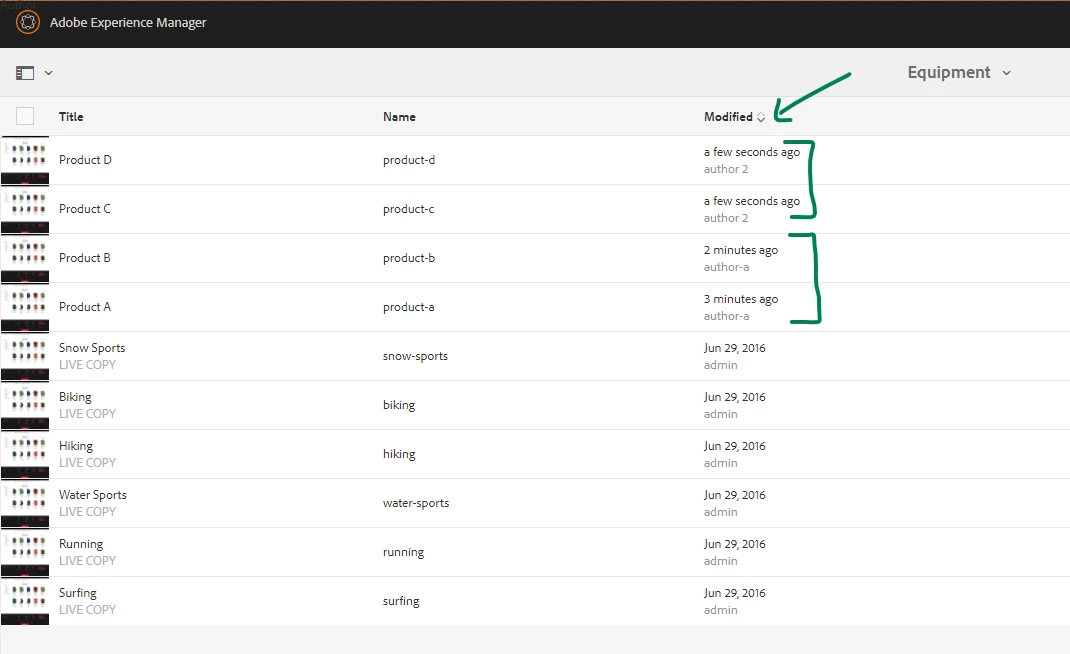
If you want to sort pages based on "Created By" then try using "ACS Commons Page Report"
http://localhost:4502/var/acs-commons/reports/sample-page-report.html?wcmmode=disabled
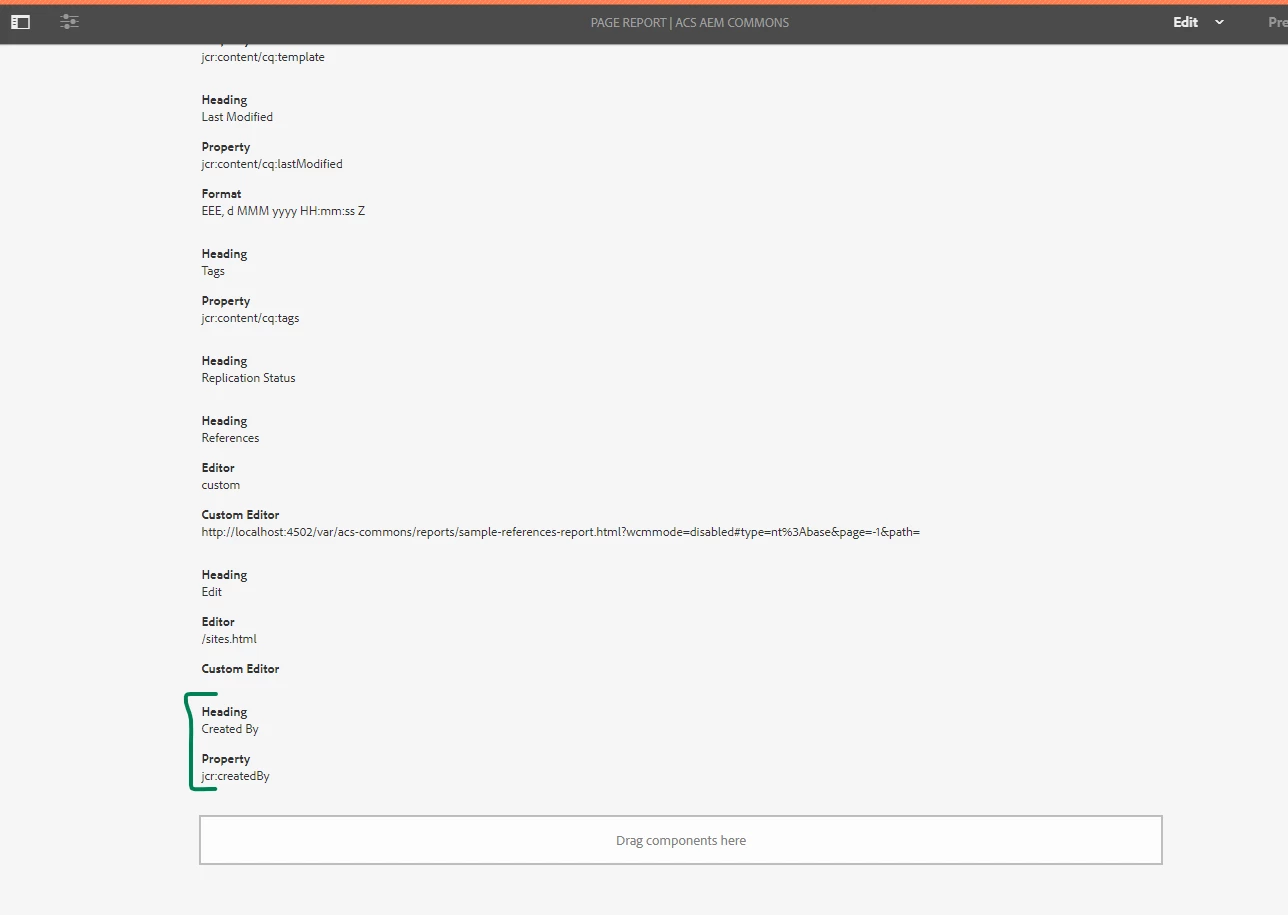
1. Access http://localhost:4502/editor.html/var/acs-commons/reports/sample-page-report.html, add "ACS Commons Report Builder Text Column" component & define custom column to be added in report like in this case "jcr:createdBy".
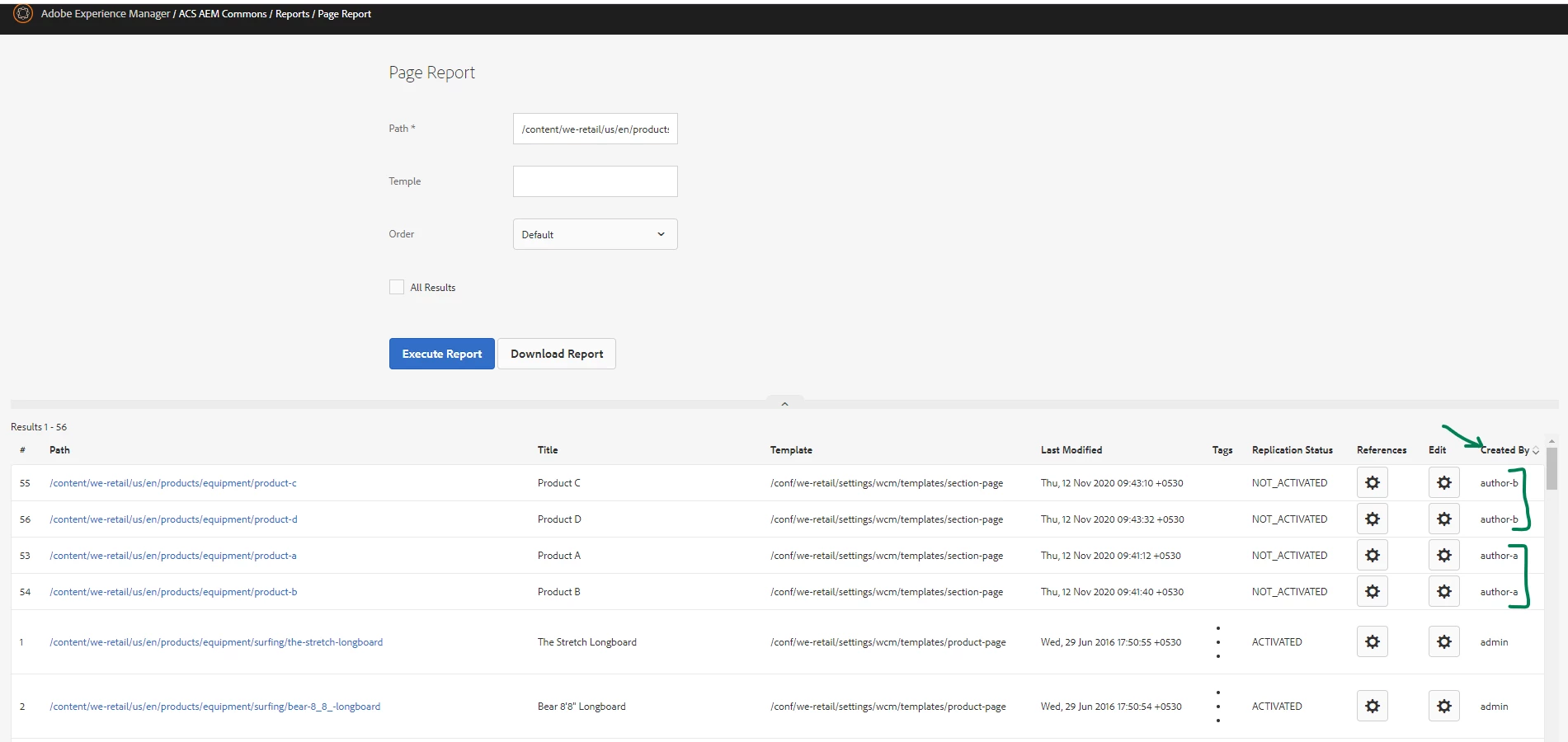
2. Access Page Report(http://localhost:4502/var/acs-commons/reports/sample-page-report.html?wcmmode=disabled), provide root path to list all pages & sort column with "Created By"
Hope this helps!
Enter your E-mail address. We'll send you an e-mail with instructions to reset your password.