Smart Crop not working Dynamic media Image v2 | Community
Skip to main content
Level 4
May 6, 2025
Solved

Smart Crop not working Dynamic media Image v2

Hi all,

In Image component v2 dynamic media smart crop is not working with any rendition in AEMaaCS.

AUTO or a custom one. 

After checking renditions image is not visible.
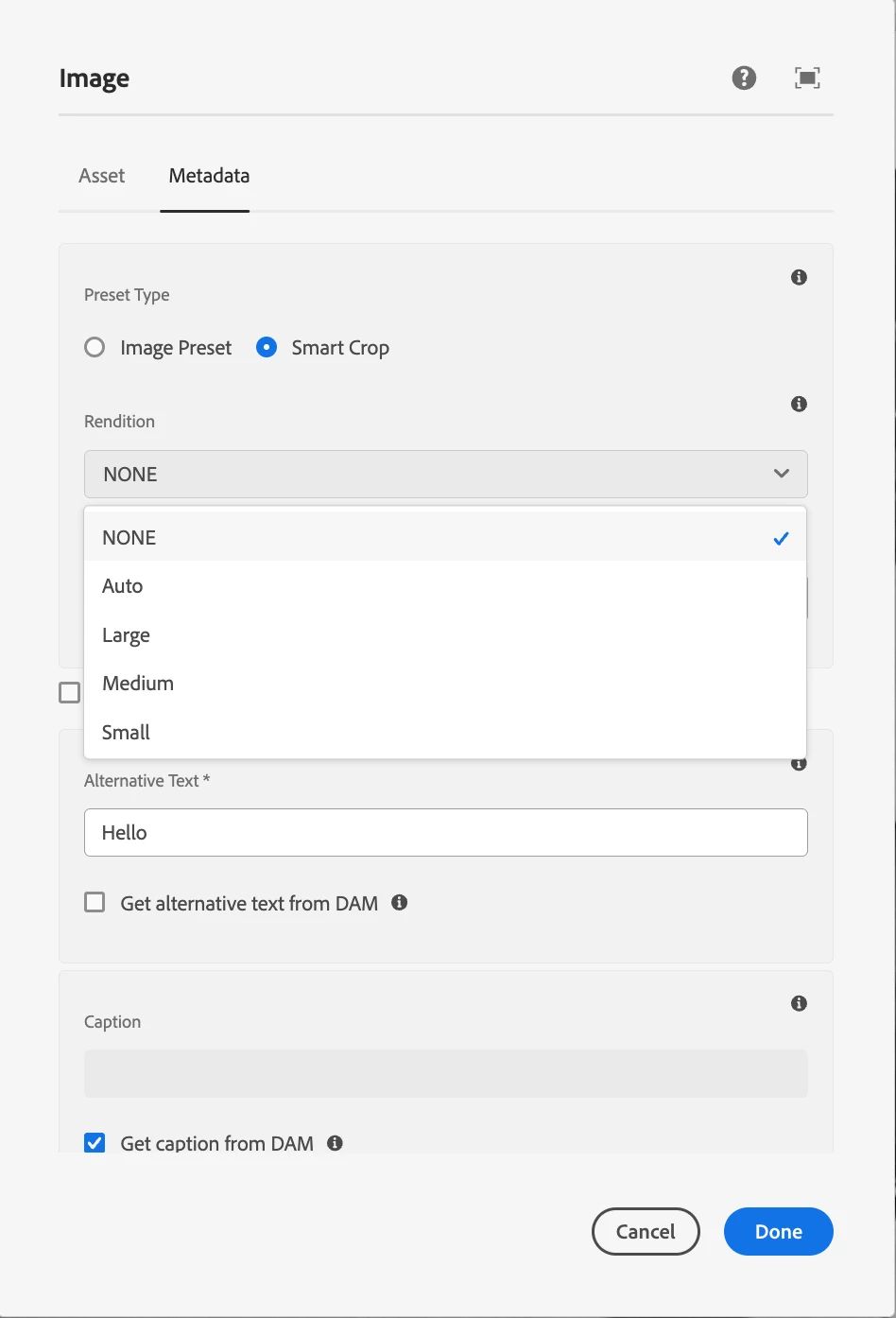
After selecting :-

Image presets are working fine.


Any suggestions will be helpful

Thanks in advance.

 

muskaanchandwani
muskaanchandwaniAccepted solution
Employee
May 6, 2025

Hello @lone_ranger 
Please use the V3 Image Component and ensure you're using the latest compatible Core Components Versions [1].

Also :
> Within Page Policy add the "core.wcm.components.image.v3" clientlibs.
> Within Template, for Image (Core Component) - select policy – and check "Enable DM Feature".

[1] https://experienceleague.adobe.com/en/docs/experience-manager-core-components/using/versions

4 replies

aanchal-sikka
New Participant
May 12, 2025

@lone_ranger Did you find the suggestions helpful? Please let us know if you require more information. Otherwise, please mark the answer as correct for posterity. If you've discovered a solution yourself, we would appreciate it if you could share it with the community. Thank you!

Translate
Aanchal Sikka
muskaanchandwani
muskaanchandwaniAccepted solution
Employee
May 6, 2025

Hello @lone_ranger 
Please use the V3 Image Component and ensure you're using the latest compatible Core Components Versions [1].

Also :
> Within Page Policy add the "core.wcm.components.image.v3" clientlibs.
> Within Template, for Image (Core Component) - select policy – and check "Enable DM Feature".

[1] https://experienceleague.adobe.com/en/docs/experience-manager-core-components/using/versions

Translate
Level 4
May 8, 2025

Hi @muskaanchandwani,

Thank you! image is visible now but smart crop auto is not working, it is always picking "small" rendition

Translate
AmitVishwakarma
Level 1
May 6, 2025

Hi @lone_ranger ,

Try below steps:

Translate