templates placed under /apps/<projectname>/projects/templates/* note visible | Community
Skip to main content
Employee
Jan 22, 2021 9:17 AM UTC
Solved

templates placed under /apps/<projectname>/projects/templates/* note visible

Hi,


We have a custom solution in which we have a custom template for a project as well. We place it in /libs/<productname>/projects/templates/* from where it used in many places in the code as well.


But after this whenever we place any template in /apps/<projectname>/projects/templates/* it is not shown? what can be the reason for this? if we remove /libs/<productname>/projects/templates/* it is also not then? when we uninstall the package it becomes ok


Please can you let me know the cause?

This post is no longer active and is closed to new replies. Need help? Start a new post to ask your question.
ChitraMadan
ChitraMadanAccepted solution
New Participant
Jan 22, 2021 10:25 AM UTC

Hi @tasunil1,


We should be keeping all the custom code in /apps.


/libs is for the out of the box code, which can be overlaid/extended in /apps


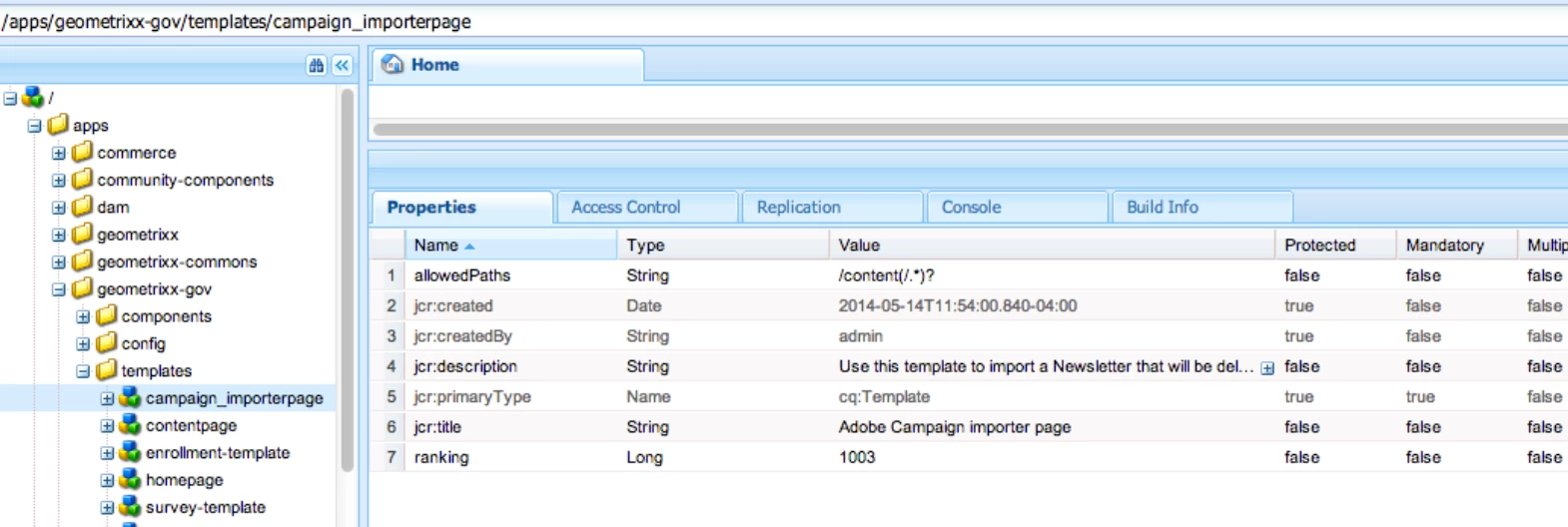
If you are using static templates, you should create them in /apps/<project name>/projects/templates/* (as you have mentioned in your blog). The reason it is not visible while creating a page, could be you are missing allowed paths property on your template


And if you are using editable templates, please refer to this blog, it has a very good explanation.

https://blog.3sharecorp.com/creating-editable-templates-adobe-experience-manager#:~:text=Usually%20you%20can%20set%20Allowed,These%20are%20editable%20components.


6 replies

arunpatidar
New Participant
Jan 22, 2021 4:30 PM UTC

Please check if content node has allowedTemplates property or not, please check flow


Translate
Arun Patidar
ChitraMadan
ChitraMadanAccepted solution
New Participant
Jan 22, 2021 10:25 AM UTC

Hi @tasunil1,


We should be keeping all the custom code in /apps.


/libs is for the out of the box code, which can be overlaid/extended in /apps


If you are using static templates, you should create them in /apps/<project name>/projects/templates/* (as you have mentioned in your blog). The reason it is not visible while creating a page, could be you are missing allowed paths property on your template


And if you are using editable templates, please refer to this blog, it has a very good explanation.

https://blog.3sharecorp.com/creating-editable-templates-adobe-experience-manager#:~:text=Usually%20you%20can%20set%20Allowed,These%20are%20editable%20components.


Translate
tasunil1Author
Employee
Jan 22, 2021 11:24 AM UTC
Hello @chitramadan is there any way i debug which paths are being overlayed. because i added the allowed paths but still it is not visible. Is there any place i can see when loading the newprojects.html these will be loaded
Translate